




Augmented Reality (AR) and Virtual Reality (VR) are two of the most exciting technologies shaping the future of how we interact with the world. Though often mentioned together, they serve fundamentally different purposes—one enhances the reality around you, while the other transports you somewhere completely new.
This guide breaks down everything you need to know about AR and VR: what they are, how they work, where they're used, and what the future holds. Whether you're a business leader exploring these tools or simply curious about the technology, this article will help you understand the key differences and decide which one matters for you.
What Is Augmented Reality (AR)
Augmented Reality (AR) is a technology that overlays digital information—such as images, text, or 3D models—onto the real world. Unlike virtual reality, which replaces your environment entirely, AR enhances your existing surroundings by adding a digital layer to them. Almost anyone with a smartphone can access AR, making it accessible for everyday use.
The purpose of AR is to modify and enrich your perception of reality, not to replace it. Whether it's through a phone camera or smart glasses, AR brings digital content into your physical space, creating a blended experience where both coexist.
1. How Does AR Work?
AR works by combining real-time camera input with digital content that is precisely positioned within the physical environment. When you point your device's camera at a scene, the AR software analyzes the visual data to understand what it's seeing—identifying surfaces like floors and tables, detecting edges, and measuring distances.
The processor then calculates exactly where to place digital objects so they appear anchored in the real world. Finally, the display shows you the combined view: your actual surroundings with digital elements seamlessly integrated into them.
The entire process happens in milliseconds. The camera continuously feeds new visual information to the processor, which updates the position of digital objects as you move your device. This creates the illusion that virtual objects are actually present in your space, maintaining their position relative to the real world even as your perspective changes.
2. System Components: Hardware & Software
AR technology relies on a combination of physical hardware and intelligent software working together. Here's what makes it possible:
Hardware Components:
- Processor: Handles the intensive computations needed to analyze the environment and render digital content in real time. This can be your smartphone's chip or a dedicated processor in AR glasses.
- Camera: Captures the live view of your surroundings and feeds it to the processor. It serves as the primary sensor for understanding the environment.
- Display: Shows you the combined view of real and digital content. This can be a smartphone screen, tablet display, smart glasses, or even a car's heads-up display.
- Sensors: Include accelerometers and gyroscopes for tracking movement, GPS for location data, compasses for orientation, and increasingly LiDAR for precise depth measurement.
- Input Devices: Allow you to interact with AR content. Common options include touchscreens, voice commands, and gesture recognition systems.
Software Components:
- Image Registration: Analyzes the camera feed to map the real world, identifying surfaces, objects, and their spatial relationships.
- 3D Rendering Engines: Create and place virtual objects into the mapped environment with correct lighting, shadows, and perspective.
- SLAM Algorithms (Simultaneous Localization and Mapping): Track the device's position in real time while simultaneously building a map of the surrounding environment.
- Object Recognition: Identifies specific items or features in the environment to trigger relevant AR content.
- Development Platforms: Toolkits like ARKit (Apple) and ARCore (Google) provide developers with frameworks to build AR applications.
3. Examples in Daily Life
- Pokemon GO: The mobile game that brought AR to the masses, letting players find and catch virtual Pokemon in real-world locations.
- Instagram and Snapchat Filters: Face filters that overlay digital effects onto your selfies, tracking your facial movements in real time.
- IKEA Place: An app that lets you visualize how furniture would look and fit in your actual home before making a purchase.
- Google Maps Live View: Arrows and directions overlaid onto the real street view when you're walking, making navigation intuitive.
- Snapchat and TikTok Lenses: Interactive effects that respond to your environment, from dancing hot dogs to world effects that transform your surroundings.
- YouCam Makeup: Virtual try-on for cosmetics that lets you see how makeup products look on your face before buying.
4. Pros and Cons of AR
Pros of AR
- Accessibility: Works on smartphones people already own—no special equipment needed
- Real-world connection: Keeps you grounded in your actual environment while enhancing it
- Practical applications: Useful for navigation, shopping, education, and on-the-job assistance
- Social and shareable: AR experiences can be easily shared with others through photos and videos
- Low barrier to entry: Thousands of free AR apps are available for immediate download
Cons of AR
- Technical limitations: Digital objects don't always look realistic due to lighting and occlusion challenges
- Battery drain: Continuous camera and processing use quickly depletes phone batteries
- Environmental sensitivity: Works poorly in low light, bright sunlight, or featureless spaces
- Display constraints: Small phone screens or limited field of view in glasses reduce immersion
- Privacy concerns: Apps with camera access raise questions about data collection and surveillance
What Is Virtual Reality (VR)
Virtual Reality is a technology that creates a completely immersive digital environment, replacing your physical surroundings with a computer-generated world. When you use VR, you are transported elsewhere—whether that's a realistic simulation, a fantastical game world, or a virtual meeting space.
Unlike AR, which adds to your reality, VR substitutes it entirely. The goal is to make you feel as though you have actually entered another place, with the virtual environment responding to your movements and actions in real time to maintain the illusion of presence.
1. How Does VR Work?
VR works by completely blocking out your view of the real world and replacing it with stereoscopic 3D imagery displayed on screens inside a headset. The headset covers your eyes and uses lenses to focus and reshape the image for each eye, creating depth perception that tricks your brain into seeing a three-dimensional space. Sensors inside the headtrack track your head movements—when you look up, down, or turn around—and the displayed imagery updates instantly to match your new perspective. This creates the convincing sensation that you are actually inside the virtual environment.
High-end VR systems also track your hand and body movements using controllers or sensors, allowing you to reach out and interact with virtual objects. The combination of visual immersion, spatial audio, and interactive elements creates what's known as "presence"—the feeling that you have truly left your physical location and entered the digital world.
2. System Components: Hardware & Software
VR requires more specialized equipment than AR, though the underlying technology shares some similarities. Here's what powers the virtual reality experience:
Hardware Components:
- Head-Mounted Display (HMD): The core device that houses the screens, lenses, and sensors. Examples include Meta Quest, PlayStation VR, and Valve Index.
- Displays: High-resolution screens (one per eye) with fast refresh rates (90Hz or higher) to prevent motion blur and reduce nausea.
- Lenses: Magnify and shape the display image to create a wide field of view and proper depth perception.
- Motion Trackers: Sensors inside the headset (accelerometers, gyroscopes) that detect head rotation and position.
- Controllers: Handheld devices with buttons, triggers, and their own tracking sensors that let you interact with the virtual world.
- External Sensors (optional): Cameras or base stations placed in the room to track headset and controller positions with higher precision (used by systems like HTC Vive).
- Audio System: Built-in headphones or spatial audio technology that makes sounds seem like they're coming from specific directions in the virtual space.
- Processing Unit: Either built into standalone headsets or provided by a connected PC/console that renders the virtual environment.
Software Components:
- Game Engines: Platforms like Unity and Unreal Engine that render 3D environments and handle real-time interaction.
- Rendering Software: Creates the stereoscopic 3D images at high frame rates, adjusting for head movements instantly.
- Tracking Algorithms: Process sensor data to determine exactly where the user is looking and moving.
- Physics Engines: Simulate realistic object behavior—gravity, collisions, momentum—within the virtual world.
- Spatial Audio Systems: Generate sound that changes based on your position and orientation in the virtual environment.
- Development SDKs: Toolkits like SteamVR, Oculus SDK, and OpenXR that help developers build VR applications.
3. Examples in Daily Life
- Beat Saber: A rhythm game where players slice through blocks with lightsabers, combining music with physical movement.
- VR Gaming: Immersive titles like Half-Life: Alyx, Resident Evil VR, and Microsoft Flight Simulator that put players inside the action.
- Virtual Property Tours: Real estate agencies offer VR walkthroughs so potential buyers can explore homes without visiting in person.
- Virtual Concerts and Events: Artists perform in VR spaces where fans attend as avatars, experiencing shows together from anywhere.
- VR Arcades: Physical locations where people can try VR experiences without buying their own equipment.
- Fitness Apps: Supernatural, FitXR, and other workout apps that make exercise feel like a game.
- Virtual Social Platforms: VRChat and Horizon Worlds where users interact as avatars in shared digital spaces.
4. Pros and Cons of VR
Pros of VR
- Complete immersion: Creates a powerful sense of "being there" that no screen can match
- Safe training environment: Allows practice of dangerous skills (flight, surgery, firefighting) without real-world risk
- Experience the impossible: Visit other planets, shrink to microscopic size, or step inside historical events
- Deep focus: Blocks out real-world distractions, useful for meditation, learning, or creative work
- Physical engagement: Many VR experiences get you moving in ways traditional gaming doesn't
- Empathy building: Can generate understanding by letting users experience others' perspectives
Cons of VR
- Cost: Quality headsets and capable computers represent significant investments
- Motion sickness: Some users experience nausea, dizziness, or discomfort during or after use
- Isolation: Completely cuts you off from your physical environment and people around you
- Bulk and comfort: Current headsets are relatively heavy and can be uncomfortable for long sessions
- Setup requirements: Some systems need external sensors, play area clearance, and cable management
- Limited session time: Most users need breaks after 30-60 minutes due to fatigue or discomfort
- Spatial requirements: Room-scale VR needs physical space to move safely
AR vs. VR: The Core Differences
While Augmented Reality and Virtual Reality both fall under the umbrella of immersive technologies, they serve fundamentally different purposes and create distinctly different experiences. AR enhances your existing reality by adding digital elements to it, keeping you grounded in the physical world. VR replaces your reality entirely, transporting you to a completely digital environment.
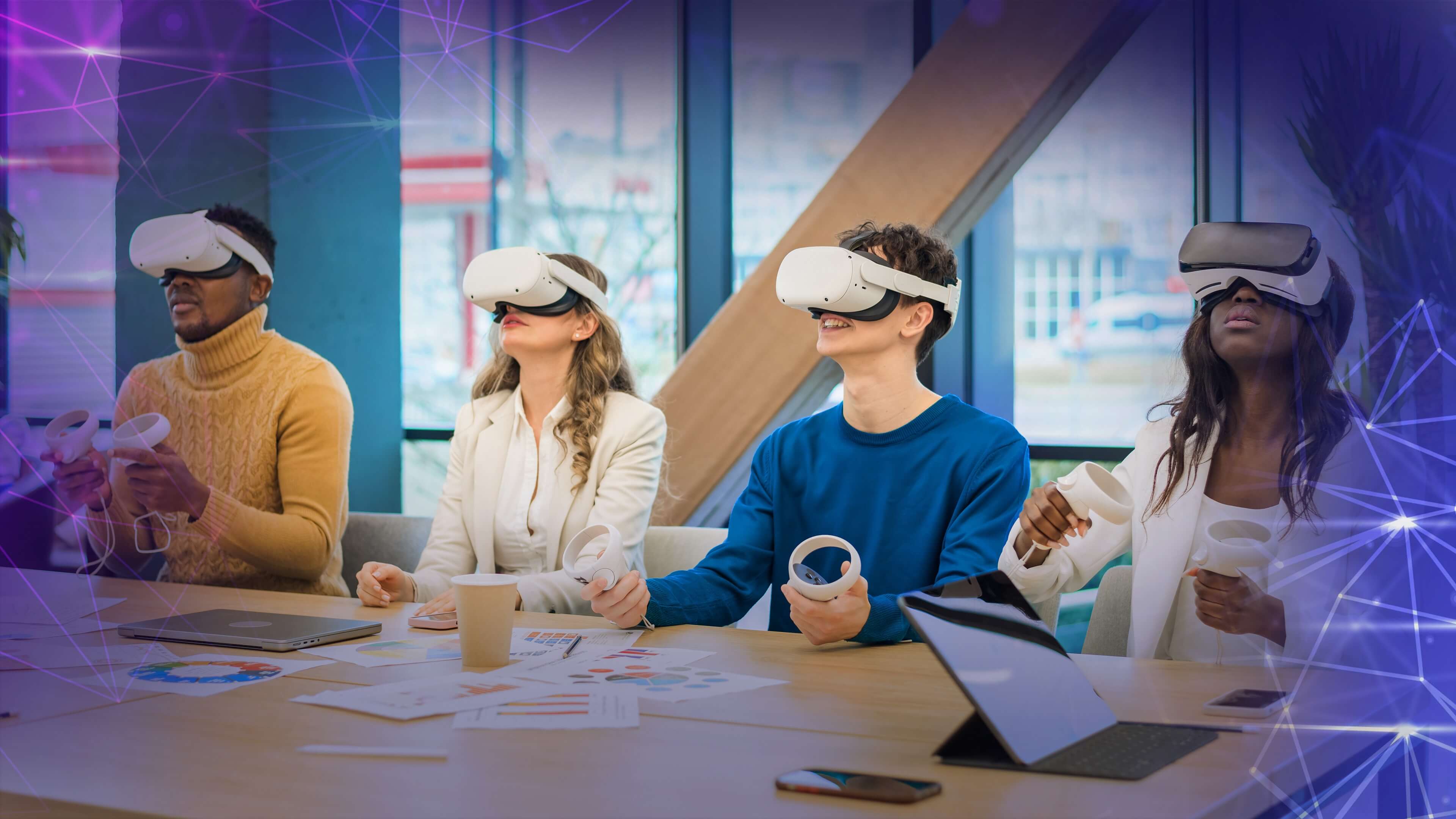
This fundamental distinction drives every other difference between the two technologies—from the devices they require to how users interact with them and what they're best suited for.
Key Differences Between AR and VR
1. Relationship with Reality
- AR: Enhances and adds to the real world. Digital content coexists with your physical surroundings, and you remain fully aware of and connected to your actual environment.
- VR: Replaces the real world entirely. Your physical surroundings are blocked out, and you are immersed in a completely digital environment.
2. Immersion Level
- AR: Semi-immersive. Users experience a partial digital overlay while maintaining awareness of and interaction with the real world. The sensory load is lighter, and you can easily shift attention between digital and physical elements.
- VR: Fully immersive. Users are completely cut off from the physical world, with all senses engaged in the virtual environment. This creates a powerful sense of "presence" but can also lead to disorientation or motion sickness in some users.
3. Device Requirements
- AR: Can be accessed through everyday devices like smartphones, tablets, and laptops—anything with a camera and screen. Specialized AR glasses (like Vuzix or RealWear) are available for industrial and enterprise use but aren't required for basic AR experiences.
- VR: Requires specialized headsets (like Meta Quest, PlayStation VR, or Valve Index) that cover the eyes and block out the real world. Additional peripherals like controllers, haptic gloves, body trackers, or even VR treadmills may be needed for full experiences.
4. User Control and Interaction
- AR: Users maintain control of their presence in the real world. They can move naturally, interact with physical objects, and choose when to engage with digital content. Interaction happens through touchscreens, voice commands, or gestures.
- VR: Users are controlled by the system to a greater degree. Their movements are tracked and translated into the virtual space, but they are confined to the programmed environment. Interaction happens primarily through controllers or hand tracking within the virtual world.
5. Primary Use Cases
- AR: Practical applications dominate—navigation, shopping, education, on-the-job assistance, marketing, and social media filters. Entertainment uses (like Pokemon GO) exist but often blend with real-world activity.
- VR: Immersive experiences are the focus—gaming, training simulations, virtual tours, design reviews, and social platforms. Entertainment and specialized professional training are the primary drivers.
6. Cost and Accessibility
- AR: Highly accessible. Most people already own AR-capable devices (smartphones). Consumer AR experiences are often free or low-cost. Enterprise AR headsets can be expensive but are optional for basic use.
- VR: Less accessible. Requires purchasing dedicated hardware, which ranges from $300 for basic standalone headsets to over $1,000 for high-end systems. Additional PC requirements can push costs higher. VR arcades offer rental access but aren't widespread.
7. Social Context
- AR: Socially inclusive. Others around you can see what you're doing and often participate. AR experiences can be shared easily through photos and videos.
- VR: Socially isolating during use. The user is cut off from their physical surroundings and people nearby. Social interaction happens within the virtual space with other remote users as avatars.
8. Physical Environment Requirements
- AR: Works anywhere. No special space or setup needed. Can be used while walking, sitting, or moving through real environments.
- VR: Often requires dedicated space. Room-scale VR needs a cleared area for safe movement. Even stationary VR needs enough room to swing arms and turn around without hitting objects.
Comparison Table: AR vs. VR
| Feature | Augmented Reality (AR) | Virtual Reality (VR) |
|---|---|---|
| Core Concept | Digital content added to real world | Real world replaced by digital environment |
| Immersion | Semi-immersive; partial digital overlay | Fully immersive; complete sensory engagement |
| Connection to Reality | 100% connected and aware | 0% connected; completely isolated |
| Primary Devices | Smartphones, tablets, AR glasses | VR headsets (Meta Quest, PSVR, Valve Index) |
| Device Cost | Low to moderate (often using existing phones) | Moderate to high ($300–$1,500+) |
| User Presence | User stays in physical world | User is transported to virtual world |
| Interaction Method | Touchscreen, voice, gestures | Controllers, hand tracking, body movement |
| Can Others See You? | Yes, experience is visible to bystanders | No, user is isolated during use |
| Motion Sickness Risk | Very low | Moderate to high for some users |
| Space Requirements | None; works anywhere | Often needs cleared physical space |
| Primary Applications | Shopping, navigation, social filters, education, on-the-job assistance | Gaming, training simulations, virtual tours, design reviews |
| Content Longevity | Quick, casual interactions (seconds to minutes) | Extended sessions (30–90 minutes typical) |
| Best For | Enhancing daily life with useful information | Escaping to or experiencing other worlds |
| Example | IKEA Place, Pokemon GO, Snapchat filters | Beat Saber, Half-Life: Alyx, VR flight simulators |
AR and VR in Business (Use Cases)
Businesses across industries are adopting AR and VR to solve real problems, improve efficiency, and gain competitive advantages. While consumer applications grab headlines, enterprise use cases drive the majority of market growth—with the AR/VR market projected to exceed $62.9 billion by 2029.
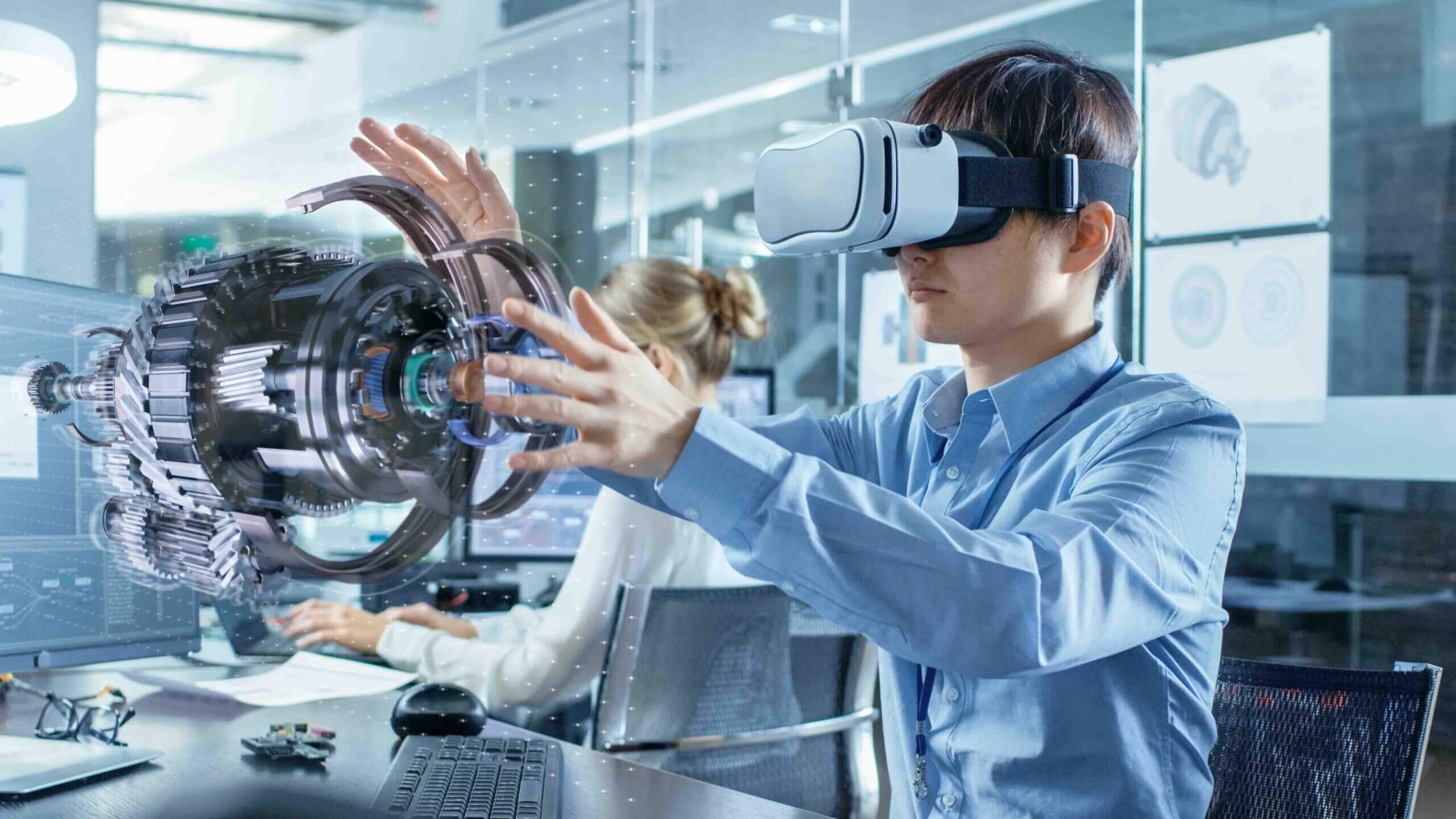
Companies use AR to overlay critical information onto physical environments, helping workers do their jobs better and safer. VR transforms how businesses train employees, design products, and collaborate across distances. Here are the most impactful business applications today.
Key Business Applications
- Design and Construction
Designers and architects use AR to visualize how products or structures will look in real environments before they're built. This allows teams to see hypothetical designs in context, make virtual tweaks without touching physical prototypes, and identify issues early. Construction firms overlay digital models onto job sites to check accuracy and track progress. - Maintenance and Repairs
AR guides technicians through repairs without consulting printed manuals. Detailed instructions—visual diagrams or animations—are overlaid directly onto equipment. Technicians see exactly which part needs attention and the correct sequence of steps, reducing errors and speeding repairs. - Training and Education
Businesses use AR and VR to create immersive training experiences. VR places workers in simulated environments to safely practice dangerous procedures. AR overlays step-by-step guidance during hands-on training. Language learning apps use AR to create immersive environments for practicing pronunciation and vocabulary with real-world objects. - Healthcare
Surgeons use AR overlays during operations to see critical steps, patient vitals, and 3D anatomy superimposed on the surgical field. Medical students practice procedures in VR without risk. AR helps nurses locate veins for blood draws, and patients use VR for therapeutic exercises. - Retail
Retailers use AR try-on tools that let customers see how makeup, glasses, or clothing looks before buying. Furniture apps let shoppers visualize products in their own spaces, reducing returns and increasing purchase confidence. - Manufacturing and Assembly
Factory workers use AR glasses to see assembly instructions overlaid on components, reducing errors and training time. Quality control inspectors compare finished products against digital twins. VR lets manufacturing teams design and test production lines virtually. - Field Service and Utility Management
Utility companies use tools like Splunk AR to improve response times during outages and gain visibility into infrastructure data. Field workers access real-time equipment history, safety hazards, and repair procedures without taking hands off the job. - Marketing and Advertising
Brands embed AR experiences into packaging, point-of-sale materials, and billboards, creating memorable customer interactions. Interactive AR campaigns drive higher engagement. Virtual showrooms let customers explore products in detail from anywhere. - Real Estate and Property Management
Realtors offer VR property tours that let buyers walk through homes without traveling. Architects use AR to show clients how renovations will look. Property managers overlay maintenance information onto building systems. - Collaboration and Remote Work
VR meeting spaces bring distributed teams together in shared virtual environments to brainstorm and review 3D models. Remote experts use AR to see what field workers see and guide them by drawing annotations in their field of view. - Logistics and Warehousing
Warehouse workers use AR glasses to see efficient picking routes and exact item locations, reducing errors and speeding fulfillment. VR trains forklift operators in simulated warehouses before they work on live floors.
Challenges for AR and VR
Despite their enormous potential, AR and VR technologies face significant hurdles on the path to mainstream adoption. Both are still in relatively early stages of development, and the gap between what the technology promises and what it can reliably deliver remains wide.
Technology Challenges
- Limited Mobile Processing Capability
AR and VR applications demand significant processing power to render graphics, track movement, and maintain immersion in real time. Mobile handsets—the most accessible AR platform—have inherent processing limitations. While tethering to desktop computers solves this for VR, it sacrifices mobility and convenience. Either mobile processors must become dramatically more powerful, or processing work must be seamlessly offloaded to the cloud. - Bandwidth Constraints
Cloud-based processing offers a compelling solution to the processing bottleneck, but this approach requires fast, reliable network connections. Current mobile bandwidth in most areas remains insufficient for real-time video streaming and processing needed for high-quality AR experiences. As 5G and future networks expand, this limitation may ease, but infrastructure gaps will persist for years. - Motion Sickness and Physical Discomfort
A significant portion of VR users experience motion sickness, nausea, or disorientation during or after use. This occurs when the eyes perceive movement that the inner ear and body don't feel. Headset weight and bulk cause fatigue during extended sessions. Until these physical barriers are addressed, VR will remain inaccessible to many potential users. - Display and Visual Limitations
Current AR displays struggle with brightness, field of view, and visual quality, particularly outdoors. Virtual objects often look artificial because they can't properly handle lighting, shadows, or occlusion—situations where real objects should block the view of virtual ones. VR headsets face resolution limits that create a "screen door effect," and achieving truly convincing visuals requires exponentially more processing power. - Environmental Understanding
AR systems struggle to accurately understand and map complex real-world environments. They have difficulty with reflective surfaces, low-light conditions, and dynamic scenes where people or objects move through the frame. This limits where and how reliably AR applications can function. - Battery Life
Continuous camera operation, sensor processing, and graphics rendering drain batteries rapidly. Current devices cannot sustain AR or VR use for full workdays or long entertainment sessions without frequent charging, limiting practical applications in field service, manufacturing, and other enterprise uses. - Complex Development
Designing AR and VR applications remains costly and technically challenging. Developers must master specialized tools, account for wide hardware variations, and optimize for performance constraints. Development platforms are improving but still require significant expertise, slowing the creation of compelling applications. - Application Maintenance
Hardware platforms evolve rapidly, and applications must be continuously updated to maintain compatibility with new devices. Operating system changes, new SDK versions, and shifting hardware capabilities require ongoing maintenance investment that many developers struggle to sustain.
Business Challenges
- Hardware Cost and Inconvenience
Quality VR headsets represent significant investments, and even consumer-grade options cost hundreds of dollars. Enterprise AR headsets can run into the thousands. Beyond cost, putting on a headset and clearing physical space for VR creates friction that deters casual use. Current devices remain bulky, hot, and socially awkward to wear. - Lack of Killer Applications
Outside of gaming, few AR and VR applications have achieved must-have status. The "killer app" that would drive mass adoption remains elusive. Businesses struggle to justify hardware investments without proven, high-value use cases, creating a chicken-and-egg problem for the industry. - Unproven Business Models
Many AR and VR applications remain in early stages with unverified commercial viability. Companies investing in these technologies face uncertainty about return on investment. The path to profitability is clearer in gaming than in enterprise, training, or other potential markets. - User Adoption and Habits
Asking users to change behavior and adopt new technology is always difficult. Most people are comfortable with phones and computers; asking them to wear headsets requires overcoming inertia. Consumer habits around AR and VR simply don't exist yet at scale. - Privacy and Security Concerns
The backlash against Google Glass demonstrated public unease with always-on cameras and their implications for personal privacy. Users worry about who can see what they're viewing, whether video feeds are being recorded or stored, and how their personal data—including footage of their homes and faces—is being used and protected. Security breaches could expose sensitive visual data in ways traditional computing doesn't. - Integration with Existing Systems
Enterprises considering AR and VR must integrate these new technologies with existing software, workflows, and training programs. This integration is rarely seamless and often requires custom development, further increasing costs and complexity. - Accessibility Barriers
Current AR and VR hardware does not accommodate users with many disabilities. People with visual impairments, mobility limitations, or conditions that affect balance may find the technology unusable. Designing for accessibility adds complexity and cost that most developers have not yet addressed. - Standards Fragmentation
Multiple competing platforms, SDKs, and hardware standards fragment the market. Developers must choose which ecosystems to support, and businesses risk investing in platforms that may not survive. This uncertainty slows investment and adoption across the industry.
The Future of AR and VR
The future of AR and VR is remarkably bright, with both technologies poised to transform how we work, learn, and connect. Hardware will evolve dramatically—headsets will become smaller, lighter, and eventually resemble ordinary glasses rather than bulky goggles. Interaction will feel more natural as clunky controllers give way to eye tracking, hand tracking, and facial expression recognition. Expanding 5G networks will enable cloud processing, delivering richer experiences on lighter, cheaper devices.
The line between AR and VR will blur as mixed reality becomes more capable. Future devices will seamlessly shift between full immersion and digital overlays depending on what you're doing. This convergence will unlock powerful applications across industries—surgeons performing virtual operations, students taking immersive field trips anywhere imaginable, distributed teams meeting in spaces that feel more natural than video calls, and shoppers trying on clothes or placing furniture in their homes without leaving their couches.
Challenges remain around privacy, accessibility, and cost, but the trajectory is clear. AR and VR aren't competing technologies—they're complementary tools serving different needs. AR for quick information and enhancing your surroundings. VR for deep focus and immersive connection. And increasingly, mixed reality that blends the best of both. The next decade will see these technologies move from early adoption to everyday utility.
Conclusion
AR and VR represent two distinct but equally transformative approaches to blending digital content with human experience. AR enhances your existing reality by overlaying useful information onto the world around you, making it accessible, practical, and increasingly woven into daily life through the smartphones we already carry. VR replaces your reality entirely, offering deep immersion for gaming, training, and experiences that would otherwise be impossible.
Neither technology is inherently better—they simply serve different needs. AR excels at quick interactions, practical applications, and enhancing real-world activities. VR delivers when you need deep focus, complete immersion, or want to experience somewhere you cannot physically go. As hardware improves, costs fall, and mixed reality blurs the lines between them, both will become more integral to how we work, learn, shop, and connect.
The future is already arriving. AR filters on your phone, VR arcades in your city, and enterprise adoption across industries are just the beginning. The best way to understand these technologies is to experience them yourself. Try an AR app today. Visit a VR arcade this weekend. The difference between adding to reality and replacing it is something you have to feel to fully understand.

