Yoniq GamePatch 1.0 Reusable Silicone Touchscreen Gamepad for Retro Mobile Games, No Battery or Bluetooth
Product Information
Key Specifications/ Special Features
Yoniq GamePatch 1.0
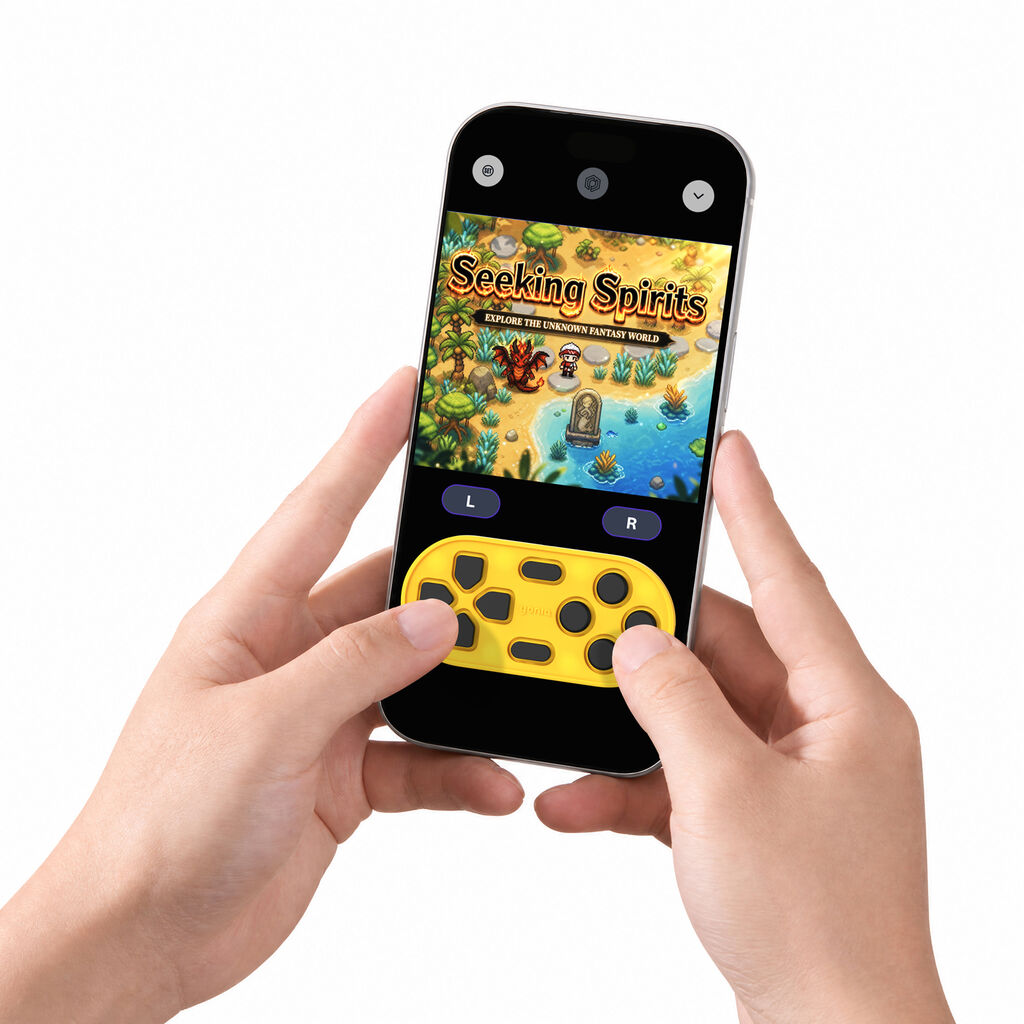
Bring physical controls to mobile retro gaming. Yoniq GamePatch 1.0 is a reusable silicone touchscreen gamepad that adds tactile buttons to compatible mobile games. It attaches to a smartphone screen, giving players buttons they can feel while using on-screen controls. GamePatch can also be used with the Pantas App. Its compact shape offers a simple way to enjoy physical button feedback without carrying a full-size controller.
How GamePatch Works
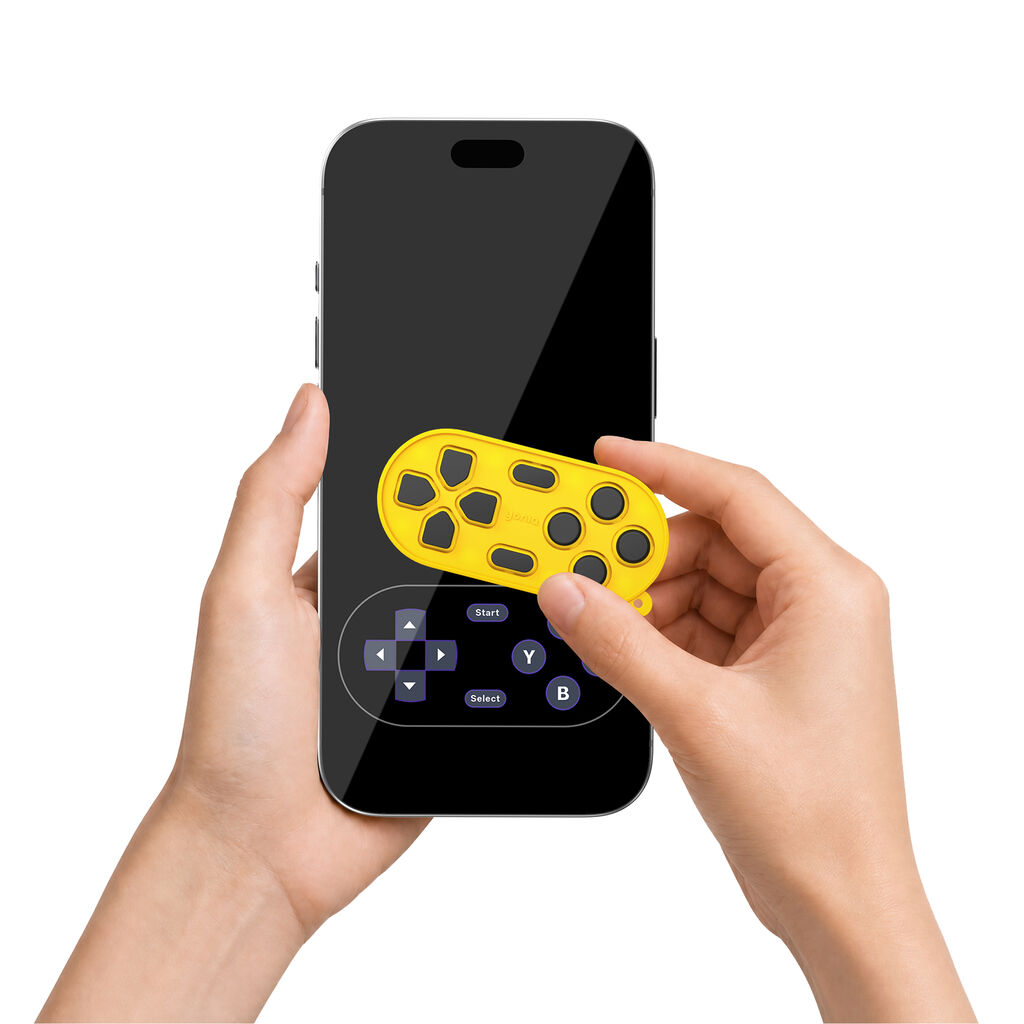
GamePatch has a silicone base with suction points that hold it against the screen. Its conductive buttons respond to finger presses and register touches on the display. Each button provides a press-and-release feel, helping players locate controls by touch. This touchscreen gamepad can be removed and repositioned to match a game's on-screen button layout.
Ready When You Are
GamePatch does not require a battery, charging or Bluetooth pairing. Place it over compatible on-screen controls, open your game and start playing. When you finish, remove GamePatch and carry it with you. A built-in loop allows it to be attached to a lanyard and used as a phone charm between gaming sessions.
Made for Everyday Carry
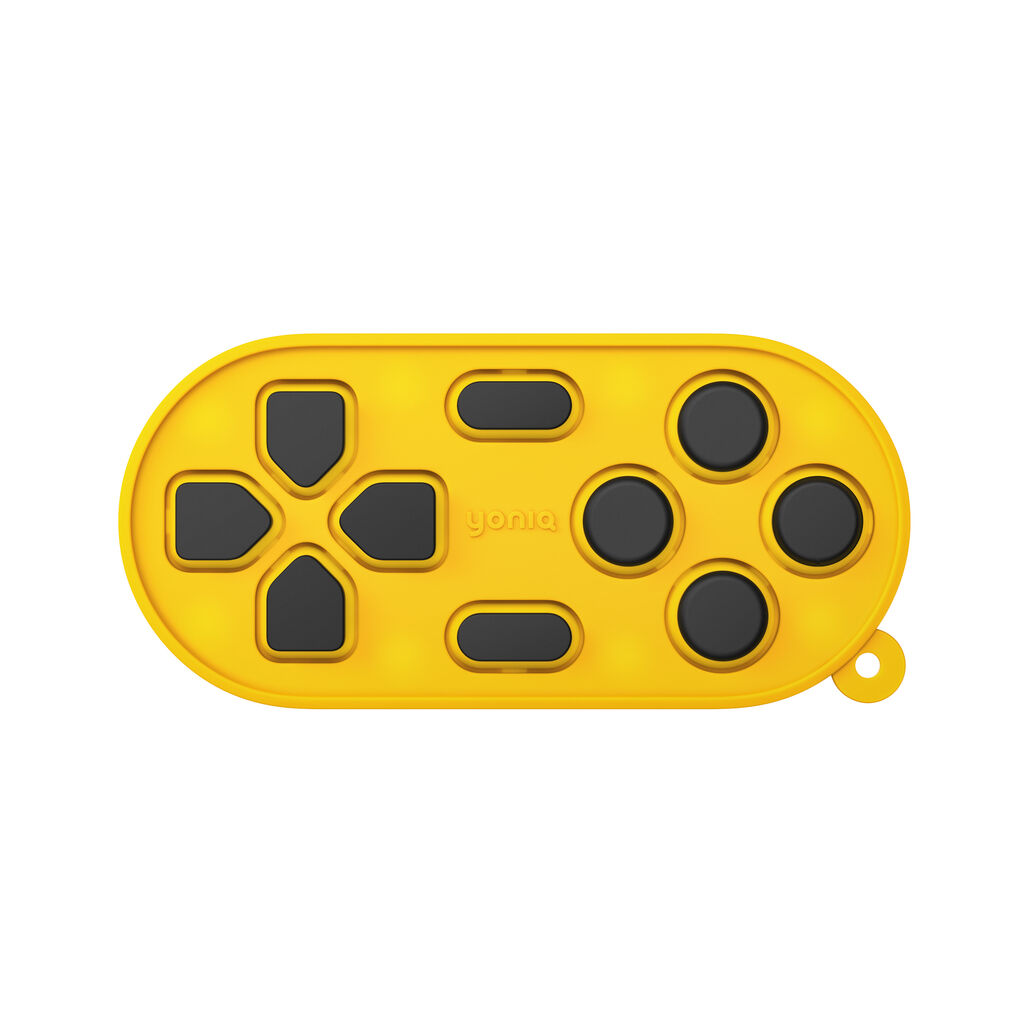
The lightweight GamePatch combines a directional pad, action buttons and two smaller center buttons in one compact accessory. This reusable touchscreen gamepad is available in gray, pink, blue and yellow. It is made for players who want the feel of physical buttons while keeping the convenience of playing on a phone.
For the best experience, align GamePatch with the game's on-screen controls. Compatibility and control layouts may vary by game and device.
Yoniq GamePatch 1.0
Bring physical controls to mobile retro gaming. Yoniq GamePatch 1.0 is a reusable silicone touchscreen gamepad that adds tactile buttons to compatible mobile games. It attaches to a smartphone screen, giving players buttons they can feel while using on-screen controls. GamePatch can also be used with the Pantas App. Its compact shape offers a simple way to enjoy physical button feedback without carrying a full-size controller.
How GamePatch Works
GamePatch has a silicone base with suction points that hold it against the screen. Its conductive buttons respond to finger presses and register touches on the display. Each button provides a press-and-release feel, helping players locate controls by touch. This touchscreen gamepad can be removed and repositioned to match a game's on-screen button layout.
Ready When You Are
GamePatch does not require a battery, charging or Bluetooth pairing. Place it over compatible on-screen controls, open your game and start playing. When you finish, remove GamePatch and carry it with you. A built-in loop allows it to be attached to a lanyard and used as a phone charm between gaming sessions.
Made for Everyday Carry
The lightweight GamePatch combines a directional pad, action buttons and two smaller center buttons in one compact accessory. This reusable touchscreen gamepad is available in gray, pink, blue and yellow. It is made for players who want the feel of physical buttons while keeping the convenience of playing on a phone.
For the best experience, align GamePatch with the game's on-screen controls. Compatibility and control layouts may vary by game and device.
 ,Retailer ,Online Seller ,
 Show Attending
Global Sources Consumer Electronics
Global Sources Gaming