




Image from iStock
As businesses continue to prioritize employee well-being and operational efficiency, one often-overlooked category of office equipment has emerged as a critical investment: ergonomic stands and mounts for laptops and monitors. What might seem like a minor accessory can have an outsized impact on employee health, productivity and even talent retention.
Why ergonomic stands matter
Musculoskeletal disorders (MSDs) related to poor workstation setups cost businesses billions annually in lost productivity, absenteeism and healthcare claims. Neck strain, back pain and repetitive strain injuries are frequently linked to improperly positioned screens, particularly among employees who spend extended hours working on laptops without proper elevation.
When a laptop sits flat on a desk, employees are forced to hunch forward and look downward, creating strain on the cervical spine. Over time, this posture contributes to chronic pain, reduced focus and decreased output. A well-designed stand elevates the screen to eye level, encouraging a neutral spine position and reducing physical strain.
Productivity and performance benefits
Beyond health considerations, monitor and laptop stands directly influence how employees work:
Improved multitasking: Elevated screens paired with external monitors allow for better multiwindow workflows.
Reduced fatigue: Proper positioning reduces the physical toll of long work sessions, helping maintain focus throughout the day.
Better collaboration: Stands that position screens at appropriate heights make video calls and in-person collaboration more natural.
Space optimization: Vertical stands free up valuable desk real estate for documents, peripherals or additional monitors.
Supporting hybrid and remote work models
With hybrid work now standard across many industries, employees frequently transition between office and home setups. Portable laptop stands ensure consistent ergonomic support regardless of location, while desk-mounted monitor arms in the office create a more permanent, optimized workstation. This consistency matters – employees shouldn't have to sacrifice their physical well-being based on where they're working that day.
Laptop stands
Fixed-height stands: Simple, often lightweight designs that elevate a laptop to a set height. Ideal for employees who use a single laptop configuration consistently.
Adjustable stands: Allow height and angle customization, accommodating different body types and desk setups. These offer more flexibility for shared workspaces or hot-desking environments.
Portable/Foldable stands: Designed for employees who travel or work across multiple locations. Lightweight materials and compact folding mechanisms make these ideal for road warriors and hybrid workers.
Cooling stands: Some laptop stands incorporate ventilation or active cooling fans, which can extend hardware life span by preventing overheating during extended use – an important consideration for IT asset management.
Monitor mounts and arms
Single monitor arms: Attach to the desk edge and allow full articulation – height, tilt, swivel and rotation. Ideal for standard single-monitor setups.
Dual and multimonitor arms: Support multiple screens on a single base, reducing desk clutter and enabling consistent alignment across displays. Popular in roles requiring extensive multitasking, such as finance, design and customer support.
Monitor risers/stands: Static platforms that elevate a monitor without articulation. Cost-effective for basic height adjustment needs.
Sit-stand compatible mounts: Designed to work with height-adjustable desks, these mounts move fluidly as the desk height changes, maintaining consistent monitor positioning throughout the day.
Key factors for B2B procurement
When evaluating stands and mounts for organizational deployment, consider the following:
1. Compatibility and weight capacity: Ensure mounts and stands support the range of devices used across your organization – from lightweight ultrabooks to heavier gaming or workstation laptops, and from small monitors to large ultrawide displays.
2. Adjustability: Look for products offering a wide range of height, tilt and rotation adjustments to accommodate diverse employee heights, desk configurations, and seating preferences (including standing desks).
3. Build quality and durability: For office environments, durability matters. Metal constructions with reinforced joints tend to outlast plastic components, especially in high-traffic or shared workspace settings.
4. Ease of installation: Consider your IT and facilities team's bandwidth. Clamp-based or grommet-mounted systems that don't require drilling offer flexibility for reconfiguring workspaces without permanent modifications.
5. Cable Management: Integrated cable management channels reduce desk clutter and create a more professional, organized appearance – important for client-facing areas and video conferencing setups.
6. Certifications and standards: Look for products that meet ergonomic standards such as those outlined by OSHA guidelines or certified by organizations like BIFMA (Business and Institutional Furniture Manufacturers Association).
7. Bulk pricing and vendor support: For large-scale deployments, evaluate vendors offering volume discounts, warranty support and reliable replacement part availability.Whether outfitting corporate headquarters, supporting a distributed remote workforce or upgrading shared workspace equipment, the right stands and mounts are a foundational element of a modern, ergonomically sound workplace strategy.
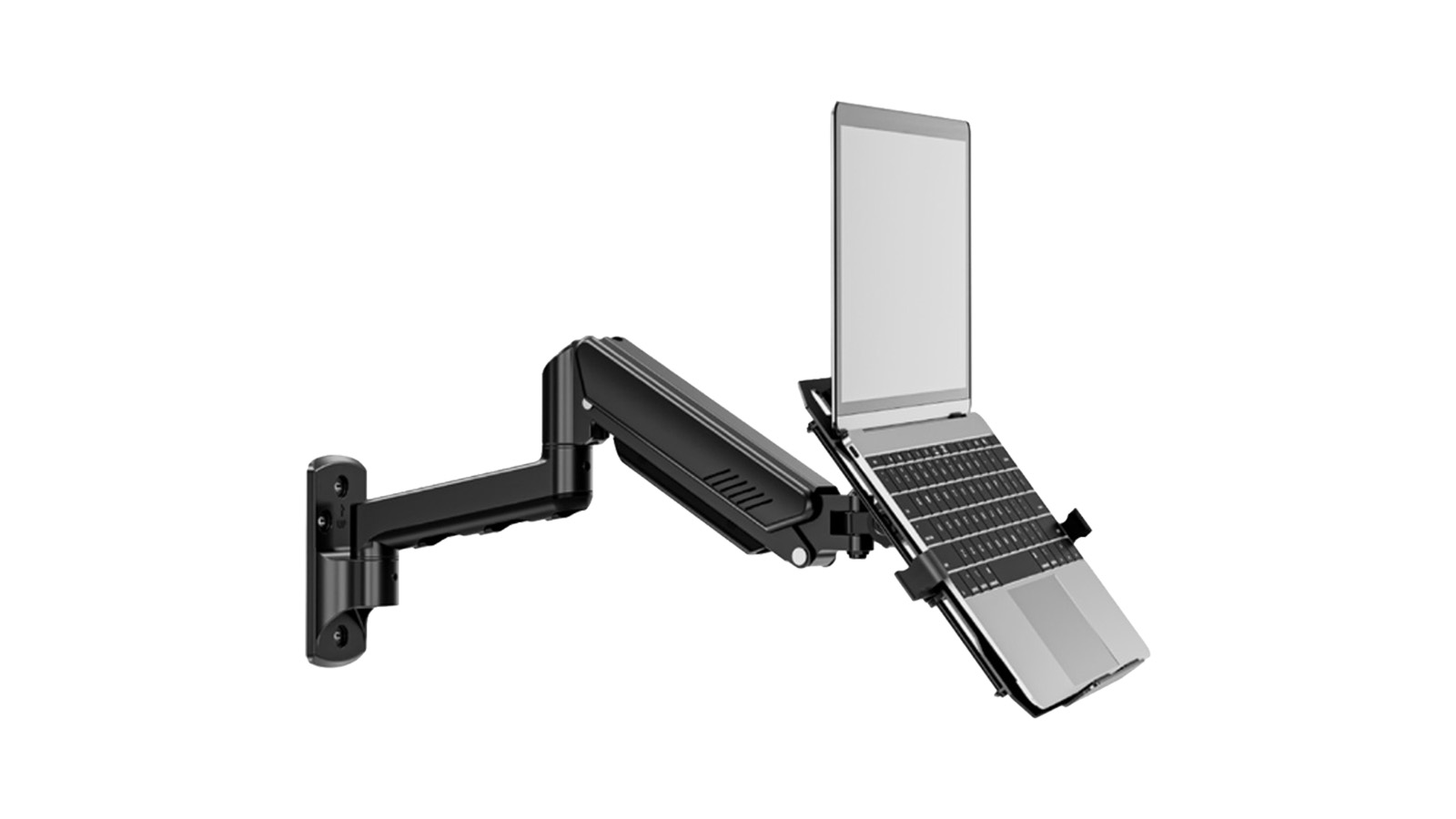
Mount for laptops, monitors
Company: Jolly Innovation Technology Co. Ltd
The MUA3719 from Jolly is an adjustable, full-motion wall mount with a ventilated tray that can hold a 14- to 17-inch laptop securely with a locking latch. It can be tilted -45 to 70 degrees, swiveled 180 degrees, extended up to 22.2 inches and raised to a maximum height of 11 inches, enabling use while seated or standing. Designed for flexibility, this VESA-compatible mount can be used to support a 22- to 32-inch monitor once the tray is removed. Weight capacity is 4.4 to 22 pounds or 2 to 10kg.
MOQ: 200 pieces
Lead time: 30 to 45 days
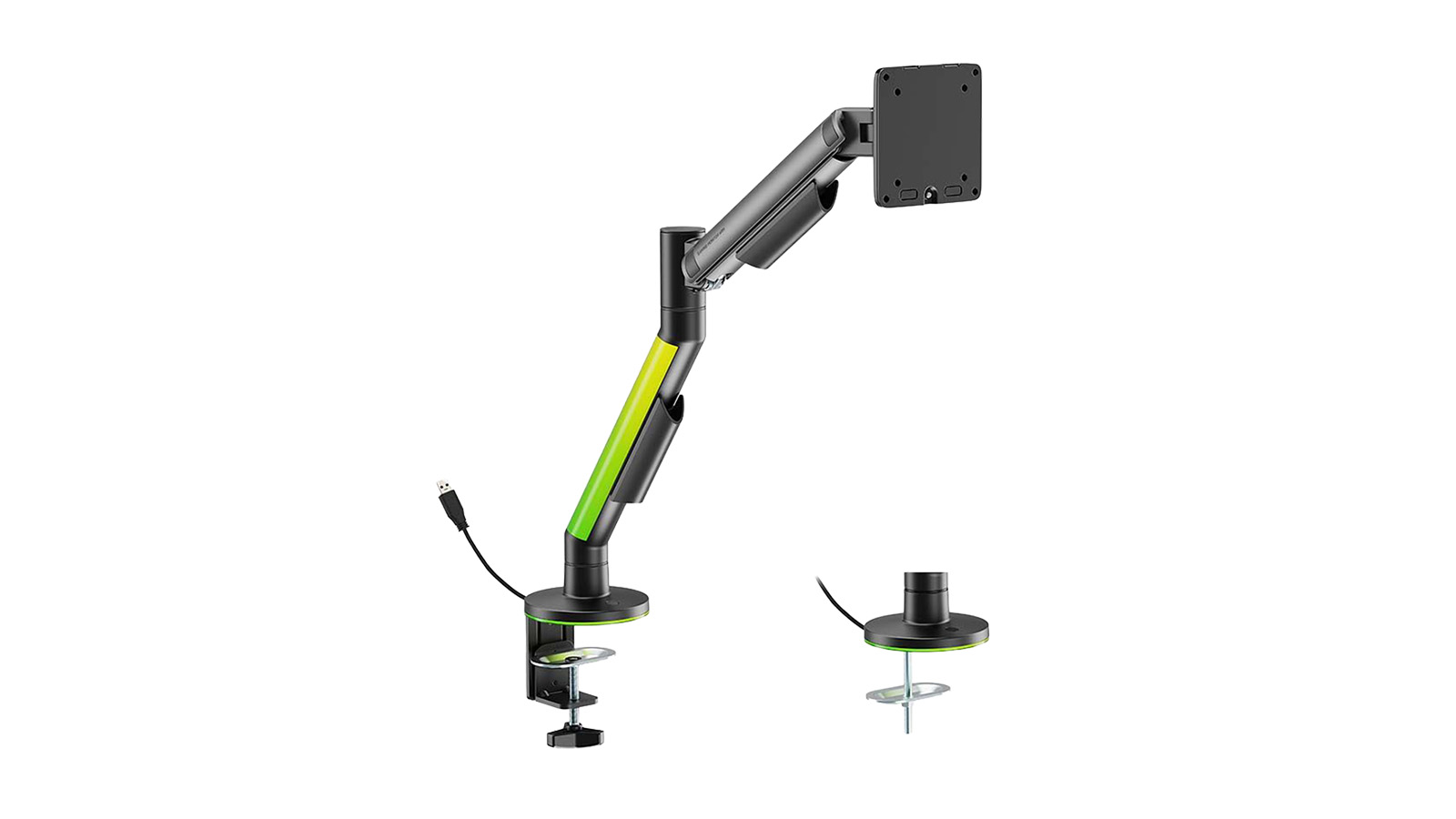
Monitor mount with RGB lighting
Company: Lumi Legend Corp.
Lumi Legend’s model LDT119-C012L is a single-arm monitor mount with a quick-release VESA plate, a gas spring mechanism for smooth, stable positioning and RGB lighting for enhanced gaming immersion. It is compatible with 17- to 40-inch and 2 to 12kg monitors. This product tilts -45 to 80 degrees and swivels -90 to 90 degrees and allows the monitor to rotate -180 to 180 degrees, with the arm extendable to 422mm or 16.6 inches. It is made of steel, aluminum and plastic. Dimensions are 120x552x660mm. The lead time is provided on direct inquiry.
MOQ: 200 pieces
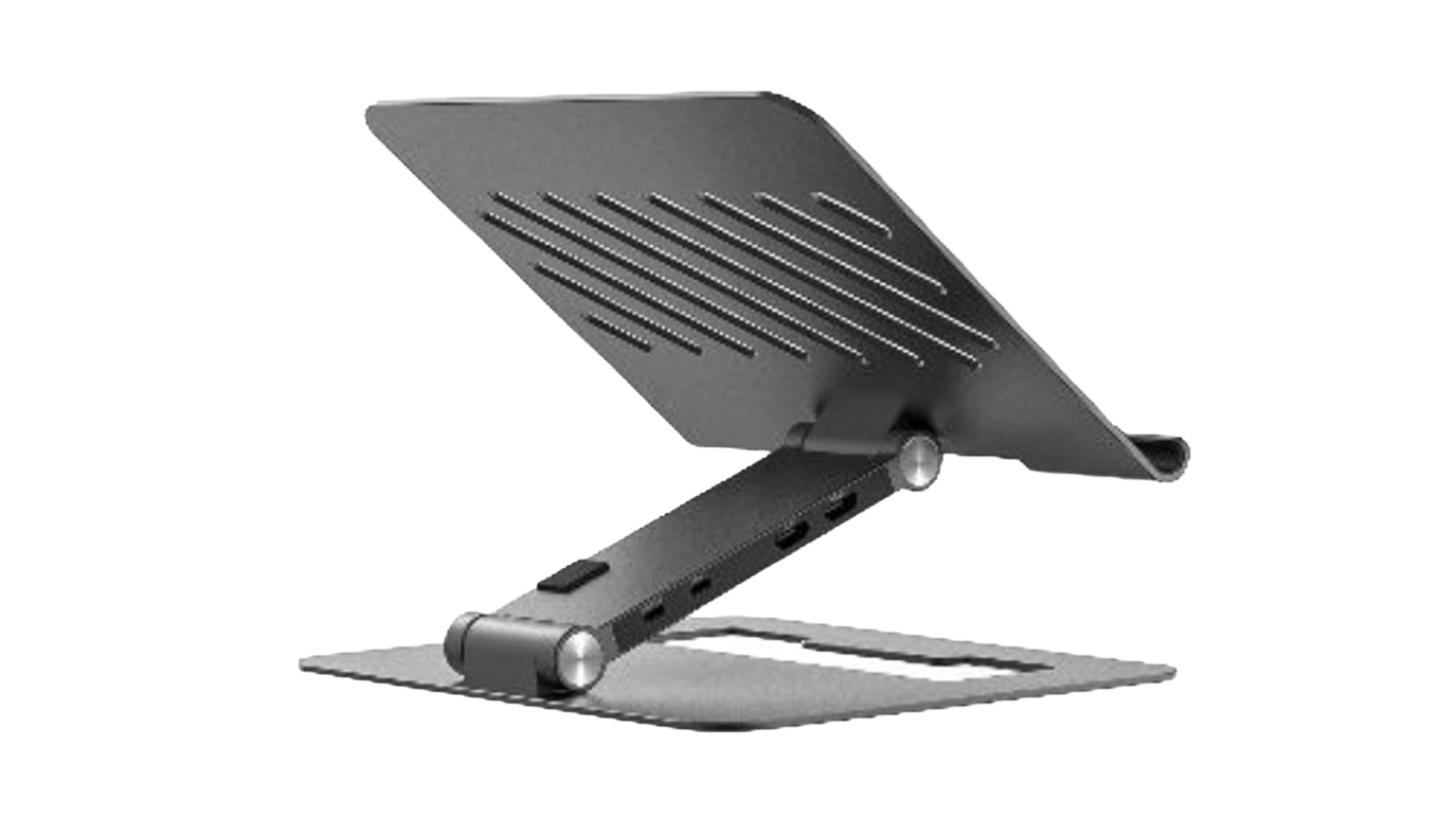
Laptop stand with USB hub
Company: Winstars Technology Ltd
Winstars offers the WS-UMD07-04, an adjustable laptop stand featuring a USB hub on its arm. The interfaces are an Ethernet port, USB-C PD charging and two USB 3.0 ports, two 4K/60Hz HDMI ports, and SD and TransFlash card readers. This product for 10- to 17-inch laptops folds down for easy storage. It is bundled with a USB-C-to-USB-C cable and a user manual. The MOQ is provided on direct inquiry.
Lead time: 65 to 90 days
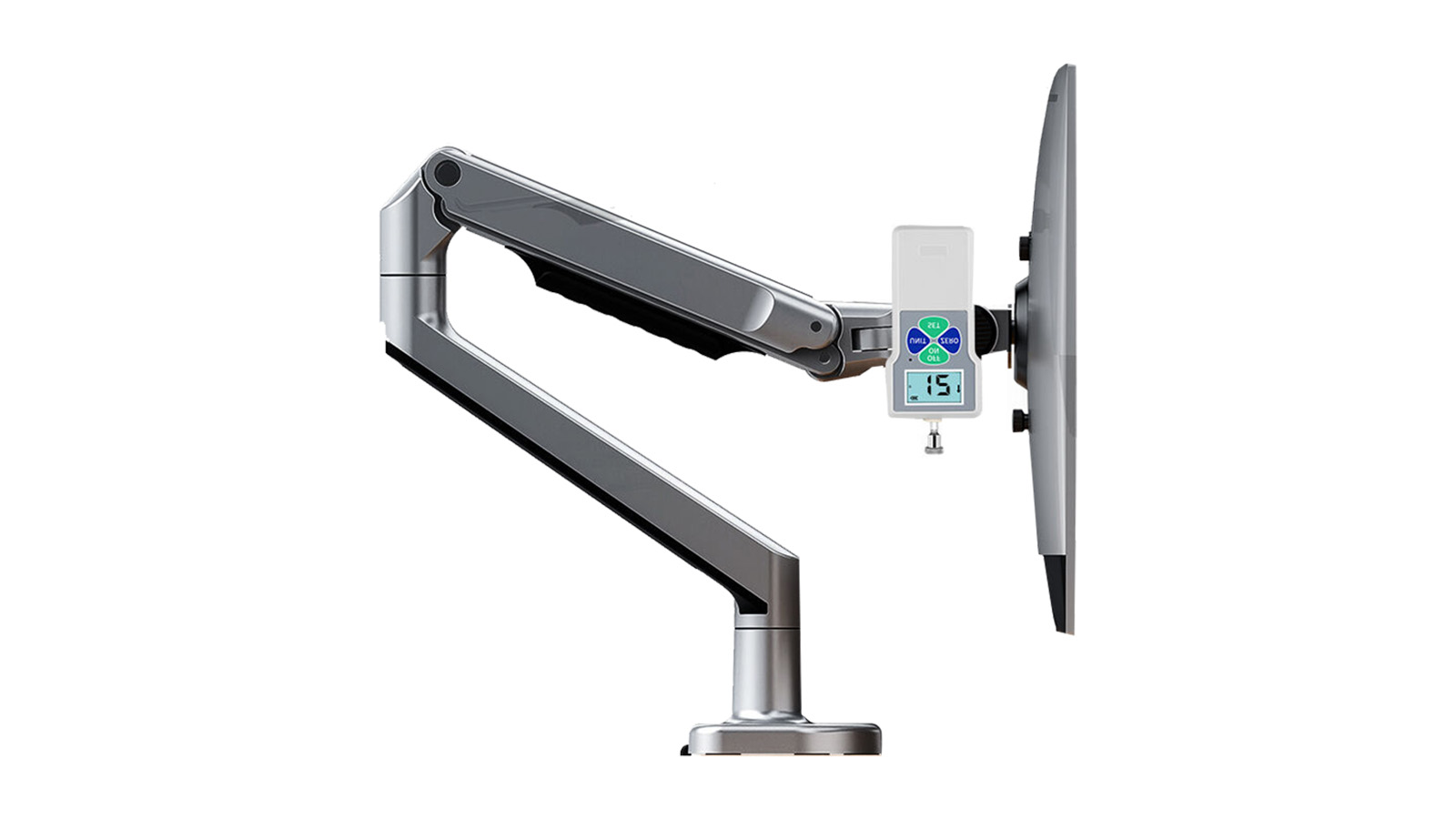
Hovering universal stand
Company: Yongkang Zhida Industry & Trade Co. Ltd
Model X7 from Yongkang Zhida is a hovering universal rotating monitor stand with a mechanical spring in the arm enabling lifting up to 200,000 times and a torsion spring ensuring stability. It is made of polished aluminum alloy and features a built-in channel for cable management.
MOQ: 1 piece
Lead time: 2 to 15 days