




Table of Contents
5 Criteria for Choosing the Best Laptops for Cyber Security Professionals
Top Laptops for Cyber Security in 2025
FAQs: Laptops for Cyber Security
5 Criteria for Choosing the Best Laptops for Cyber Security Professionals
When choosing the best laptops for cyber security professionals, there are several important criteria to consider. Here are five key factors to keep in mind:
1. Security features
Cyber security professionals need laptops with advanced security features to protect sensitive data and prevent cyber attacks. Look for laptops with features such as biometric authentication (e.g. fingerprint readers or facial recognition), hardware-level encryption, and trusted platform modules (TPMs).
2. Processor
Cyber security tasks can be resource-intensive, so it's important to choose a laptop with a powerful processor. Look for laptops with Intel Core i5 or i7 processors, or Apple M1 chips.
3. RAM
Cyber security professionals often run multiple applications and programs simultaneously, so it's important to choose a laptop with enough RAM to handle these tasks. Look for laptops with at least 8GB of RAM, but consider 16GB or higher for more demanding tasks.
4. Storage capacity
Cyber security professionals need to store large amounts of data and files, so it's important to choose a laptop with ample storage capacity. Look for laptops with at least 256GB of storage, but consider 512GB or higher for more storage-intensive tasks.
5. Battery life
Cyber security professionals often work on the go, so it's important to choose a laptop with a long battery life. Look for laptops with at least 8 hours of battery life, but consider 10 hours or higher for longer work sessions.
Overall, when choosing the best laptops for cyber security professionals, it's important to prioritize security features, processing power, RAM, storage capacity, and battery life. By considering these factors, you can find a laptop that will meet your needs and help you work efficiently and securely.
You May also Like: Specialty Laptops and Accessories
- Laptops for Crafting
- Dropshipping Laptops
- Telehealth Laptops
- Revit Laptops
- Cricut Maker Laptops
- Small Business Laptops
- Laptops for Multiple Monitors
- Charging Laptop Batteries Externally
- Stylish Puffy Laptop Sleeves
- Western Laptop Bags
Top Laptops for Cyber Security in 2025
Cyber security is a critical issue in today's world. With the ever-increasing sophistication of cyber attacks, it is more important than ever to have a strong laptop that can protect your data and your privacy. Here are the top 10 laptops for cyber security in 2025:
1. Dell XPS 13 (9310)
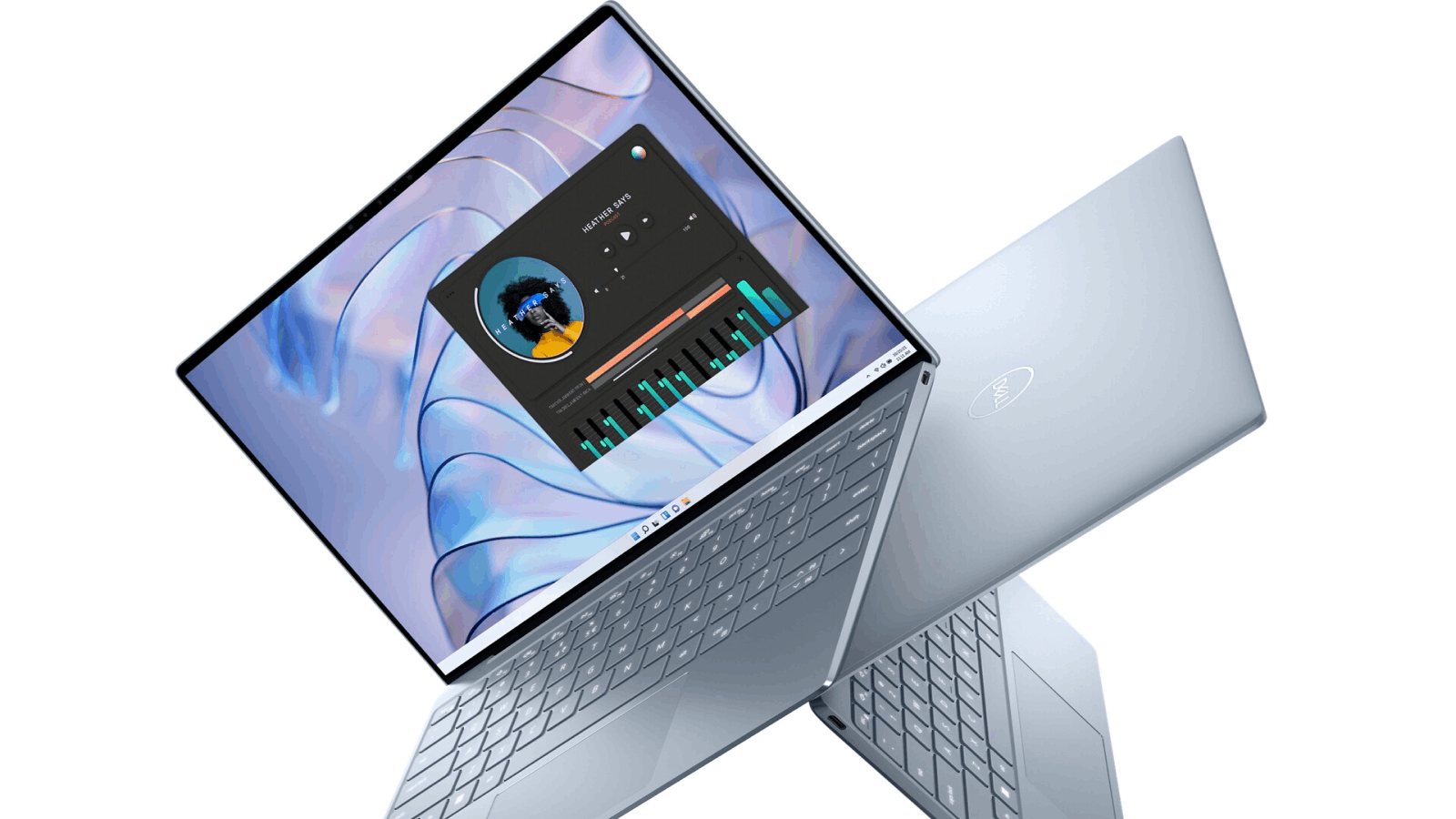
The Dell XPS 13 is a great all-around laptop for cyber security. It has a powerful processor, plenty of storage space, and a long-lasting battery. It also has a number of security features, including a fingerprint reader and a webcam kill switch.
| Features | Details |
|---|---|
| Battery life | Up to 14 hours and 11 minutes |
| Processor | 11th Gen Intel Core i5 or i7 |
| Operating system | Windows 10 Home or Pro |
| RAM | Up to 16GB LPDDR4x |
| Storage capacity | Up to 1TB PCIe SSD |
| Security features | Fingerprint reader, Windows Hello, TPM 2.0 |
2. Lenovo ThinkPad X1 Carbon (Gen 9)
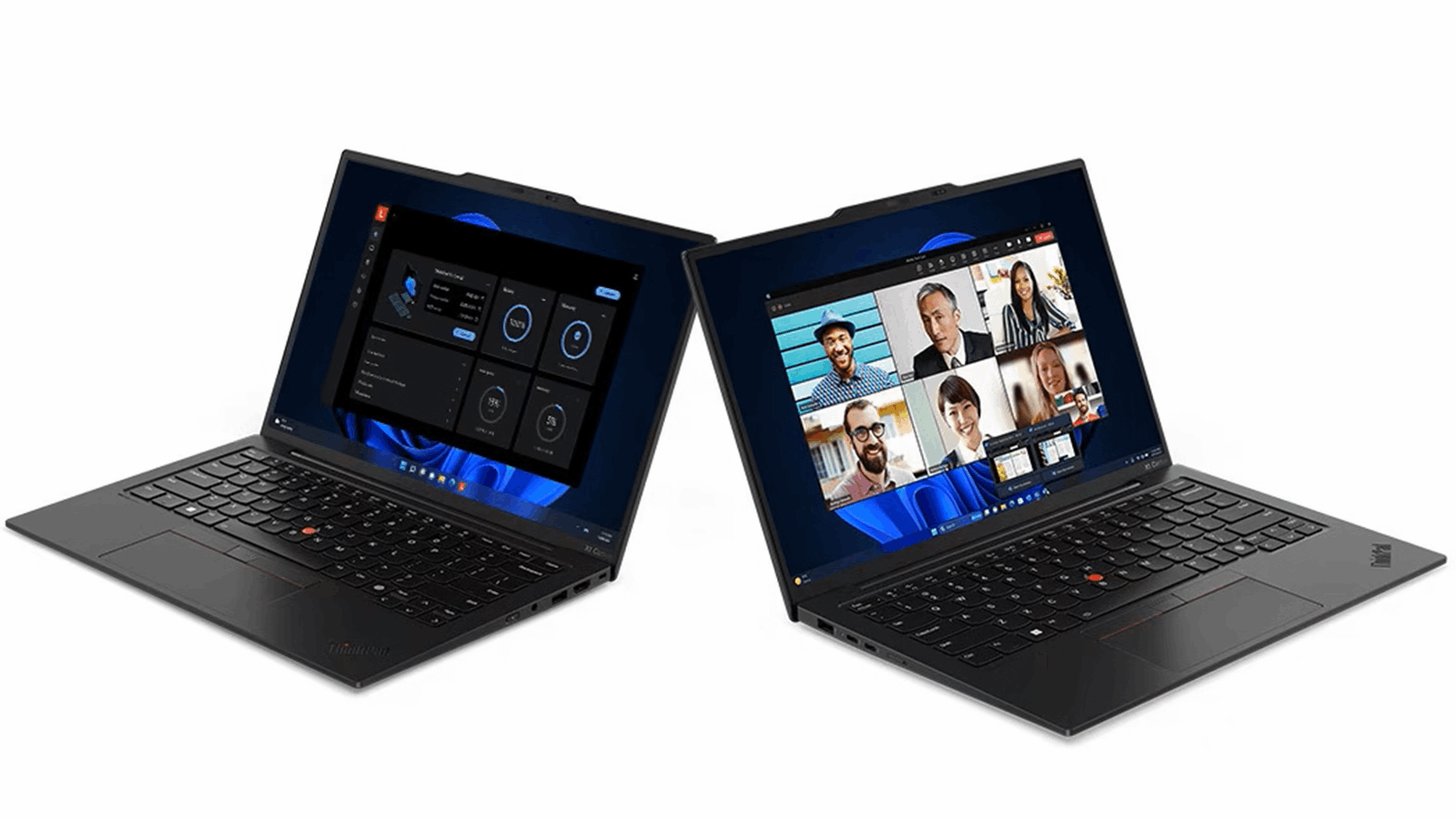
The Lenovo ThinkPad X1 Carbon is another great option for cyber security professionals. It is durable and well-built, and it has a number of security features, including a fingerprint reader and a TPM 2.0 chip.
| Features | Details |
|---|---|
| Battery life | Up to 16 hours |
| Processor | 11th Gen Intel Core i5 or i7 |
| Operating system | Windows 10 Home or Pro, Linux |
| RAM | Up to 16GB LPDDR4x |
| Storage capacity | Up to 2TB PCIe SSD |
| Security features | Fingerprint reader, TPM 2.0 chip, IR camera for facial recognition |
3. HP Spectre x360 (14-ea0000)
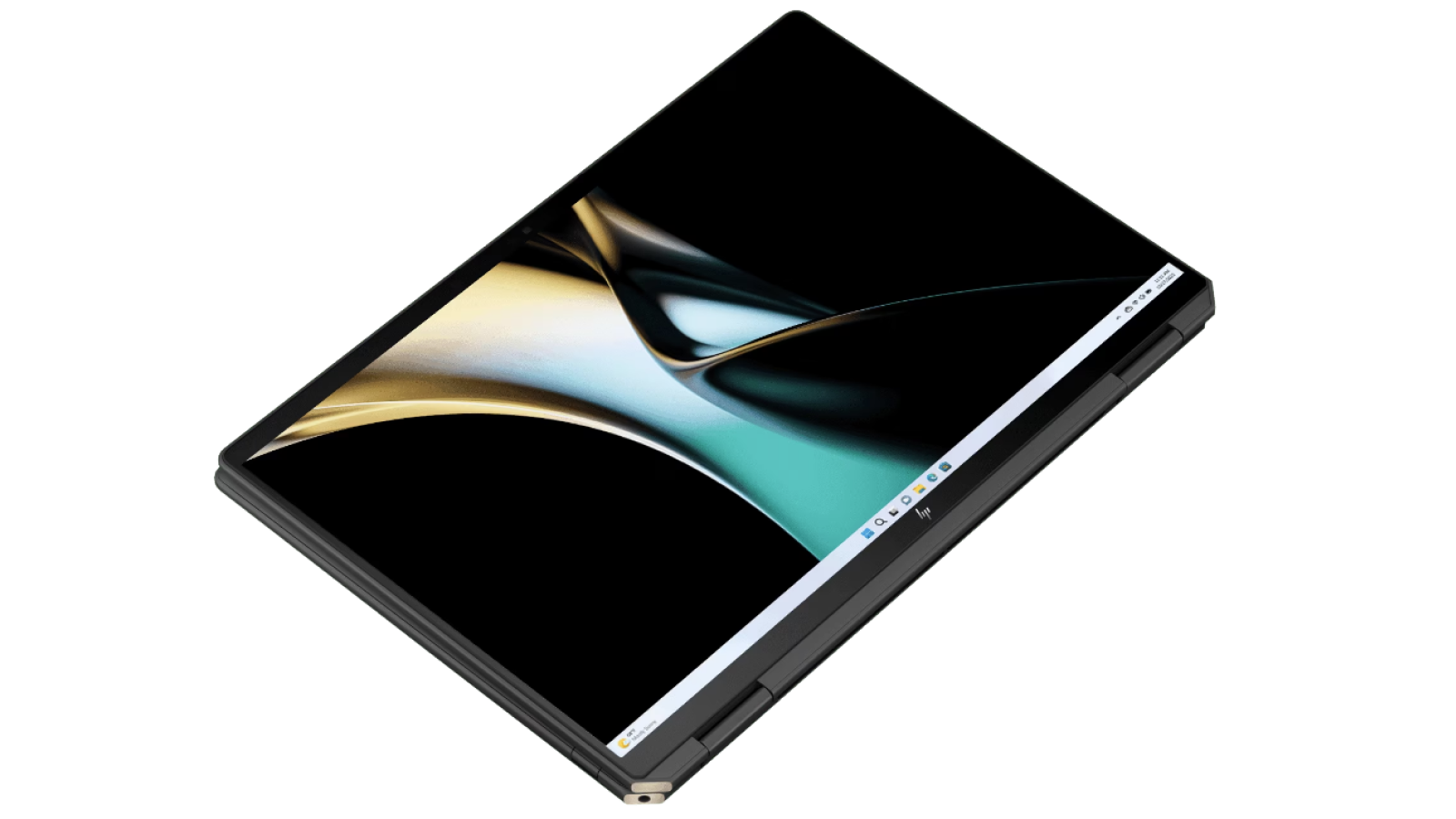
The HP Spectre x360 is a great option for those who need a laptop that can do it all. It is powerful and versatile, and it has a number of security features, including a fingerprint reader and a webcam kill switch.
| Features | Details |
|---|---|
| Battery life | Up to 16 hours |
| Processor | 11th Gen Intel Core i5 or i7 |
| Operating system | Windows 10 Home or Pro, Linux |
| RAM | Up to 16GB LPDDR4x |
| Storage capacity | Up to 2TB PCIe SSD |
| Security features | Fingerprint reader, TPM 2.0 chip, IR camera for facial recognition |
4. Microsoft Surface Laptop Studio
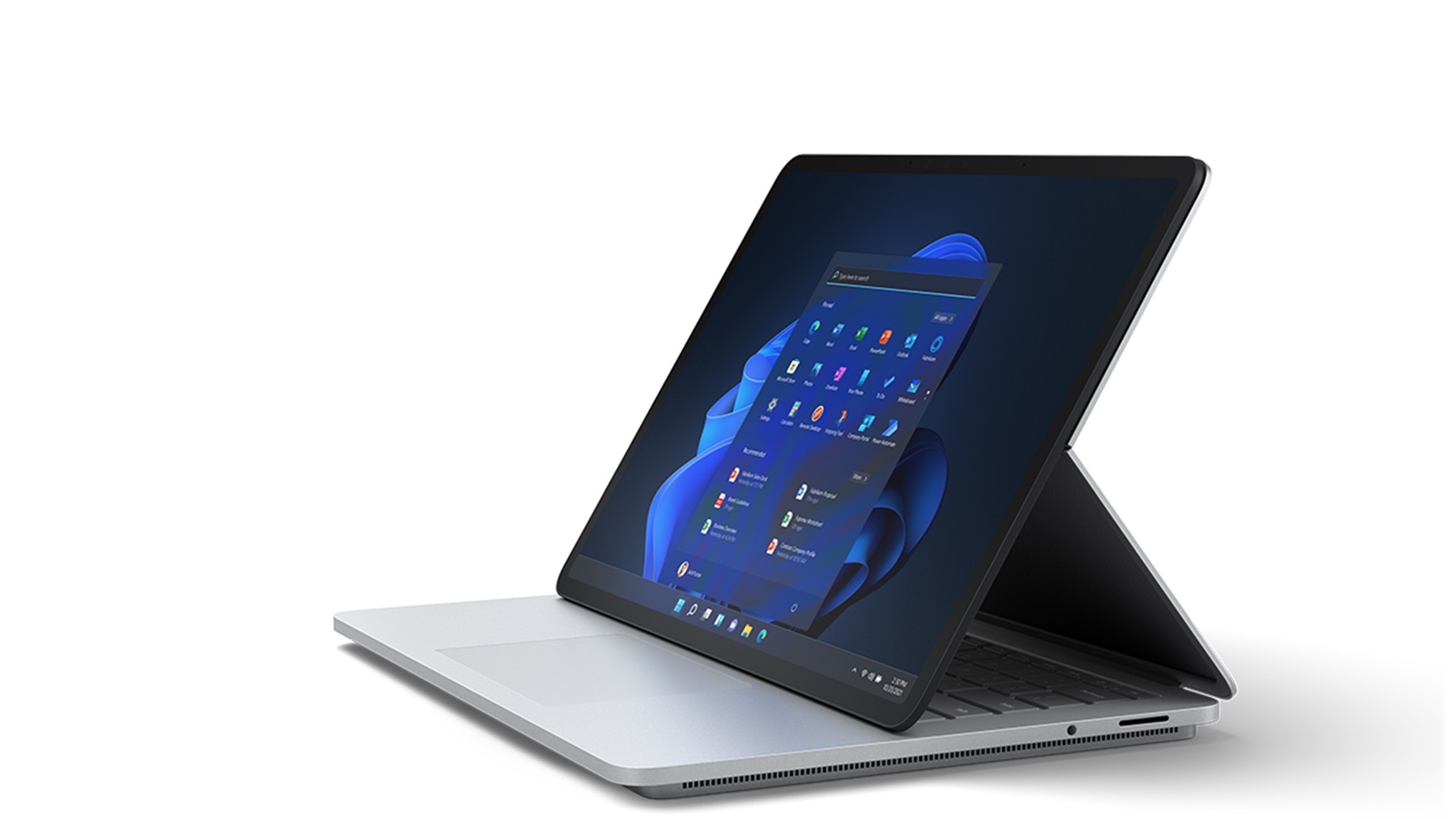
The Microsoft Surface Laptop Studio is a great option for those who need a powerful laptop that can also be used as a tablet. It has a powerful processor, plenty of storage space, and a long-lasting battery. It also has a number of security features, including a fingerprint reader and a TPM 2.0 chip.
| Features | Details |
|---|---|
| Battery life | Up to 17 hours and 15 minutes |
| Processor | 11th Gen Intel Core i5 or i7 |
| Operating system | Windows 10 Home or Pro |
| RAM | Up to 16GB LPDDR4x |
| Storage capacity | Up to 2TB PCIe NVMe M.2 SSD |
| Security features | Fingerprint reader, facial recognition, HP Sure View privacy screen |
5. Apple MacBook Pro (14-inch, M1 Pro)
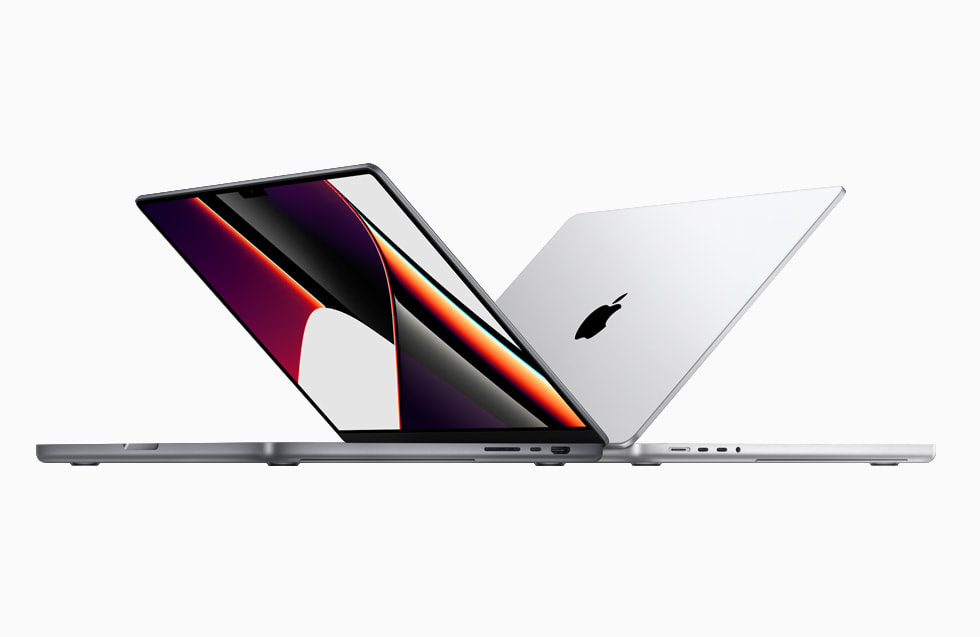
The Apple MacBook Pro (14-inch, M1 Pro) is a great option for those who need a powerful laptop that runs macOS. It has a powerful processor, plenty of storage space, and a long-lasting battery. It also has a number of security features, including a Touch ID sensor and a Secure Enclave.
| Features | Details |
|---|---|
| Battery life | Up to 17 hours and 30 minutes |
| Processor | Apple M1 Pro chip with 8-core CPU and 14-core GPU |
| Operating system | macOS Monterey |
| RAM | Up to 32GB unified memory |
| Storage capacity | Up to 8TB SSD |
| Security features | Touch ID fingerprint sensor, Apple T2 Security Chip |
6. Google Pixelbook Go
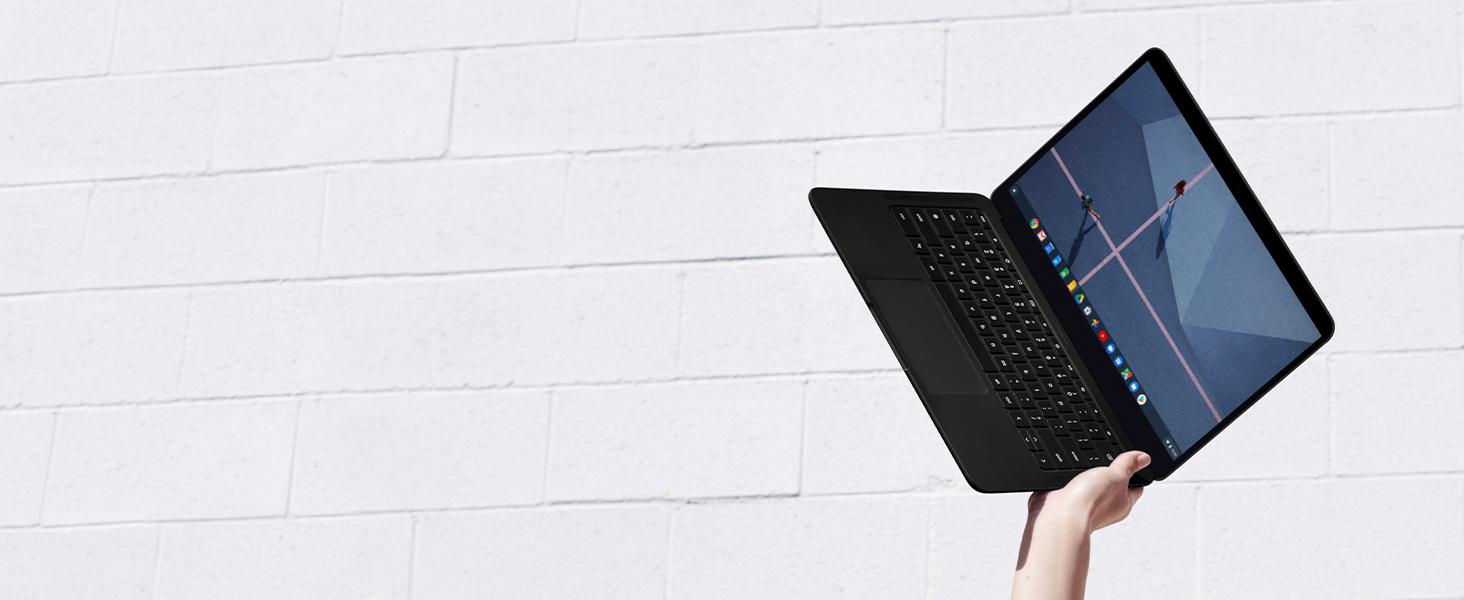
The Google Pixelbook Go is a great option for those who need a lightweight and portable laptop. It has a powerful processor, plenty of storage space, and a long-lasting battery. It also has a number of security features, including a fingerprint reader and a TPM 2.0 chip.
| Features | Details |
|---|---|
| Battery life | Up to 12 hours |
| Processor | Intel Core i5 or i7 |
| Operating system | Chrome OS |
| RAM | Up to 16GB LPDDR4x |
| Storage capacity | Up to 256GB SSD |
| Security features | Titan C security chip, built-in virus protection |
7. Asus ZenBook 13 (UX325EA)
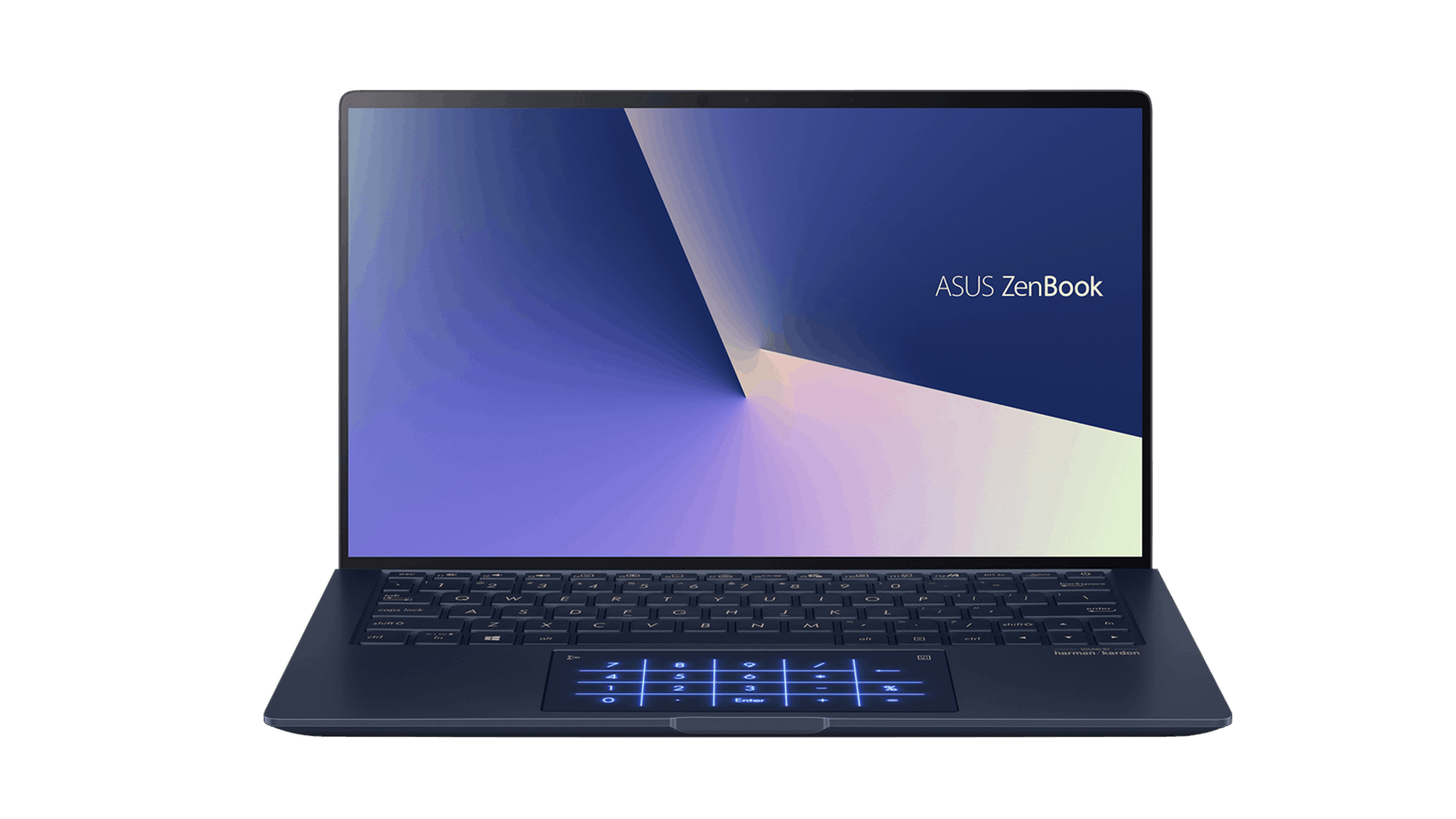
The Asus ZenBook 13 is a great option for those who need a stylish and affordable laptop. It has a powerful processor, plenty of storage space, and a long-lasting battery. It also has a number of security features, including a fingerprint reader and a TPM 2.0 chip.
| Features | Details |
|---|---|
| Battery life | Up to 16 hours and 30 minutes |
| Processor | 11th Gen Intel Core i5 or i7 |
| Operating system | Windows 10 Home or Pro |
| RAM | Up to 16GB LPDDR4x |
| Storage capacity | Up to 1TB PCIe NVMe SSD |
| Security features | Fingerprint reader, IR camera for facial recognition |
8. Acer Swift 3 (SF314-57-52G)
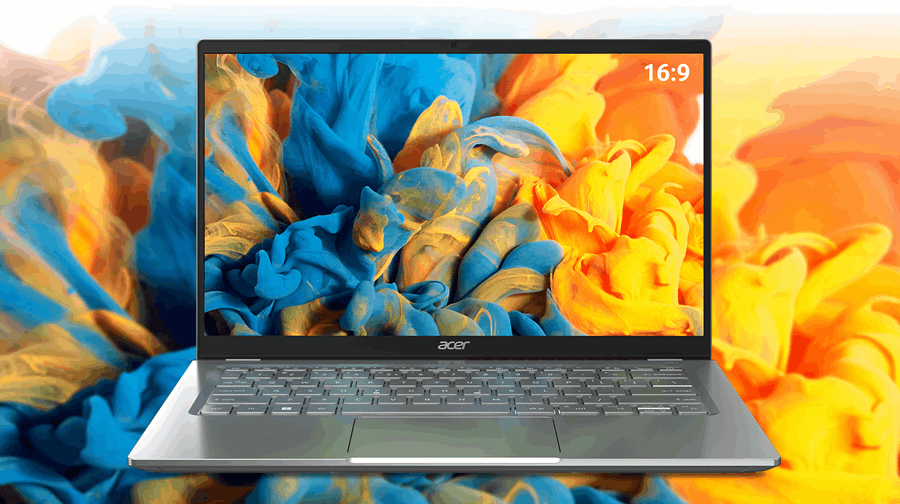
The Acer Swift 3 is a great option for those who need a budget-friendly laptop. It has a powerful processor, plenty of storage space, and a long-lasting battery. It also has a number of security features, including a fingerprint reader and a TPM 2.0 chip.
| Features | Details |
|---|---|
| Battery life | Up to 16 hours and 30 minutes |
| Processor | 11th Gen Intel Core i5 or i7 |
| Operating system | Windows 10 Home or Pro |
| RAM | Up to 16GB LPDDR4x |
| Storage capacity | Up to 1TB PCIe NVMe SSD |
| Security features | Fingerprint reader, IR camera for facial recognition |
9. Samsung Galaxy Book Flex2 Alpha
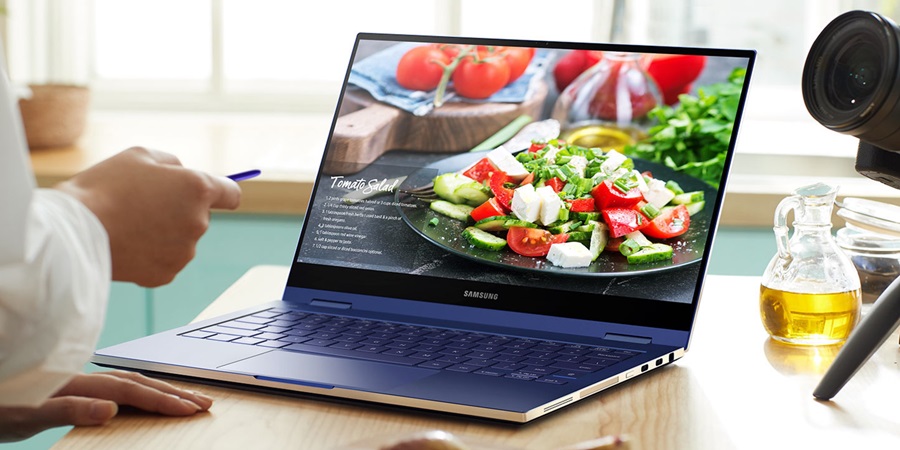
The Samsung Galaxy Book Flex2 Alpha is a great option for those who need a laptop that can also be used as a tablet. It has a powerful processor, plenty of storage space, and a long-lasting battery. It also has a number of security features, including a fingerprint reader and a TPM 2.0 chip.
| Features | Details |
|---|---|
| Battery life | Up to 18 hours and 30 minutes |
| Processor | Intel Core i5 or i7 |
| Operating system | Windows 10 Home or Pro |
| RAM | Up to 16GB LPDDR4x |
| Storage capacity | Up to 1TB PCIe NVMe SSD |
| Security features | Fingerprint reader |
10. Huawei MateBook X Pro (2021)
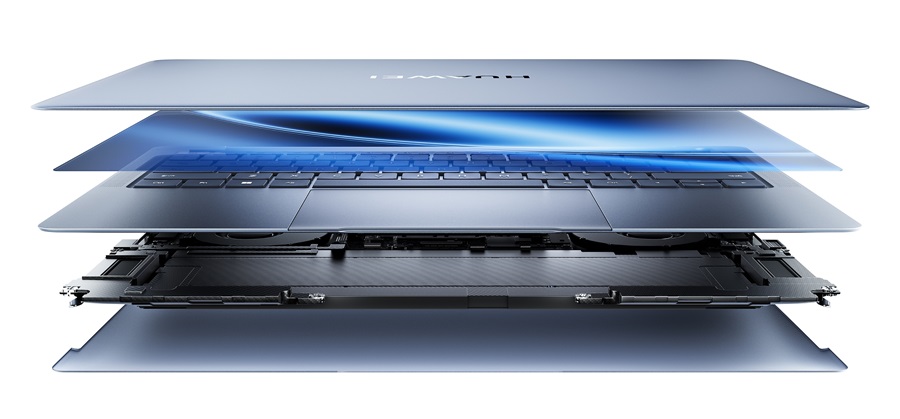
The Huawei MateBook X Pro (2021) is a great option for those who need a powerful and stylish laptop. It has a powerful processor, plenty of storage space, and a long-lasting battery. It also has a number of security features, including a fingerprint reader and a TPM 2.0 chip.
| Features | Details |
|---|---|
| Battery life | Up to 15 hours and 30 minutes |
| Processor | Intel Core i5 or i7 |
| Operating system | Windows 10 Home or Pro |
| RAM | Up to 16GB LPDDR4x |
| Storage capacity | Up to 1TB PCIe NVMe SSD |
| Security features | Fingerprint reader, pop-up webcam for privacy |
You May also Like: Laptops for Specific Needs
- Laptops for Ableton Live
- Travel-Friendly Laptops
- Homeschool Laptops
- Laptops for Cryptocurrency
- Car Tuning Laptops
- Cybersecurity Laptops
- Podcasting Laptops
- Fusion 360 Laptops
- Laptops with Best Speakers
- College Student Laptops

FAQs: Laptops for Cyber Security
What type of laptop is best for cyber security?
When it comes to choosing the best laptop for cyber security, there are several factors to consider. The ideal laptop should have a combination of performance, security features, and portability. Here are some key factors to look for:
1. Processing Power: Cyber security tasks often involve running resource-intensive applications and tools. Look for laptops with at least an Intel Core i5 or AMD Ryzen 5 processor. These processors offer a good balance between performance and power efficiency. If you require even more processing power, consider laptops with Intel Core i7 or AMD Ryzen 7 processors.
2. RAM and Storage: Sufficient RAM is crucial for multitasking and handling memory-intensive tasks. Aim for a minimum of 8GB of RAM, but consider upgrading to 16GB or more if your budget allows. As for storage, opt for a laptop with a solid-state drive (SSD) rather than a traditional hard disk drive (HDD). SSDs provide faster boot times and improved overall system performance.
3. Security Features: Cyber security professionals deal with sensitive data and need robust security features. Look for laptops with built-in security features such as biometric authentication (fingerprint or facial recognition), TPM (Trusted Platform Module), and hardware-based encryption.
4. Operating System: While both Windows and macOS are viable options for cyber security, the choice depends on personal preference and specific job requirements. Windows is widely used in the industry and offers a wide range of software and tools. macOS, on the other hand, is known for its security features and user-friendly interface.
5. Portability: Cyber security professionals often work on the go, attending meetings or conducting assessments in different locations. Consider a lightweight and compact laptop that is easy to carry around without compromising on performance.
6. Battery Life: A laptop with good battery life is essential for professionals who need to work remotely or in locations without easy access to power outlets. Look for laptops with long battery life to ensure uninterrupted work sessions.
7. Connectivity: Cyber security professionals often require multiple connectivity options. Look for laptops with a variety of ports such as USB, HDMI, Ethernet, and SD card slots to connect to different devices and networks.
8. Display Size and Resolution: The display size and resolution impact your overall user experience. A larger display provides more screen real estate for multitasking, while higher resolution ensures crisp visuals when analyzing data or reading code.
Ultimately, the best laptop for cyber security will depend on your specific needs, budget, and personal preferences. It's important to strike a balance between performance, security features, and portability to enhance your productivity and meet the demands of the field.
What specs should I look for in a laptop for cyber security?
When choosing a laptop for cyber security, there are several key specifications to consider. These specifications will ensure that your laptop can handle the resource-intensive tasks involved in cybersecurity work. Here are the essential specs to look for:
1. Processor: Look for a laptop with at least an Intel Core i5 or AMD Ryzen 5 processor. These processors offer a good balance between performance and power efficiency. For more demanding tasks, consider laptops with Intel Core i7 or AMD Ryzen 7 processors.
2. RAM: Aim for a minimum of 8GB of RAM, but consider upgrading to 16GB or more if your budget allows. Sufficient RAM is crucial for running multiple applications simultaneously and handling memory-intensive tasks.
3. Storage: Opt for a laptop with a solid-state drive (SSD) rather than a traditional hard disk drive (HDD). SSDs provide faster boot times, improved overall system performance, and quicker access to data.
4. Security Features: Cybersecurity professionals deal with sensitive data, so look for laptops with built-in security features such as biometric authentication (fingerprint or facial recognition), TPM (Trusted Platform Module), and hardware-based encryption.
5. Operating System: The choice of operating system depends on personal preference and specific job requirements. Both Windows and macOS are commonly used in the cybersecurity field. Windows offers a wide range of software and tools, while macOS is known for its security features.
6. Graphics Card: While dedicated graphics capabilities are not essential for most cybersecurity tasks, some professionals may benefit from a discrete graphics card, especially if they work with GPU-accelerated computations or virtualization software.
7. Battery Life: Look for a laptop with good battery life to ensure uninterrupted work sessions, especially when working remotely or in locations without easy access to power outlets.
8. Connectivity: Consider laptops with multiple connectivity options such as USB ports, HDMI ports, Ethernet ports, and SD card slots to connect to different devices and networks as required in cybersecurity work.
9. Display Size and Resolution: The display size and resolution impact your overall user experience. A larger display provides more screen real estate for multitasking, while higher resolution ensures crisp visuals when analyzing data or reading code.
Remember that these specifications are general guidelines, and the specific requirements may vary depending on your job role, the complexity of tasks you'll be performing, and your budget constraints. It's important to strike a balance between performance, security features, and portability based on your specific needs.
Can you use a MacBook for cyber security?
Yes, you can use a MacBook for cyber security tasks. MacBooks are known for their strong security features, user-friendly interface, and reliability. They have gained popularity among cybersecurity professionals due to their robust UNIX-based operating system (macOS) and built-in security measures.
MacBooks come equipped with features such as FileVault encryption, Gatekeeper app verification, and System Integrity Protection (SIP), which make them resistant to malware attacks and unauthorized access. Additionally, macOS has a strong track record of receiving regular security updates from Apple.
In terms of performance, modern MacBooks offer powerful hardware configurations with Intel Core i5 or i7 processors, ample RAM options, and fast SSD storage. They can handle resource-intensive cybersecurity tasks such as network monitoring, vulnerability assessments, and ethical hacking.
Another advantage of using a MacBook is its compatibility with various open-source cybersecurity tools commonly used in the industry. Many popular tools such as Wireshark, Metasploit Framework, Nmap, and Burp Suite have versions compatible with macOS.
However, it's important to note that while MacBooks are suitable for most cybersecurity tasks, there may be certain specialized software or tools that are primarily designed for Windows or Linux environments. Before making a decision, consider the specific requirements of your job role and ensure that the necessary software is compatible with macOS.
Overall, MacBooks can be an excellent choice for cybersecurity professionals who prefer the macOS ecosystem, value strong security features, and require a reliable and user-friendly laptop for their work.
Which laptop is used by professional hackers?
Professional hackers, also known as ethical hackers or penetration testers, require laptops that are powerful, secure, and customizable. While there is no one-size-fits-all answer to this question, there are several laptops that are popular among professional hackers. Here are some of the top choices:
1. Lenovo ThinkPad X1 Carbon: The ThinkPad X1 Carbon is a lightweight and durable laptop that offers strong security features. It comes with a built-in fingerprint reader, webcam cover, and hardware-based encryption. The laptop also has a long battery life and a variety of ports for connectivity.
2. Dell XPS 13: The Dell XPS 13 is a powerful laptop that offers excellent performance and a sleek design. It comes with an Intel Core i7 processor, 16GB of RAM, and a 512GB SSD. The laptop also has a long battery life and a high-resolution display.
3. System76 Galago Pro: The System76 Galago Pro is a Linux-based laptop that is highly customizable. It comes with an Intel Core i7 processor, up to 32GB of RAM, and up to 6TB of storage. The laptop also has a long battery life and a variety of ports for connectivity.
4. HP EliteBook x360: The HP EliteBook x360 is a versatile laptop that offers strong security features. It comes with an Intel Core i7 processor, up to 16GB of RAM, and up to 1TB of storage. The laptop also has a built-in fingerprint reader, webcam cover, and hardware-based encryption.
5. Apple MacBook Pro: The MacBook Pro is a popular choice among professional hackers who prefer macOS. It comes with an Intel Core i9 processor, up to 64GB of RAM, and up to 8TB of storage. The laptop also has a high-resolution display and long battery life.
In conclusion, professional hackers require laptops that are powerful, secure, and customizable. The laptops listed above are some of the most popular choices among professionals in the field. However, it's important to consider individual requirements and preferences before making a decision.
Is a MacBook Air good for cyber security?
The MacBook Air is a popular choice among cyber security professionals due to its sleek design, portability, and advanced security features. With the latest M1 chip, the MacBook Air offers fast performance and power efficiency, making it an excellent choice for cyber security tasks.
One of the key advantages of the MacBook Air is its advanced security features. The laptop comes with a built-in T2 Security Chip that provides hardware-level encryption and secure boot capabilities. The T2 chip also includes a Secure Enclave coprocessor that stores sensitive information such as fingerprints and passwords, ensuring that they cannot be accessed by unauthorized parties. Additionally, the MacBook Air comes with Touch ID for biometric authentication, which adds an extra layer of security to the login process.
In terms of performance, the MacBook Air M1 offers fast processing speeds and excellent battery life. The M1 chip is designed to optimize performance and power efficiency, which means that the MacBook Air can handle resource-intensive tasks such as running multiple virtual machines and scanning for malware without slowing down. The MacBook Air also comes with a solid-state drive (SSD) that provides fast read and write speeds, which is essential for cyber security tasks that involve handling large amounts of data.
Another advantage of the MacBook Air is its compatibility with popular cyber security tools and software. For example, Burp Suite, a popular web application security testing tool, runs seamlessly on macOS, making it easy for cyber security professionals to use on the MacBook Air. Additionally, many other cyber security tools and software are available for macOS, which means that the MacBook Air can be used as a primary device for cyber security tasks.
However, there are some limitations to using a MacBook Air for cyber security tasks. One potential drawback is the limited number of ports on the laptop. The MacBook Air only has two Thunderbolt/USB 4 ports, which may not be enough for some users who need to connect multiple devices at once. Additionally, some cyber security tools and software may not be compatible with macOS, which could limit the usefulness of the MacBook Air for certain tasks.
In conclusion, the MacBook Air can be a good choice for cyber security tasks due to its advanced security features, fast performance, and compatibility with popular cyber security tools and software. However, it's important to consider the specific job requirements and software compatibility before choosing a MacBook Air for cyber security. Some cyber security tools and software may not be compatible with macOS, and the limited number of ports on the laptop could be a potential drawback for some users.
Do I need a powerful laptop for cybersecurity?
When considering a laptop for cybersecurity purposes, the need for a powerful machine largely depends on the specific tasks you intend to perform. Cybersecurity encompasses a wide range of activities, from simple network monitoring to complex penetration testing and reverse engineering. Here's a breakdown of different scenarios:
Basic Cybersecurity Tasks:
If your work involves basic tasks such as browsing security forums, reading documentation, or running lightweight security tools, a standard laptop with moderate specifications will suffice. These tasks do not require significant processing power or memory.
Intermediate Cybersecurity Tasks:
For tasks like running virtual machines (VMs), network scanning, and using more resource-intensive tools like Wireshark or Metasploit, a more powerful laptop is recommended. This is because virtual machines and network analysis tools can consume considerable CPU and RAM resources.
Advanced Cybersecurity Tasks:
If you are involved in advanced tasks such as penetration testing, malware analysis, or cryptography, a high-performance laptop becomes essential. These tasks often require running multiple VMs simultaneously, using advanced security tools, and possibly compiling code, all of which demand higher processing power, RAM, and sometimes a dedicated graphics card.
Future-Proofing:
Investing in a powerful laptop can also be seen as future-proofing. As cybersecurity tools and techniques evolve, they may become more demanding in terms of system resources. A powerful laptop ensures you remain equipped for future developments in the field.
In summary, while you don't necessarily need the most powerful laptop for all cybersecurity tasks, having a more capable machine can enhance your ability to perform a wider range of tasks efficiently and effectively
What is the requirement of a laptop for cybersecurity
The requirements for a cybersecurity laptop can vary based on the complexity of tasks you'll be handling. Here's a general guideline table for different levels of cybersecurity activities:
| Component | Basic Tasks | Intermediate Tasks | Advanced Tasks |
|---|---|---|---|
| CPU | Intel i3 / AMD Ryzen 3 | Intel i5 / AMD Ryzen 5 | Intel i7/i9 / AMD Ryzen 7/9 |
| RAM | 8 GB | 16 GB | 32 GB or more |
| Storage | 256 GB SSD | 512 GB SSD | 1 TB SSD or more |
| GPU | Integrated Graphics | Dedicated GPU (optional) | Dedicated GPU (NVIDIA/AMD) |
| Battery Life | Moderate (4-6 hours) | Good (6-8 hours) | Good (6-8 hours) |
| Display | 1080p | 1080p or higher | 1080p or higher |
| Ports | USB, HDMI | USB, HDMI, Ethernet | USB, HDMI, Ethernet, Thunderbolt 3 |
These specifications ensure you can handle the necessary tools and software efficiently. Advanced tasks, especially those involving multiple virtual machines or heavy computational processes, will benefit significantly from higher RAM and a faster CPU.
How much RAM for cybersecurity?
RAM is a critical component when it comes to running multiple applications and virtual machines simultaneously, which is common in cybersecurity work. Here's how RAM requirements can be broken down:
8 GB RAM:
Suitable for basic cybersecurity tasks such as browsing, document reading, and running lightweight applications. This is the minimum recommended for anyone entering the cybersecurity field.
16 GB RAM:
This is a more comfortable amount of RAM for intermediate tasks, including running a couple of virtual machines or using more resource-intensive applications like network analyzers and penetration testing tools. It allows for smoother multitasking and is generally sufficient for most cybersecurity professionals.
32 GB RAM or More:
Recommended for advanced users who need to run multiple virtual machines simultaneously or perform heavy tasks such as malware analysis, reverse engineering, or large-scale network simulations. More RAM ensures that your system remains responsive even under heavy load.
In conclusion, while 8 GB of RAM can be a starting point, 16 GB is often considered the sweet spot for most cybersecurity professionals, providing a good balance between performance and cost. For those involved in more demanding tasks, 32 GB or more may be necessary to ensure optimal performance.
You May also Like: General Laptop Guides and Comparisons

