




Gone are the days of greasy wrenches and gut instincts being the only tools in a car enthusiast's arsenal. Today, car tuning is driven by sophisticated software, intricate diagnostics, and the power of portable computing. Whether you're a seasoned mechanic or a passionate DIYer, having the right laptop for car tuning can make all the difference.
This comprehensive guide delves into the 10 best laptops for car tuning, empowering you to make an informed decision. We'll explore the key factors to consider, analyze the pros and cons of each model, and provide a detailed comparison chart to help you choose the perfect machine to unleash your inner gearhead.
What to Look for in a Car Tuning Laptop
Before diving into the top contenders, let's outline the essential features that make a laptop ideal for car tuning:
1. Powerful Processor: Car tuning software demands significant processing power, especially for complex diagnostics and live data streaming. Look for laptops with at least an Intel Core i5 processor, with Core i7 or Ryzen 7 processors offering even better performance.
2. Ample RAM: Smooth multitasking and efficient software operation require sufficient RAM. Aim for a minimum of 8GB RAM, with 16GB or more being ideal for demanding applications.
3. Fast and Reliable Storage: A Solid State Drive (SSD) is crucial for fast boot times, quick file access, and overall system responsiveness. Opt for a laptop with at least 256GB SSD storage, with larger capacities being preferable for storing extensive tuning files and data logs.
4. Durable Build Quality: Garage environments can be harsh. Choose a laptop with a robust build, spill-resistant keyboard, and shock-absorbing features to withstand accidental bumps and spills.
5. Comprehensive Connectivity: Ensure the laptop has multiple USB ports, an HDMI port, and an SD card reader for seamless connectivity with diagnostic tools, external monitors, and data storage devices.
6. Long Battery Life: On-the-go tuning requires a laptop with a battery that can keep up. Look for models with at least 8 hours of battery life, with longer durations being ideal for extended tuning sessions.
10 Best Laptops for Car Tuning: Reviews & Comparisons
Now that we've covered the essential features, let's look at 10 top laptops for car tuning:
1. Acer Predator Helios 300
The Acer Predator Helios 300 is a beast of a machine, packing a powerful Intel Core i7 processor and NVIDIA GeForce RTX 3060 graphics card. This combination makes it a breeze to run demanding car tuning software and handle complex diagnostics. The 15.6-inch Full HD display provides ample screen real estate, while the backlit keyboard and robust cooling system ensure comfortable use even during extended tuning sessions.
| Pros | Cons |
|---|---|
| Powerful Intel Core i7 processor | Battery life could be better |
| NVIDIA GeForce RTX 3060 graphics card | Can run hot under heavy load |
| 16GB DDR4 RAM and 512GB SSD | |
| 15.6-inch Full HD 144Hz display | |
| Backlit keyboard and excellent cooling system |
2. ASUS ROG Zephyrus G14
Don't let its compact size fool you, the ASUS ROG Zephyrus G14 is a powerhouse in disguise. It boasts a powerful AMD Ryzen 9 processor and NVIDIA GeForce RTX 3060 graphics card, making it more than capable of handling demanding car tuning tasks. Its lightweight design and impressive battery life make it an excellent choice for on-the-go tuning.
| Pros | Cons |
|---|---|
| Compact and lightweight design | No webcam |
| Powerful AMD Ryzen 9 processor | Can be expensive |
| NVIDIA GeForce RTX 3060 graphics card | |
| 16GB DDR4 RAM and 1TB SSD | |
| Excellent battery life |
3. Lenovo Legion 5 Pro
The Lenovo Legion 5 Pro strikes an excellent balance between performance and affordability. It features a powerful AMD Ryzen 7 processor and NVIDIA GeForce RTX 3070 graphics card, delivering smooth performance for car tuning applications. The 16-inch QHD display provides stunning visuals, while the comfortable keyboard and ample port selection enhance usability.
| Pros | Cons |
|---|---|
| Excellent value for money | Design is not as sleek as some competitors |
| Powerful AMD Ryzen 7 processor | Battery life is average |
| NVIDIA GeForce RTX 3070 graphics card | |
| 16GB DDR4 RAM and 1TB SSD | |
| 16-inch QHD 165Hz display |
4. MSI GF65 Thin
The MSI GF65 Thin is a great option for budget-conscious car enthusiasts who don't want to compromise on performance. It packs an Intel Core i5 processor and NVIDIA GeForce GTX 1660 Ti graphics card, delivering smooth performance for most car tuning software. Its thin and lightweight design makes it easy to carry around, while the red-backlit keyboard adds a touch of gaming aesthetics.
| Pros | Cons |
|---|---|
| Affordable gaming laptop with good performance | Battery life is below average |
| Intel Core i5 processor | Display is not as bright as some competitors |
| NVIDIA GeForce GTX 1660 Ti graphics card | |
| 8GB DDR4 RAM and 512GB SSD | |
| Thin and lightweight design |
5. Dell XPS 15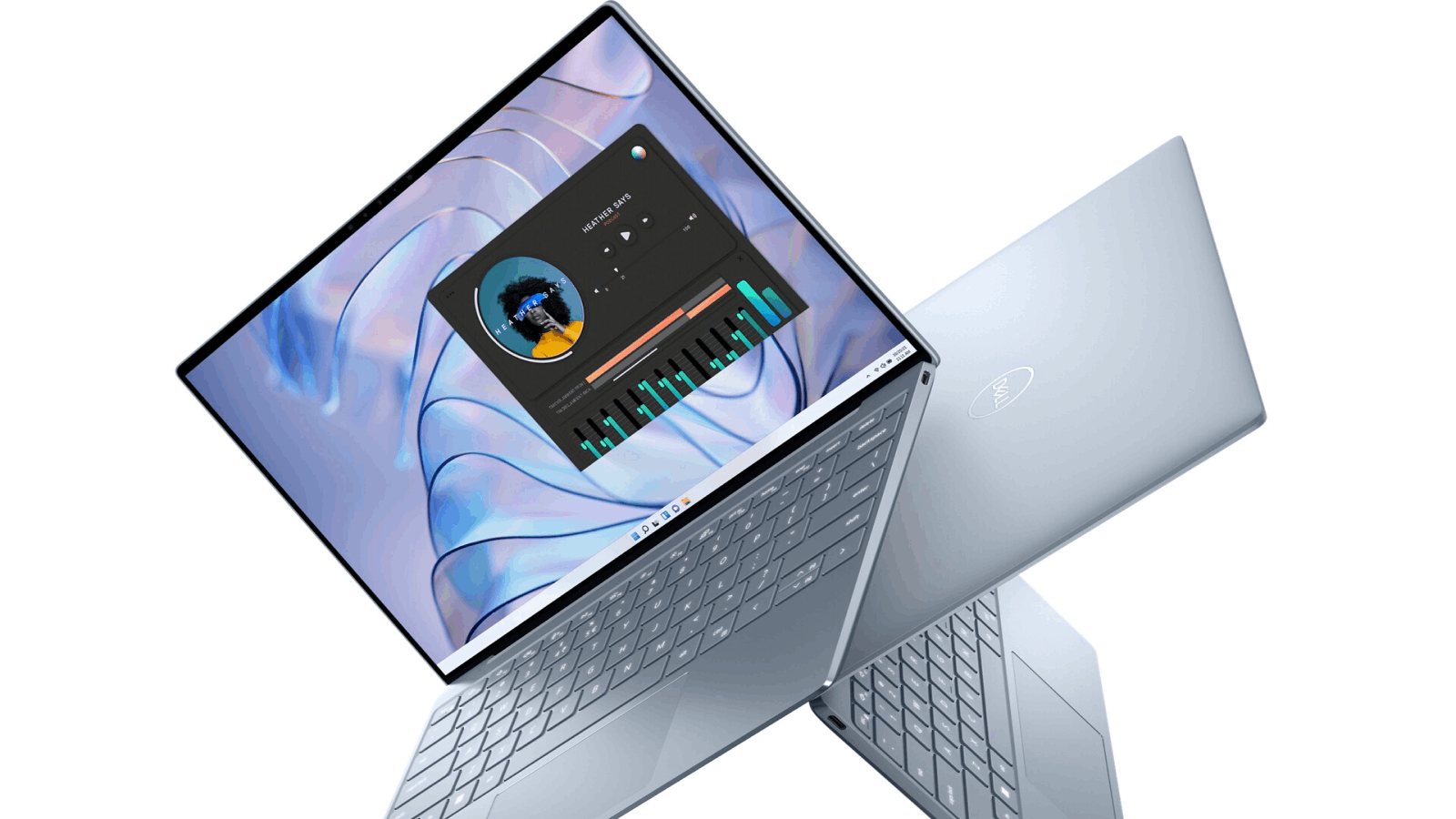
The Dell XPS 15 is a premium laptop that excels in both design and performance. Its stunning 15.6-inch InfinityEdge display provides an immersive viewing experience, while the powerful Intel Core i7 processor and dedicated graphics card ensure smooth multitasking and demanding application performance. Its long battery life and durable build quality make it an excellent investment for car tuning professionals.
| Pros | Cons |
|---|---|
| Premium design and build quality | Can be expensive |
| Stunning 15.6-inch InfinityEdge display | Not as powerful as some gaming laptops |
| Powerful Intel Core i7 processor | |
| 16GB DDR4 RAM and 512GB SSD | |
| Long battery life |
6. HP Envy 13
The HP Envy 13 is an ultra-portable powerhouse, perfect for car enthusiasts on the go. Its sleek and lightweight design makes it easy to slip into a backpack, while the powerful Intel Core i7 processor and long battery life ensure you can tune your car from anywhere. The beautiful and vibrant display provides a great viewing experience for diagnostics and data analysis.
| Pros | Cons |
|---|---|
| Ultra-portable and lightweight design | Not as powerful as larger laptops |
| Long battery life | Can be difficult to use for extended periods |
| Powerful Intel Core i7 processor | |
| 16GB DDR4 RAM and 512GB SSD | |
| Beautiful and vibrant display |
7. Acer Aspire 5
The Acer Aspire 5 is a budget-friendly laptop that offers decent performance for basic car tuning tasks. Its AMD Ryzen 5 processor and 8GB of RAM can handle most diagnostic software and data logging applications. The comfortable keyboard and trackpad make it easy to use, while the affordable price tag makes it accessible to a wider range of car enthusiasts.
| Pros | Cons |
|---|---|
| Budget-friendly option with decent performance | Not as powerful as other laptops on this list |
| AMD Ryzen 5 processor | Display is not as bright as some competitors |
| 8GB DDR4 RAM and 256GB SSD | |
| Comfortable keyboard and trackpad |
8. Lenovo IdeaPad Flex 5
The Lenovo IdeaPad Flex 5 is a versatile 2-in-1 laptop that can transform from a traditional laptop into a tablet, making it a convenient option for car tuning. Its AMD Ryzen 5 processor and 8GB of RAM provide enough power for most car diagnostic software, while the responsive touchscreen display allows for intuitive interaction with tuning applications.
| Pros | Cons |
|---|---|
| Versatile 2-in-1 design | Not as powerful as other laptops on this list |
| Affordable price | Keyboard can feel cramped |
| AMD Ryzen 5 processor | |
| 8GB DDR4 RAM and 256GB SSD | |
| Long battery life |
9. Microsoft Surface Laptop 4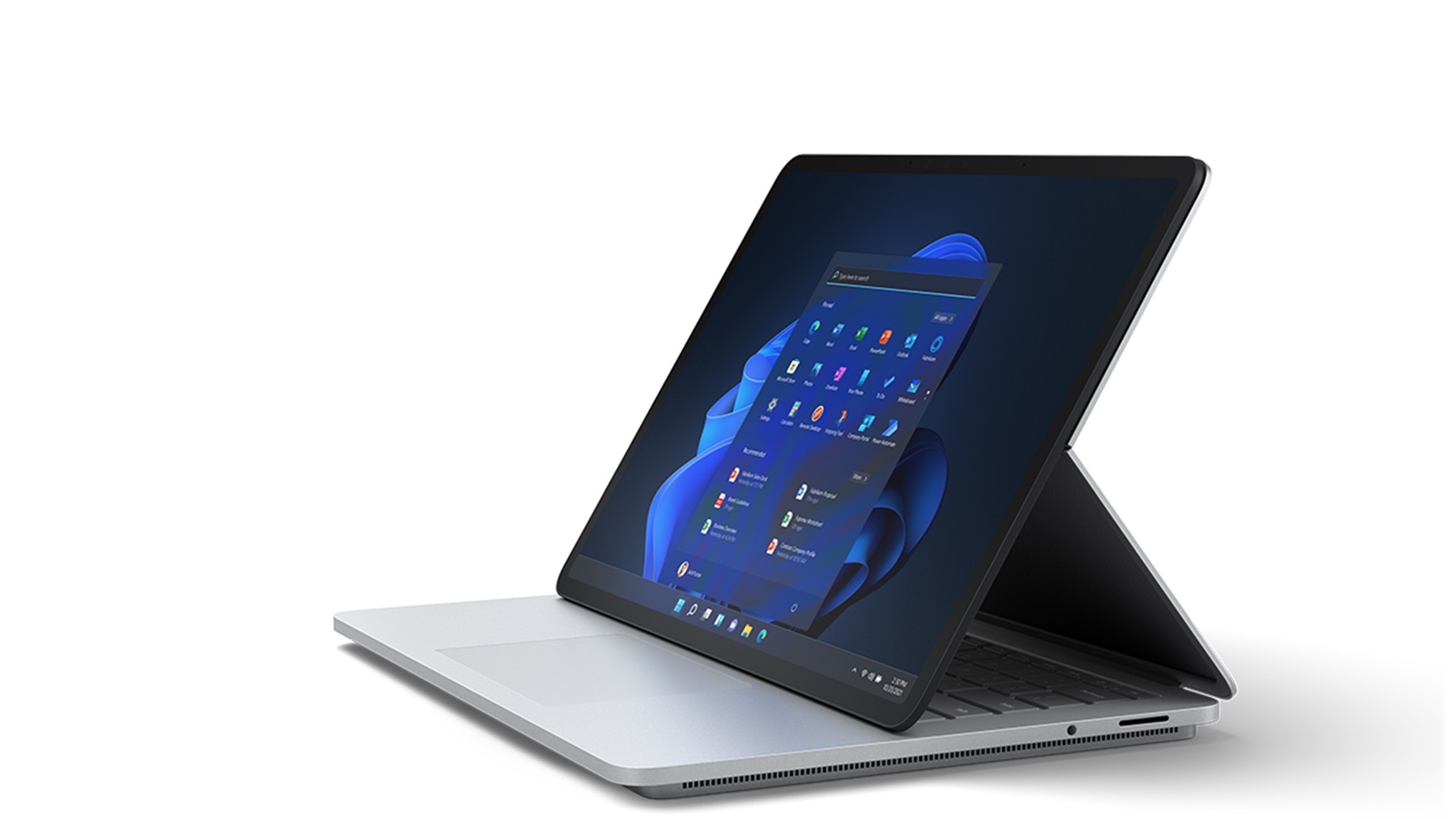
The Microsoft Surface Laptop 4 is a premium laptop with a sleek design and a beautiful touchscreen display. Its powerful Intel Core i5 processor and long battery life make it a great option for car tuning, while the responsive touchscreen allows for intuitive interaction with diagnostic software. However, its limited port selection might require adapters for connecting certain diagnostic tools.
| Pros | Cons |
|---|---|
| Premium design and build quality | Can be expensive |
| Beautiful and responsive touchscreen display | Limited port selection |
| Powerful Intel Core i5 processor | |
| 8GB DDR4 RAM and 256GB SSD | |
| Long battery life |
10. Apple MacBook Air
The Apple MacBook Air is known for its sleek design, impressive battery life, and powerful Apple M1 chip. While it might not be the first choice that comes to mind for car tuning, its performance is more than capable of handling most diagnostic software. However, its limited software compatibility for some car tuning applications and its premium price tag might make it a less attractive option for some car enthusiasts.
| Pros | Cons |
|---|---|
| Excellent battery life | Expensive |
| Lightweight and portable design | Limited software compatibility for some car tuning applications |
| Powerful Apple M1 chip | |
| 8GB RAM and 256GB SSD | |
| Stunning Retina display |
Comparison Chart: Key Features at a Glance
| Laptop Model | Processor | RAM | Storage | Display | Battery Life | Price Range |
|---|---|---|---|---|---|---|
| Acer Predator Helios 300 | Intel Core i7 | 16GB | 512GB SSD | 15.6-inch FHD 144Hz | 6 hours | $$$ |
| ASUS ROG Zephyrus G14 | AMD Ryzen 9 | 16GB | 1TB SSD | 14-inch FHD 144Hz | 10 hours | $$$$ |
| Lenovo Legion 5 Pro | AMD Ryzen 7 | 16GB | 1TB SSD | 16-inch QHD 165Hz | 7 hours | $$$ |
| MSI GF65 Thin | Intel Core i5 | 8GB | 512GB SSD | 15.6-inch FHD 144Hz | 5 hours | $$ |
| Dell XPS 15 | Intel Core i7 | 16GB | 512GB SSD | 15.6-inch 4K OLED | 9 hours | $$$$ |
| HP Envy 13 | Intel Core i7 | 16GB | 512GB SSD | 13.3-inch 4K OLED | 11 hours | $$$ |
| Acer Aspire 5 | AMD Ryzen 5 | 8GB | 256GB SSD | 15.6-inch FHD | 7 hours | $ |
| Lenovo IdeaPad Flex 5 | AMD Ryzen 5 | 8GB | 256GB SSD | 14-inch FHD Touch | 8 hours | $$ |
| Microsoft Surface Laptop 4 | Intel Core i5 | 8GB | 256GB SSD | 13.5-inch PixelSense Touch | 10 hours | $$$ |
| Apple MacBook Air | Apple M1 | 8GB | 256GB SSD | 13.3-inch Retina | 18 hours | $$$$ |
Price Range Key:
- $ = Budget-friendly (Under $700)
- $$ = Mid-range ($700 - $1200)
- $$$ = High-end ($1200 - $1800)
- $$$$ = Premium (Over $1800)
You May also Like: Laptops for Specific Needs
- Laptops for Ableton Live
- Travel-Friendly Laptops
- Homeschool Laptops
- Laptops for Cryptocurrency
- Car Tuning Laptops
- Cybersecurity Laptops
- Podcasting Laptops
- Fusion 360 Laptops
- Laptops with Best Speakers
- College Student Laptops
Unlock Incredible Savings: Buy Laptops at Factory Prices on GlobalSources.com
Tired of inflated retail prices for laptops? GlobalSources.com is your gateway to a world of savings, connecting you directly with verified laptop manufacturers and wholesalers. Say goodbye to middleman markups and hello to factory-direct pricing that fits your budget.
Why Choose GlobalSources.com for Your Laptop Purchase?
- Unbeatable Prices: By sourcing laptops directly from factories, GlobalSources.com eliminates the layers of intermediaries, passing on significant savings to you.
- Vast Selection: Explore a diverse range of laptops, from budget-friendly models to high-performance machines, catering to every need and budget.
- Verified Suppliers: GlobalSources.com rigorously vets its suppliers, ensuring you're dealing with legitimate businesses and minimizing the risk of scams.
- Flexible Ordering: Enjoy flexible order quantities, whether you're looking for a single laptop or bulk purchases for your business.
- Secure Payment Options: Transact with confidence using secure payment gateways, safeguarding your financial information.
Find Your Perfect Laptop:
GlobalSources.com makes it easy to find the ideal laptop for your needs. Utilize their powerful search filters to refine your search by:
- Brand: Choose from leading brands or explore lesser-known manufacturers offering exceptional value.
- Specifications: Specify your desired processor, RAM, storage, display size, and other key features.
- Price Range: Set your budget and discover laptops that align with your financial constraints.
- Minimum Order Quantity: Filter by order size to find suppliers that cater to your specific needs.
Beyond Laptops:
GlobalSources.com is your one-stop shop for all your electronics needs. Beyond laptops, you'll find a vast selection of:
- Smartphones
- Tablets
- Headphones
- Smartwatches
- And much more!
Unlock Wholesale Savings Today:
Don't overpay for your next laptop. Visit GlobalSources.com and experience the difference of buying directly from the source. With unbeatable prices, a vast selection, and a secure platform, GlobalSources.com empowers you to make smart purchasing decisions and save big on your electronics.
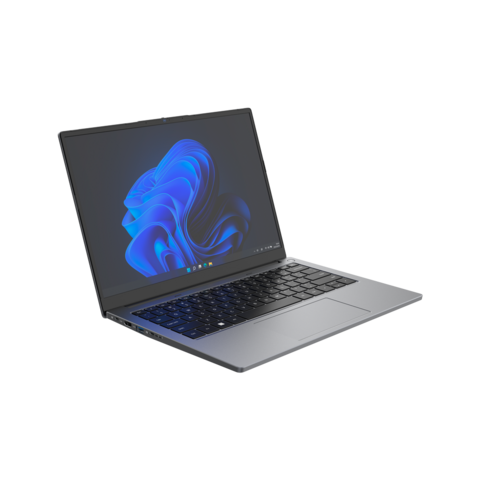
Personal laptop 8 Cores i5-12450H 14 inch aluminum brand new business Laptop gaming laptop student laptop
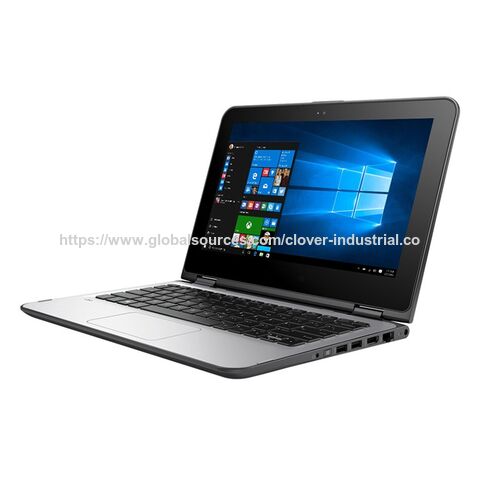
Best Student And Business Computer Laptop Laptop Low Price 15.6inch Laptop Computer i5 8th gen 12gRAM SSD128GB
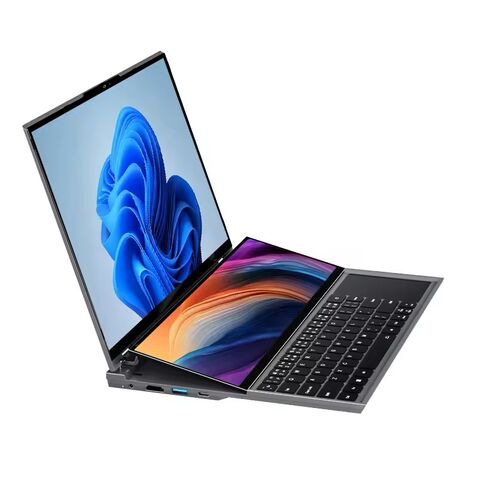
Double Screen Laptops 16 kooforway Core i7 Gaming used laptops laptops Notebook 10 generation pc gaming RAM 8/16
Conclusion: Choosing Your Ideal Car Tuning Companion
Selecting the best laptop for car tuning depends on your specific needs, budget, and the complexity of your tuning projects. Consider the factors outlined in this guide, weigh the pros and cons of each model, and refer to the comparison chart to make an informed decision.
Whether you opt for a powerful gaming laptop, a versatile 2-in-1, or a sleek ultrabook, the right laptop will empower you to take your car tuning skills to the next level.
You May also Like: General Laptop Guides and Comparisons
- Best Chinese Laptop Brands
- Heat Sink for Laptops
- Desktop vs Laptop CPUs
- Dell Latitude vs Precision
- Refurbished Laptops: Pros & Tips
- 1TB Laptops for Storage
- Gaming Laptops Guide
- Quiet Gaming Laptops
- Laptops for Microsoft Office
- Portable Dual-Screen Monitors
FAQs
What is the best laptop for tuning a car?
Pinpointing the absolute "best" laptop for car tuning is tricky, as it depends heavily on your specific needs, budget, and the complexity of the tuning you'll be doing. However, we can outline the ideal features and recommend some top contenders:
Key Features for a Car Tuning Laptop:
- Powerful Processor: Car tuning software can be demanding, especially for live data streaming and complex diagnostics. Aim for at least an Intel Core i5 or AMD Ryzen 5 processor. For professional-level tuning, consider Core i7/Ryzen 7 or higher.
- Ample RAM: Smooth multitasking and efficient software operation are crucial. 8GB RAM is the bare minimum, but 16GB or more is ideal for demanding applications and future-proofing.
- Fast Storage: A Solid State Drive (SSD) is non-negotiable. It drastically speeds up boot times, file access, and overall system responsiveness. Aim for at least 256GB, with 512GB or 1TB being preferable for large tuning files and data logs.
- Durable Build: Garage environments aren't always kind to electronics. Look for a laptop with a robust build, spill-resistant keyboard, and ideally some shock-absorbing features to handle accidental bumps.
- Connectivity: Multiple USB ports are essential for connecting various diagnostic tools. An HDMI port is handy for an external monitor, and an SD card reader can be useful for data transfer.
- Battery Life: On-the-go tuning requires a battery that can keep up. Aim for at least 8 hours, with longer durations being ideal for extended sessions without a power outlet.
Top Recommendations:
- Acer Predator Helios 300: A powerful gaming laptop with a balance of performance and affordability.
- ASUS ROG Zephyrus G14: Compact yet powerful, ideal for portability.
- Lenovo Legion 5 Pro: Excellent value for money, strong performance for demanding tasks.
- Dell XPS 15: Premium build quality, stunning display, and good performance, but pricier.
Beyond Specs:
- Software Compatibility: Ensure the laptop's operating system (Windows being most common) is compatible with your chosen tuning software.
- Brand Reputation: Opt for reputable brands known for reliability and good customer support.
Ultimately, the best laptop for you involves finding the right balance between performance, features, build quality, and budget that aligns with your specific car tuning needs.
Can you tune a car with a laptop?
Yes, absolutely! In fact, using a laptop is becoming increasingly essential for modern car tuning. Here's why:
How Laptop Tuning Works:
OBD-II Port: Modern cars (generally post-1996) have an OBD-II port, usually located under the dashboard. This port acts as the car's data interface.
Diagnostic Interface: You'll need a device that connects your laptop to the OBD-II port. Common options include:
- OBD-II Scanners: Affordable and widely available, offering basic diagnostics and code reading.
- Bluetooth/Wi-Fi Adapters: Allow wireless connection to your laptop, providing more flexibility.
- Professional-Grade Interfaces: Offer advanced features, faster data transfer, and compatibility with a wider range of vehicles.
Tuning Software: This is the heart of the operation. Different software options cater to various skill levels and tuning goals. Some popular choices include:
- EFI Live: Powerful and versatile, popular among professional tuners.
- HPTuners: User-friendly interface, suitable for both beginners and experienced tuners.
- Megasquirt: Open-source and highly customizable, often used for standalone engine management systems.
What Can You Tune?
With the right software and interface, you can adjust various parameters, including:
- Fuel Maps: Optimize fuel delivery for performance or fuel efficiency.
- Ignition Timing: Fine-tune spark timing for optimal combustion.
- Boost Pressure: Adjust turbocharger or supercharger boost levels.
- Transmission Shifting: Modify automatic transmission shift points and firmness.
- Electronic Throttle Control: Alter throttle response for a more responsive feel.
Important Considerations:
- Knowledge and Skill: Car tuning requires a solid understanding of engine operation and potential risks. Improper tuning can damage your engine.
- Legality: Check local regulations regarding vehicle modifications, as some tuning adjustments might not be street legal.
While a laptop is a powerful tool for car tuning, it's crucial to use it responsibly and with proper knowledge to avoid damaging your vehicle or running afoul of regulations.
What is a good laptop for a mechanic?
A mechanic's laptop needs to be tough, reliable, and capable of handling demanding diagnostic software. Here's what to look for:
Essential Features:
Durability: Garage environments are harsh. Prioritize a ruggedized laptop with:
- MIL-STD-810G Certification: Indicates resistance to drops, vibrations, temperature extremes, and humidity.
- Spill-Resistant Keyboard: Protects against accidental spills.
- Shock-Absorbing Design: Helps withstand bumps and drops.
Performance: Diagnostic software can be resource-intensive. Look for:
- Intel Core i5/i7 or AMD Ryzen 5/7 Processor: Provides ample processing power.
- 8GB RAM Minimum (16GB Recommended): Ensures smooth multitasking and efficient software operation.
- Fast SSD Storage (512GB or Larger): Enables quick boot times and file access.
Connectivity: Seamlessly connect to various diagnostic tools and peripherals:
- Multiple USB Ports (Including USB 3.0 or higher): Essential for connecting scanners, adapters, and other devices.
- Ethernet Port: Provides a reliable wired network connection.
- HDMI or DisplayPort: Allows connecting to an external monitor for a larger viewing area.
Battery Life: On-the-go diagnostics require long battery life. Aim for at least 8 hours, with more being preferable for extended use without access to a power outlet.
Additional Considerations:
- Display: A bright and clear display is crucial for reading diagnostic data. Consider a Full HD (1920x1080) resolution or higher for optimal clarity.
- Portability: A lightweight and compact design is beneficial for easy transport between work areas.
- Security Features: Protect sensitive customer data with features like a fingerprint reader or facial recognition for secure login.
Recommended Models:
- Panasonic Toughbook Series: Renowned for their ruggedness and reliability, built to withstand demanding environments.
- Dell Latitude Rugged Extreme Series: Highly durable laptops with powerful performance and long battery life.
- Lenovo ThinkPad X1 Carbon: A good balance of durability, performance, and portability, with a focus on security features.
Remember, investing in a quality laptop specifically designed for mechanics can save you time, money, and frustration in the long run.
Can you tune cars with a MacBook?
While MacBooks are known for their sleek design and user-friendly interface, they might not be the most suitable choice for car tuning. Here's why:
Software Compatibility:
- Limited Software Availability: Most car tuning software is primarily developed for Windows operating systems. While some manufacturers offer macOS versions, the selection is limited, and functionality might be restricted.
- Virtual Machines: Running Windows on a MacBook via virtualization software like Parallels Desktop or VMware Fusion is an option. However, this can impact performance and might not be suitable for resource-intensive tuning applications.
Hardware Limitations:
- Connectivity: MacBooks typically have fewer USB ports compared to Windows laptops, potentially requiring adapters for connecting multiple diagnostic tools.
- Driver Support: Finding compatible drivers for specific diagnostic interfaces and adapters can be challenging on macOS.
Alternative Solutions:
- Dedicated Windows Laptop: Investing in a separate Windows laptop specifically for car tuning is often the most practical and reliable solution.
- Cloud-Based Tuning Platforms: Some tuning companies offer cloud-based platforms accessible through web browsers, potentially offering a workaround for macOS users. However, these platforms might have limitations and require a stable internet connection.
Conclusion:
While technically possible to tune cars with a MacBook using workarounds, it's not the most straightforward or recommended approach. The limited software compatibility, potential hardware limitations, and potential performance issues make Windows laptops a more suitable and reliable choice for car tuning enthusiasts and professionals.
You May also Like: Specialty Laptops and Accessories

