




Table of Contents
Part 1. Top 10 Laptops Compatible with Microsoft Office
Part 2. What are Laptops With Microsoft Office
Part 3. Market Analysis of Laptops with Microsoft Office
Part 4. Choosing Laptops with Microsoft Office
Part 5. Step-by-step Guide To Using Laptops with Microsoft Office
Part 6. Buying Wholesale Laptops Compatible with Microsoft Office on Global Sources
Part 7. FAQs: Laptops with Microsoft Office
Part 1. Top 10 Laptops Compatible with Microsoft Office
Having a reliable laptop with the right software is crucial for staying productive. Microsoft Office is one such essential software package that offers a comprehensive suite of applications for word processing, spreadsheet management, presentations and more. To help you find hardware for students, professionals and casual users, we have compiled a list of the 10 laptops pre-installed with a 30-day trial version of Microsoft Office or meet its system requirements. Having the trial version allows users to evaluate and become familiar with the software’s features before deciding to purchase a license, while checking compatibility ensures a smooth and seamless installation and use.
1. Dell XPS 13
The Dell XPS 13 is a flagship laptop renowned for its sleek design, powerful performance and exceptional display quality. With an Intel processor, ample RAM and fast storage options, it ensures smooth operation while running Microsoft Office applications. The InfinityEdge display and long battery life make it ideal for both work and play.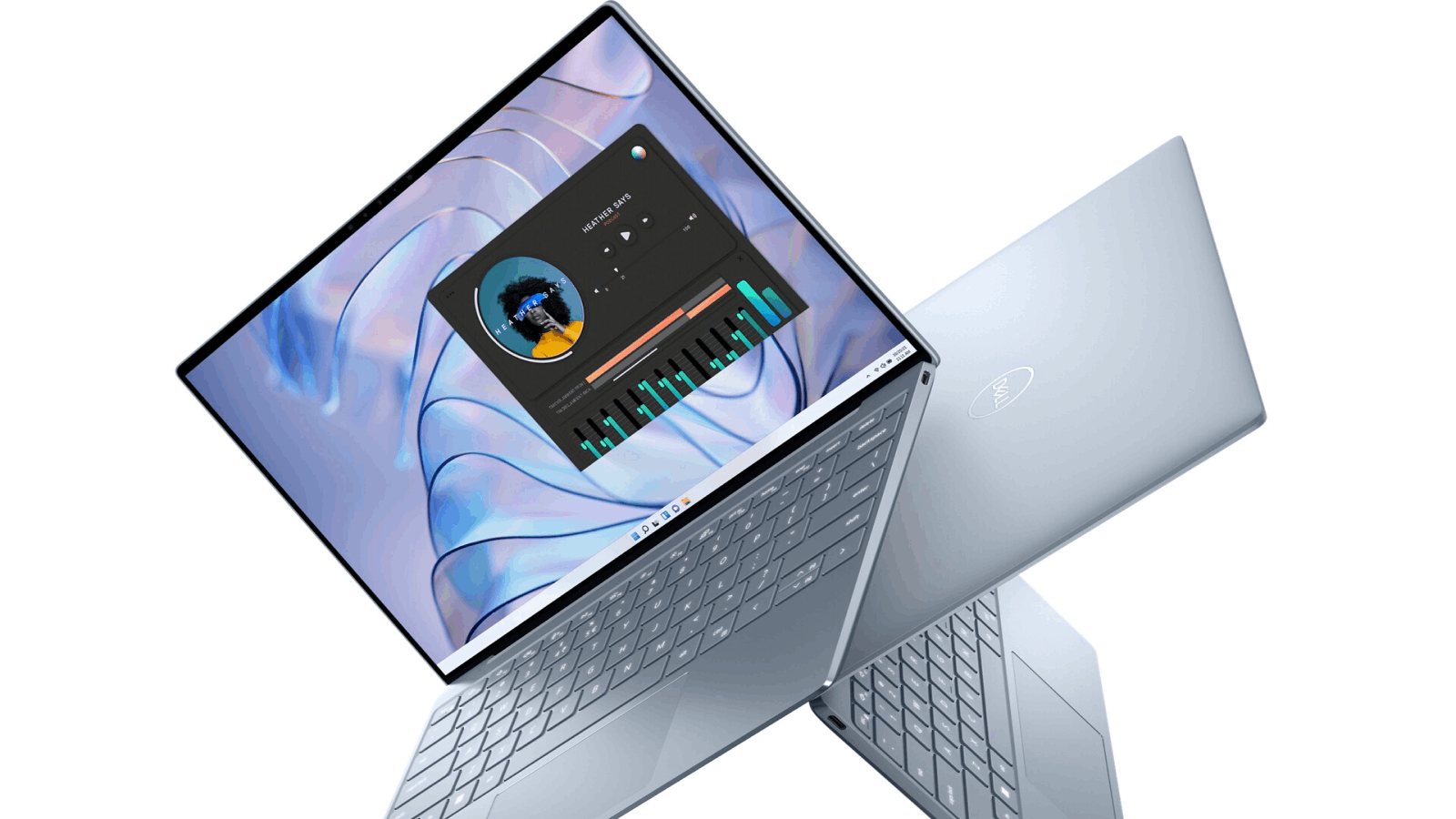
See OEM and private label suppliers offering similar products:
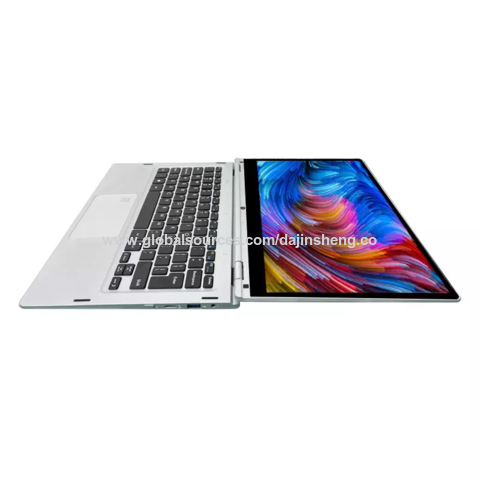
Special offer wholesale factory 11.6/13.3inch surface yoga tablet pc mini laptop LCD touch screen rotating 360 degree laptop
Stock 17.3'' intel Gaming Laptop IPS 17 core 10 CPU with RGB backlight keyboard notebook computer for games

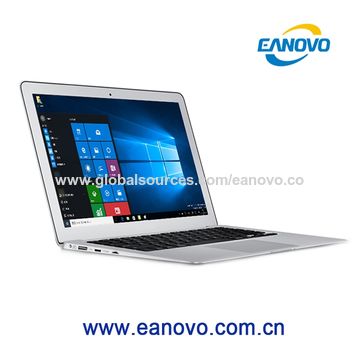
14.1 inch 512 SSD OEM laptop computer Ultra slim mini notebook win10 netbook for home and office
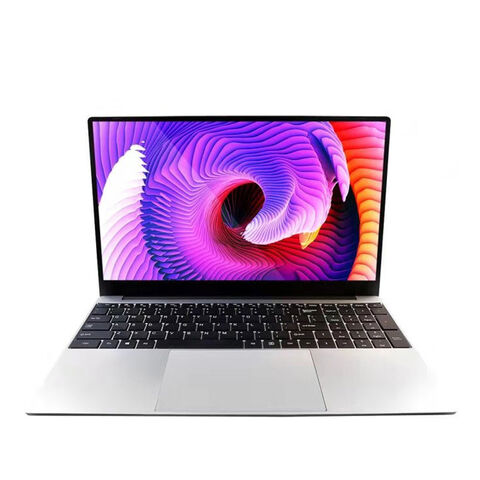
Customization Laptop 15.6 Inch Hot Selling Notebook Students Notebook Netbook Light Laptop SSD Laptop
2. Lenovo ThinkPad X1 Carbon
The Lenovo ThinkPad X1 Carbon is a highly sought-after business laptop that combines durability and portability. It boasts a fantastic keyboard, a vibrant display and excellent performance. With an Intel processor and an extensive battery life, this unit can handle Microsoft Office tasks with ease.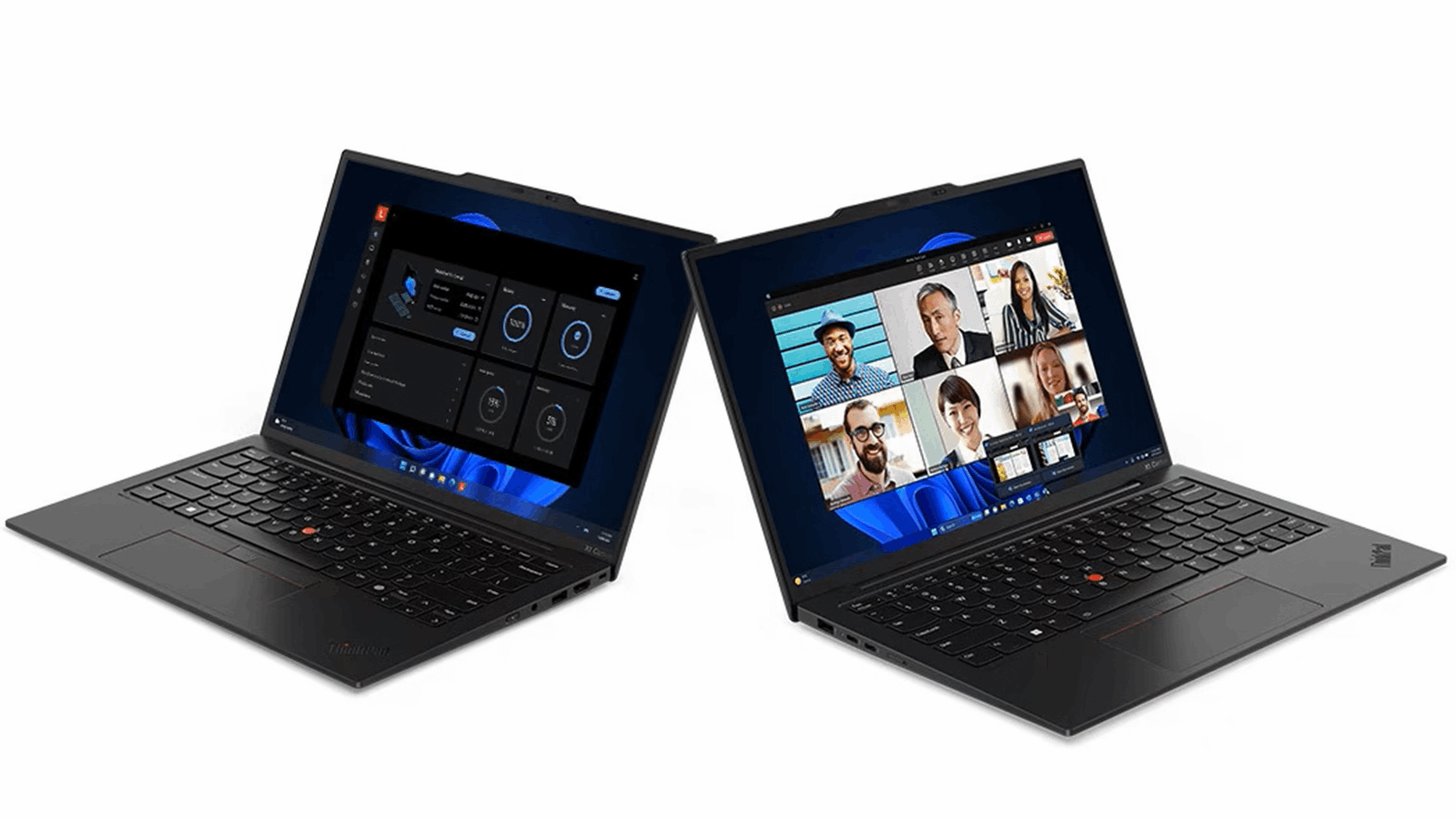
3. HP Spectre x360
The HP Spectre x360 is a versatile convertible laptop known for its premium build quality and exceptional performance. With its 2-in-1 functionality, you can switch between laptop and tablet modes effortlessly. The Spectre x360 offers a seamless Microsoft Office experience with its powerful hardware and intuitive touch interface.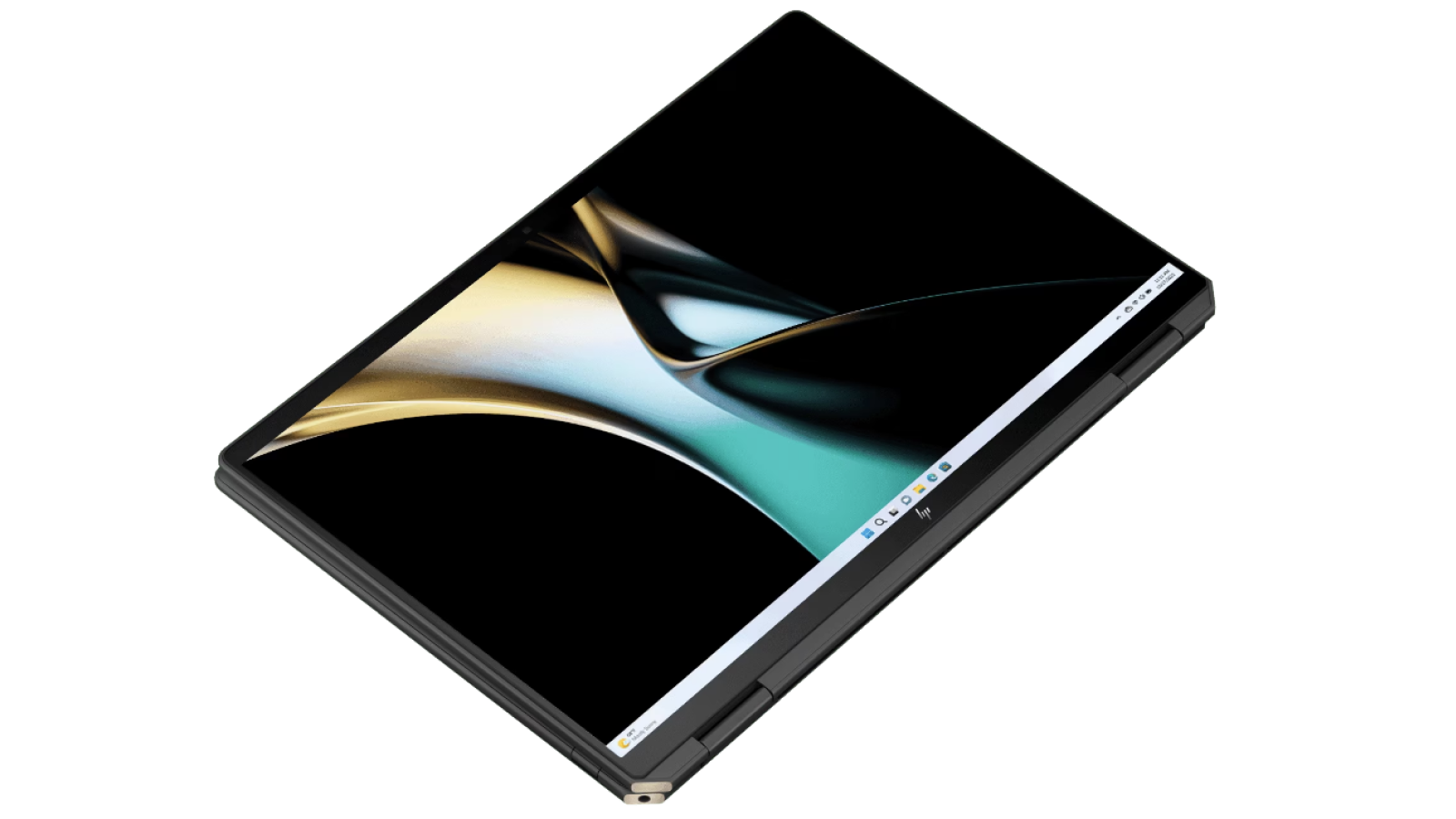
4. MacBook Air
Apple's MacBook Air is a popular choice among users who prefer macOS. It offers excellent performance, a lightweight design and a stunning Liquid Retina display. Equipped with Apple's M3 chip, it ensures effortless multitasking and flawless performance, including when using Microsoft Office applications.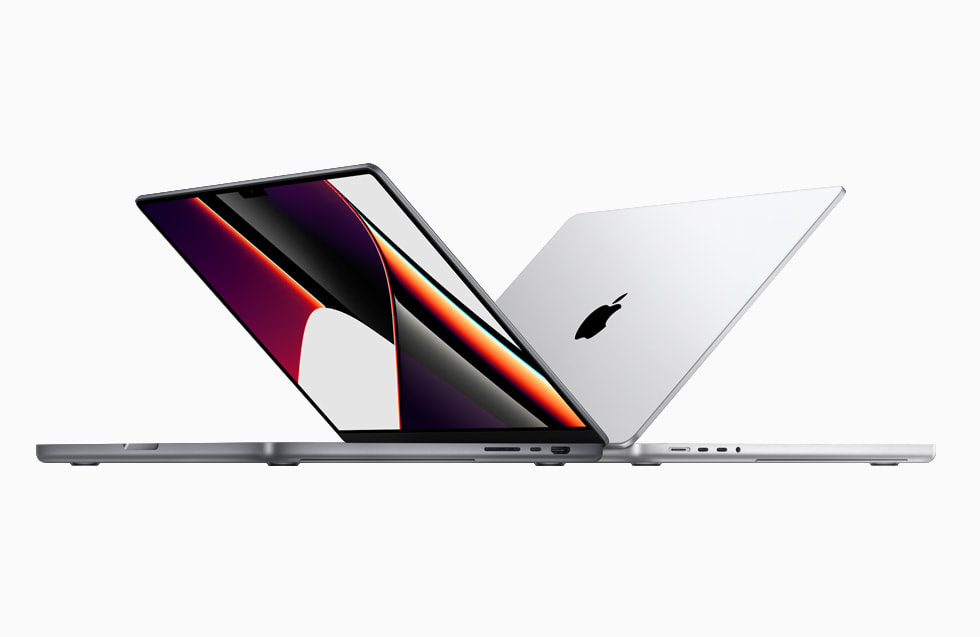
5. ASUS ZenBook 14
The ASUS ZenBook 14 is a compact and stylish laptop that delivers impressive productivity features. It comes with a powerful processor, ample RAM and a fast SSD for smooth multitasking and quick access to Microsoft Office tools when installed. The ErgoLift hinge design enhances typing comfort and the NanoEdge display provides immersive visuals.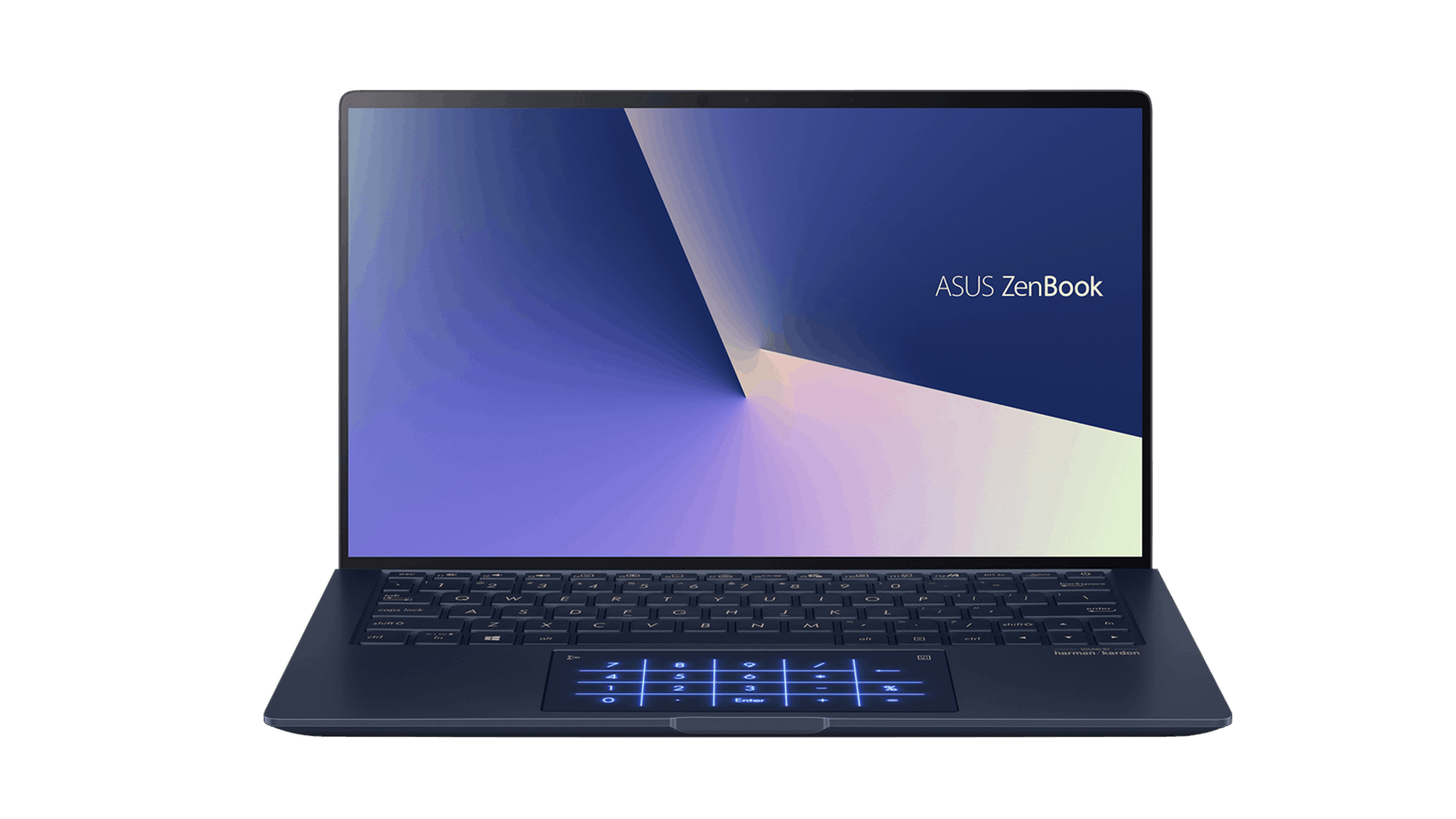
6. Microsoft Surface Laptop 4
Without a doubt, the Microsoft Surface Laptop 4 is a great choice for Microsoft Office users. It offers a sleek design, excellent build quality and a vibrant PixelSense display. Powered by either an Intel or AMD processor, it delivers fast performance and smooth multitasking to handle daily office tasks efficiently.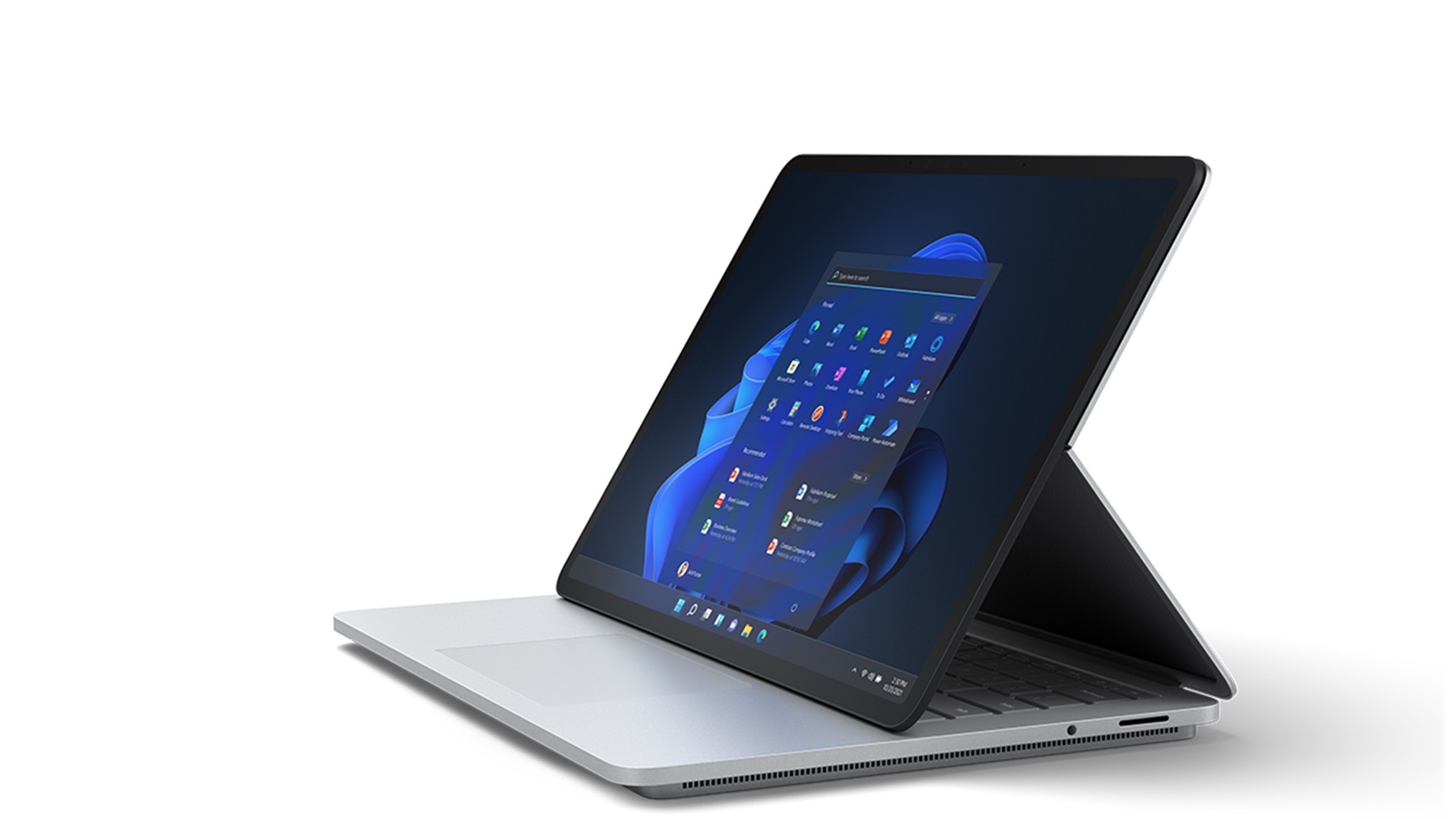
See OEM and private label suppliers offering similar products:
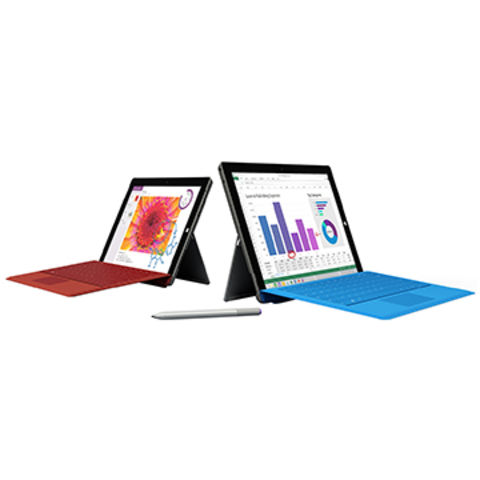
OEM 2 In 1 Convertible Laptops & Tablet PC Windows 10 Intel Quad Core 11.6 Inch with Detachable Keyboard
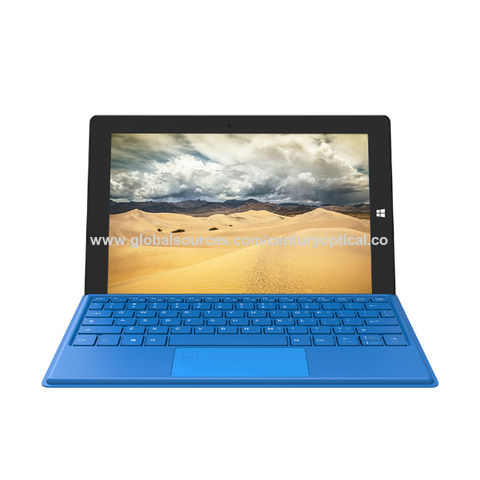
2 in 1 Surface Pro 11.6 inch Windows 10 laptop N4020 Ram 8GB Rom 256GB tablet PC with keyboard
7. Acer Swift 3
The Acer Swift 3 is a budget-friendly laptop that doesn't compromise on performance or features. It offers a lightweight design, powerful processor and decent battery life all at an affordable price point. With Microsoft Office installed, it provides a seamless and efficient experience for everyday productivity needs.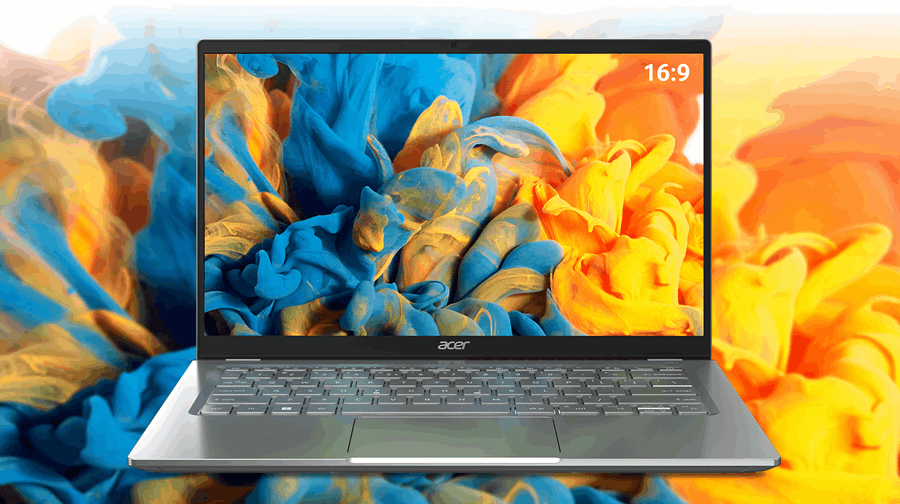
8. Lenovo IdeaPad Flex 5
The Lenovo IdeaPad Flex 5 is a versatile 2-in-1 laptop that strikes an excellent balance between performance and affordability. With its AMD Ryzen processor, ample memory and a flexible hinge, it adapts to any work style. It offers a crisp display and a comfortable keyboard, making it a suitable choice for Microsoft Office users.
9. Dell Inspiron 15
The Dell Inspiron 15 is a budget-friendly laptop that doesn't compromise on performance. It offers a range of configuration options, allowing users to choose the specifications that suit their needs best. With its large display, powerful processor and long battery life, it's an excellent choice for Microsoft Office users on a budget.
10. HP Envy 13
The HP Envy 13 is a stylish and portable laptop that combines elegance and performance. It features a stunning display, powerful hardware and a sleek design. With Microsoft Office, it caters to the productivity needs of students and professionals alike.Selecting the right laptop with a pre-installed trial version of Microsoft Office or compatible with it can greatly enhance productivity and efficiency. The 10 laptops above offer a range of features, from powerful processors to high-quality displays, ensuring a seamless experience with Microsoft Office applications for students, professionals and casual users.
Part 2. What are Laptops with Microsoft Office
Laptops with Microsoft Office are portable computing devices that come pre-installed or offer the option to install the software’s suite of applications that enable users to create, edit and share various types of digital content.
One of the key advantages of laptops with Microsoft Office is the familiarity and widespread use of the software suite. This makes it easier for users to transition from one device to another without having to relearn new software.
Another benefit is the integration and compatibility across multiple devices. Microsoft Office is available not only on laptops but also on desktops, tablets and smartphones, enabling easy access to files and documents across them and ensuring productivity and convenience.
Microsoft Word is a powerful word-processing application that allows users to create professional documents, write reports and design flyers or brochures. Excel enables users to manage and analyze data effectively, making it a useful tool for businesses and organizations. PowerPoint helps create captivating presentations with various multimedia elements, while Outlook is a comprehensive email and calendar management application.
In addition, Microsoft Office applications often provide collaboration features, allowing multiple users to work on the same document simultaneously. This facilitates teamwork and enhances productivity, making such laptops suitable for both personal and professional use.
Laptops with Microsoft Office often come with regular updates and improvements to ensure optimal performance and security, providing users with new features, bug fixes and security patches.
Part 3. Market Analysis of Laptops with Microsoft Office
In this market analysis, we will delve into the world of laptops equipped with Microsoft Office and provide relevant statistics to understand the current landscape.
Market Size
The market for laptops with Microsoft Office is substantial and continues to grow steadily. The increased demand for portable computing devices, coupled with the need for productivity software, has fueled the popularity of laptops equipped with Microsoft Office.
Microsoft Office Adoption
Microsoft Office has maintained its dominance in the productivity software sector, with a significant market share among both individuals and businesses. As of January 2024, Microsoft reported that Office 365 reached 400 million paid seats.
Usage Patterns
The usage patterns of laptops equipped with Microsoft Office are diverse and vary depending on the target audience. Professionals and students heavily rely on Microsoft Office for creating documents, crafting presentations and managing data. Additionally, small and large businesses utilize Microsoft Office for collaborative work and streamlined communication.
Software Versions
There are several versions of Microsoft Office available in the market, including Office 2019, Office 365 and the latest Office 2021. According to recent surveys, Office 365 has gained significant popularity due to its subscription-based model and regular updates, offering users the latest features and security enhancements.
Pricing and Affordability
The pricing of laptops with Microsoft Office varies depending on the brand, specifications and included software version. On average, laptops bundled with Microsoft Office have a starting price range of $500 to $1,000. However, this range can be higher for premium devices that offer advanced hardware configurations and additional features.
Laptops compatible with Microsoft Office continue to be in high demand, catering to the needs of individuals, students, professionals and businesses alike. The market size is expanding, with a positive growth trajectory projected for the coming years as more users recognize the value of a complete productivity solution.
You May also Like: General Laptop Guides and Comparisons
- Best Chinese Laptop Brands
- Heat Sink for Laptops
- Desktop vs Laptop CPUs
- Dell Latitude vs Precision
- Refurbished Laptops: Pros & Tips
- 1TB Laptops for Storage
- Gaming Laptops Guide
- Quiet Gaming Laptops
- Laptops for Microsoft Office
- Portable Dual-Screen Monitors
Part 4. Choosing Laptops with Microsoft Office
In addition to Microsoft Office’s comprehensive productivity suite, its status as industry standard, and advantages of familiarity, ease of use and advanced features, here are the other reasons why choosing laptops compatible with it is a smart decision.
1. Cloud Integration
Microsoft Office seamlessly integrates with the cloud through its online platform, Microsoft 365. By choosing a laptop with Microsoft Office, users can store and access their documents, spreadsheets and presentations on the cloud. This allows for easy file sharing, collaboration and synchronization across devices. Whether working from a different location or switching between devices, having files on the cloud ensures accessibility and eliminates the risk of data loss.
2. Continuous Updates and Support
Microsoft is committed to improving its Office suite by providing regular updates and technical support to its users. By choosing laptops with Microsoft Office, users benefit from the latest features, security patches and bug fixes. Additionally, Microsoft offers comprehensive customer support through online resources, community forums and direct assistance for a smooth and uninterrupted experience without any potential software-related issues.
3. Versatility and Compatibility
Laptops with Microsoft Office offer versatility and compatibility with a wide range of file formats, including PDF, CSV, and HTML. This flexibility ensures smooth interaction with different platforms, devices and software, making Microsoft Office a reliable choice for any task.
Part 5. Step-by-step Guide to Using Microsoft Office
In this article, we will provide a step-by-step guide on how to use Microsoft Office applications effectively, covering the basics of Word, Excel, PowerPoint and Outlook.
Step 1 Installing Microsoft Office
The first step is to install Microsoft Office. You can purchase a subscription or download the standalone version. Follow the instructions for installation, enter your product key or sign in with your Microsoft account and complete the installation process.
Step 2 Getting Started with Microsoft Word
Microsoft Word is a popular word-processing application. To start using Word, launch the application from the start menu or desktop shortcut. Familiarize yourself with the user interface, including the ribbon at the top, the document editing area and the status bar at the bottom. Create a new document, enter text, format the text using font styles, sizes and colors, and apply basic formatting such as bold, italic and underline.
Step 3 Mastering Microsoft Excel
Microsoft Excel is a versatile spreadsheet program. Open Excel and explore the Excel workbook, which consists of multiple worksheets. Enter data into cells, format cell contents, and utilize basic formulas and functions. Learn how to manipulate rows and columns, sort and filter data, and create simple charts to visualize your data. Excel offers a wide range of advanced features for data analysis, so take the time to explore and experiment with them.
Step 4 Creating Engaging Presentations with PowerPoint
PowerPoint allows you to create visually appealing presentations. Open PowerPoint and start a new presentation. Learn how to add slides, enter text, and format slide layouts. Customize your slides by adding images, shapes, and SmartArt graphics. Utilize transitions and animations to enhance the visual appeal of your slides. Practice delivering your presentation with the slideshow mode and explore additional features like speaker notes and slide timings.
Step 5 Managing Email with Outlook
Outlook is a robust email management application. Open Outlook and set up your email account by entering your credentials. Familiarize yourself with the Outlook interface, including the navigation pane, email folders and the reading pane. Learn how to compose, send and receive emails. Organize your emails by creating folders, setting up rules, and utilizing search and filtering options. Explore additional features such as the calendar, contacts and tasks to effectively manage your personal and professional communications.
Step 6 Collaboration and Cloud Integration
Microsoft Office offers seamless collaboration and cloud integration through Microsoft 365. Learn how to save and access your files on the cloud using OneDrive. Share documents with others by inviting them to view and edit files. Enable real-time collaboration by working on documents simultaneously with others. Leverage the commenting and track changes features to facilitate feedback and review processes. Explore the co-authoring capabilities across Word, Excel and PowerPoint to enhance teamwork and productivity.
Mastering the use of laptops with Microsoft Office opens up a world of productivity and creativity. Remember to practice and explore the advanced features to unlock the full potential of Microsoft Office. With time and experience, you will develop the skills to efficiently create documents, analyze data, design engaging presentations and manage your emails.
Part 6. Buying Wholesale Laptops Compatible with Microsoft Office on Global Sources
Buying laptops in bulk can be a costly endeavor, especially for businesses or educational institutions. That's where wholesale purchasing comes into play.Global Sources, a leading online B2B marketplace, offers a wide range of wholesale laptops that are pre-installed with a trial version of Microsoft Office or meet its system requirements, providing an excellent opportunity for businesses, schools and individuals to acquire high-quality devices at competitive prices. In this article, we will explore the benefits of buying wholesale laptops on Global Sources and how it can be a game-changer for your technological needs.
- Wide Range of Products
Global Sources offers an extensive selection of laptops from various brands, ensuring there is something to meet every requirement. Whether you need laptops for basic office tasks, graphic design, gaming, or multimedia editing, you can find the perfect device on the platform. - Competitive Prices
One of the most compelling advantages of buying wholesale laptops on Global Sources is the cost savings. When purchasing in bulk, you can enjoy significant discounts, making it a cost-effective solution for businesses and educational institutions. The prices are highly competitive, enabling you to get more value for your investment. - Reliable Quality
Global Sources follows stringent quality control measures to ensure that they collaborate with reliable manufacturers and suppliers who adhere to international standards, offering reliable and durable products. - Streamlined Ordering Process
Global Sources provides a user-friendly platform that streamlines the ordering process. You can easily browse through the available laptops, compare specifications, read customer reviews and place orders conveniently. The platform offers secure payment options and ensures timely and reliable delivery. - Excellent Customer Support
Should you have any queries or concerns, Global Sources provides responsive customer support to assist you throughout the purchasing journey. Their dedicated team is available to address your questions and resolve any issues that may arise.
You May also Like: Specialty Laptops and Accessories
- Laptops for Crafting
- Dropshipping Laptops
- Telehealth Laptops
- Revit Laptops
- Cricut Maker Laptops
- Small Business Laptops
- Laptops for Multiple Monitors
- Charging Laptop Batteries Externally
- Stylish Puffy Laptop Sleeves
- Western Laptop Bags
Part 7. FAQs: Laptops with Microsoft Office
Is Microsoft Office free on a laptop?
No, Microsoft Office is not available for free on laptops. To use Microsoft Office on a laptop, users need to purchase a license or subscribe to Microsoft's Office 365 service. Office 365 is a subscription-based service that provides access to the latest versions of applications. It offers different pricing plans, including monthly or annual subscriptions, which grant users the right to install and use Office applications on their laptops.
While there may be instances where laptops come pre-installed with a trial version of Microsoft Office, these versions are usually time-limited and require a license or subscription to continue using the software beyond the trial period. It's important to note that the availability and pricing of Microsoft Office can vary depending on the region and the specific laptop manufacturer or retailer.
There are alternative productivity software options available for free that are compatible with Microsoft Office file formats. For example, Google Docs, Sheets and Slides are web-based applications that offer similar functionalities to Word, Excel and PowerPoint, respectively. These applications can be accessed through a web browser and allow users to create, edit and collaborate on documents in real time. Additionally, there are open-source office suites like LibreOffice and Apache OpenOffice that provide a range of productivity tools and support for Microsoft Office file formats, without the need for a subscription or license.
Can I use Microsoft Office with a laptop?
Yes, you can use Microsoft Office with a laptop. Microsoft Office is a versatile suite of productivity software applications that is compatible with various operating systems, including Windows, macOS, and Linux. Whether you have a Windows laptop or a MacBook, you can install and use Microsoft Office applications.
The process of installing Microsoft Office on a laptop may vary depending on the version and the specific operating system you are using. Overall, using Microsoft Office with a laptop is convenient and allows you to take advantage of the full suite of productivity tools whether you are a student, a professional or a casual user.
Do any new computers come with Microsoft Office?
Many computer manufacturers offer certain models that come with a pre-installed version of Microsoft Office. This is often referred to as a "bundled" or "OEM" version of Office. The specific edition and inclusion of Microsoft Office can vary, but it commonly includes applications like Word, Excel and PowerPoint.
It's worth noting that pre-installed versions of Microsoft Office are often limited in functionality or a trial version with a predetermined period of use. In such cases, users are required to activate or purchase a license to continue using the software beyond the trial period.
If you purchase a new computer that does not come with pre-installed Microsoft Office, you can still install and use the software by purchasing a license or subscribing to Microsoft's Office 365 service. It's important to note that Microsoft Office licenses or subscriptions are tied to individual users and can be installed on multiple devices, including laptops, desktops, tablets and smartphones. This flexibility allows access and use across different devices.
You May also Like: Laptops for Specific Needs

