




Table of Contents
Top 10 Laptops for Ableton Live in 2025
Additional Considerations When Choosing a Laptop for Ableton Live
Essential Peripherals for Your Ableton Live Setup
Tips for Optimizing Ableton Live Performance
Future Trends in Laptops for Music Production
Music production has evolved dramatically over the past few decades, and software like Ableton Live has become a staple for producers, DJs, and musicians worldwide. To get the most out of Ableton Live, having a powerful and reliable laptop is essential. This article explores the best laptops for Ableton Live in 2026, focusing on performance, portability, and value to meet the needs of both consumers and wholesale buyers.
Why Ableton Live?
Ableton Live is renowned for its versatility, user-friendly interface, and robust feature set, making it a favorite among music producers. Whether you are creating complex compositions, live performances, or DJ sets, Ableton Live offers the tools you need. However, to run this software efficiently, you need a laptop that can handle intensive processing, multiple tracks, and various plugins without lag.
Key Features to Look for
When selecting a laptop for Ableton Live, consider the following key features:
1. Processor (CPU): The heart of your laptop, the CPU handles all the processing tasks, from audio mixing and effects processing to virtual instrument playback. For Ableton Live, a powerful multi-core processor is essential. Look for:
- Intel Core i5 or AMD Ryzen 5: A good starting point for beginners and intermediate users.
- Intel Core i7 or AMD Ryzen 7: Ideal for more demanding projects, larger track counts, and complex effects chains.
- Intel Core i9 or AMD Ryzen 9: The ultimate choice for professional producers working with massive projects and resource-intensive plugins.
2. RAM (Memory): RAM stores the data your laptop actively uses, allowing for quick access. Ableton Live, especially with large projects and sample libraries, can be RAM-intensive. Aim for:
- 8GB: The bare minimum for basic projects.
- 16GB: The sweet spot for most users, offering a good balance of performance and affordability.
- 32GB or more: Essential for professional-level work, handling massive projects and sample libraries with ease.
3. Storage (SSD vs. HDD): Your laptop's storage houses your operating system, Ableton Live software, project files, and sample libraries.
- Solid State Drive (SSD): Significantly faster than traditional hard drives, resulting in quicker boot times, faster loading of projects and samples, and smoother overall performance. Highly recommended for Ableton Live.
- Hard Disk Drive (HDD): Slower and less durable than SSDs. While more affordable, they can create bottlenecks in your workflow.
4. Graphics Card (GPU): While not as crucial as CPU and RAM for Ableton Live, a dedicated GPU can be beneficial for:
- Running visually demanding plugins and effects.
- External display support for a multi-monitor setup.
- Seamless video playback if incorporating visuals into your live performances.
5. Operating System (OS): Ableton Live is compatible with both Windows and macOS. Choose the OS you're most comfortable with.
- Windows: Offers wider hardware compatibility and generally more affordable options.
- macOS: Known for its stability, user-friendly interface, and seamless integration with Apple's ecosystem of devices.
6. Portability and Battery Life: Consider your mobility needs.
- Ultraportable Laptops: Lightweight and compact, ideal for musicians on the go. However, they might compromise on processing power.
- Traditional Laptops: Offer a good balance of power and portability.
- Desktop Replacements: Bulky but pack the most processing power. Ideal for studio use.
7. Budget: Set a realistic budget and prioritize the specs that matter most to your workflow.
Top 10 Laptops for Ableton Live in 2026
1. Apple MacBook Pro 16-inch (M2 Max)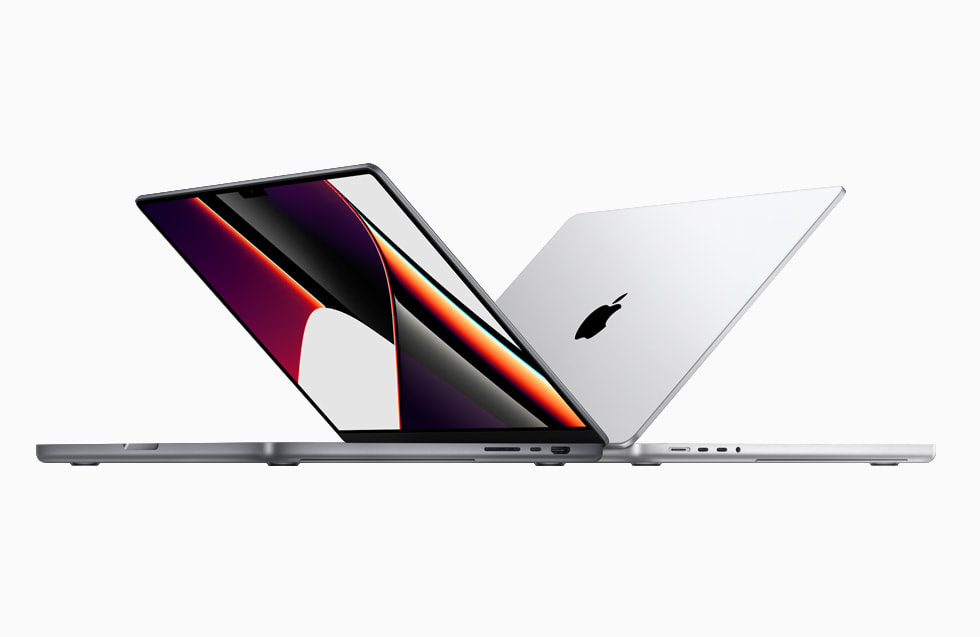 Overview
The Apple MacBook Pro 16-inch with the M2 Max chip is a powerhouse for music production. Its exceptional performance, stunning display, and long battery life make it a top choice for Ableton Live users.
Key Features
- Processor: Apple M2 Max chip
- RAM: Up to 64GB
- Storage: Up to 8TB SSD
- Display: 16-inch Retina display with True Tone
- Connectivity: Thunderbolt 4, USB-C, HDMI, SDXC card slot
Why It's Great for Ableton Live
The M2 Max chip provides unparalleled processing power, allowing you to run multiple tracks and plugins seamlessly. The large Retina display offers excellent color accuracy and resolution, making it ideal for detailed editing.
Ideal For
- Professional music producers
- DJs
- Audio engineers
2. Dell XPS 15 (2024)
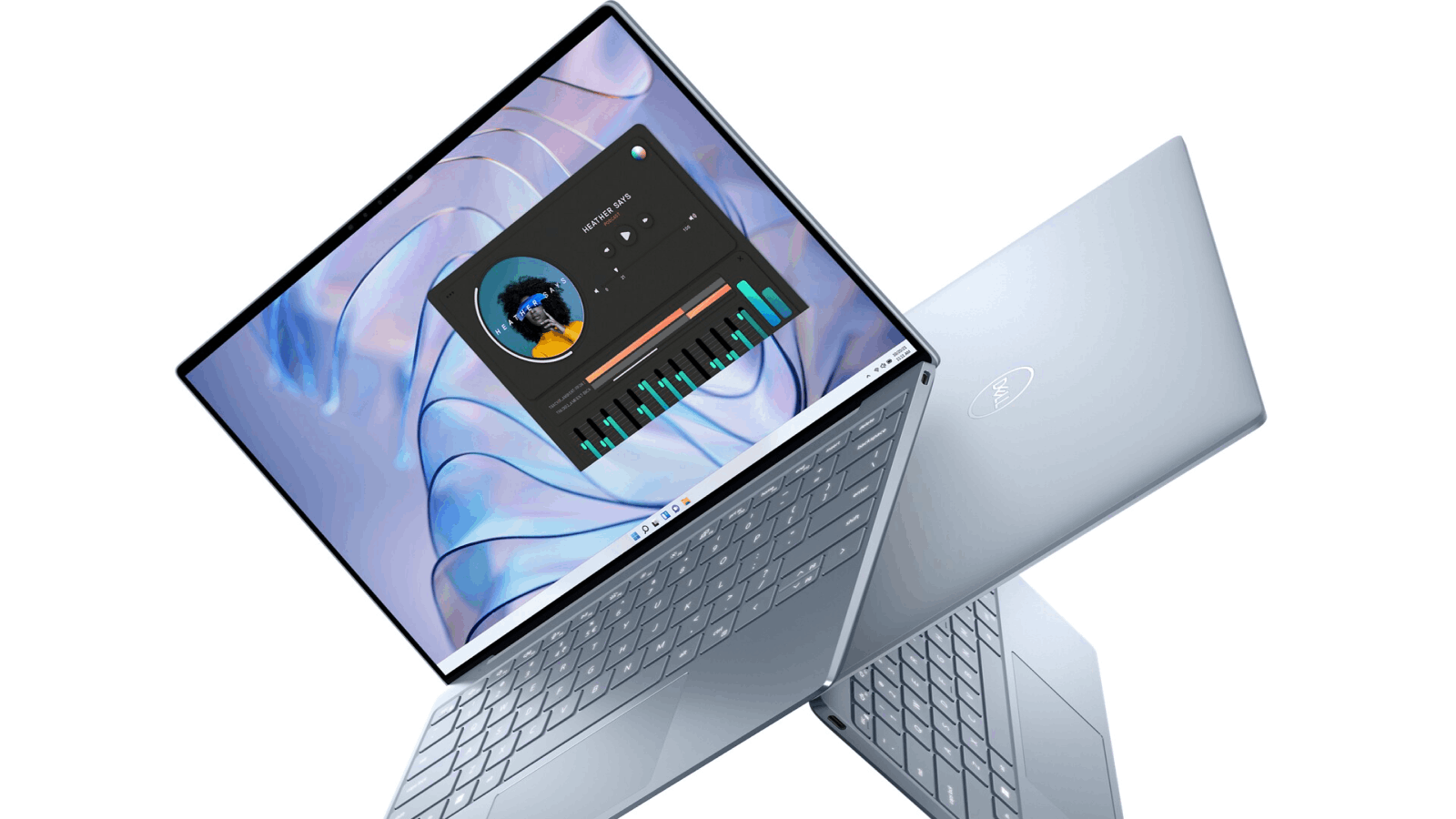
Overview
The Dell XPS 15 is a versatile laptop that combines power and portability. Its sleek design, powerful hardware, and vibrant display make it a great option for music production.
Key Features
- Processor: Intel Core i9-13900H
- RAM: Up to 64GB
- Storage: Up to 4TB SSD
- Display: 15.6-inch OLED 4K display
- Connectivity: Thunderbolt 4, USB-C, HDMI, SD card reader
Why It's Great for Ableton Live
The Intel Core i9 processor and ample RAM ensure smooth performance even with large projects. The 4K OLED display provides stunning visuals, perfect for detailed work in Ableton Live.
Ideal For
- Music producers
- DJs
- Multimedia creators
3. HP Spectre x360 16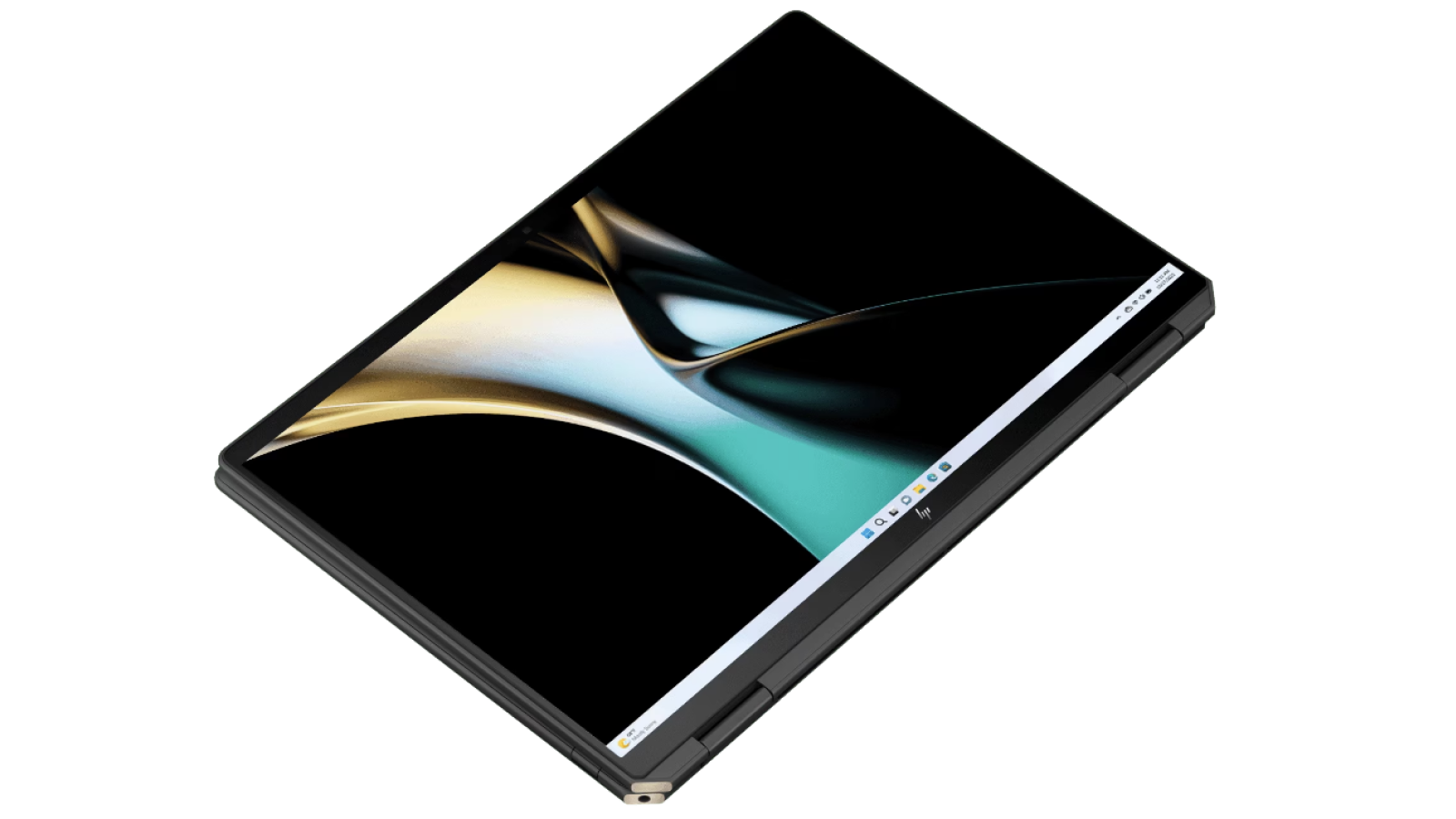 Overview
The HP Spectre x360 16 is a convertible laptop that offers flexibility and power. Its 2-in-1 design allows you to use it as a laptop or tablet, making it a versatile tool for music production.
Key Features
- Processor: Intel Core i7-12700H
- RAM: Up to 32GB
- Storage: Up to 2TB SSD
- Display: 16-inch 3K+ display with touch support
- Connectivity: Thunderbolt 4, USB-C, USB-A, HDMI
Why It's Great for Ableton Live
The convertible design is perfect for live performances and studio work. The powerful processor and ample RAM ensure smooth operation, while the high-resolution touch display enhances usability.
Ideal For
- DJs
- Live performers
- Music producers
4. Microsoft Surface Laptop Studio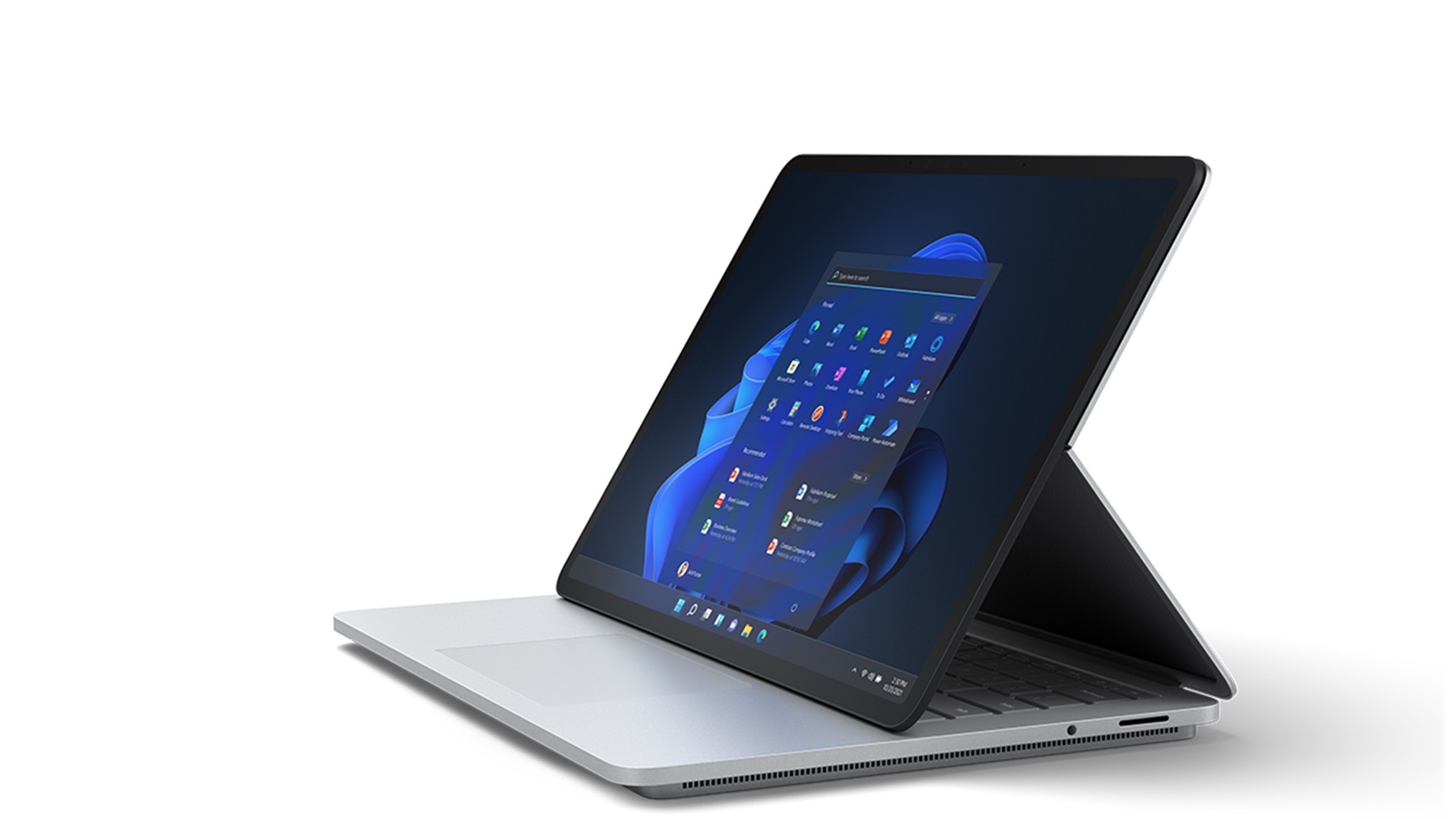 Overview
The Microsoft Surface Laptop Studio is designed for creative professionals. Its unique hinge design allows for multiple modes of use, making it a versatile tool for music production.
Key Features
- Processor: Intel Core i7-11370H
- RAM: Up to 32GB
- Storage: Up to 2TB SSD
- Display: 14.4-inch PixelSense Flow display with 120Hz refresh rate
- Connectivity: Thunderbolt 4, USB-C, Surface Connect port
Why It's Great for Ableton Live
The Surface Laptop Studio's powerful hardware and flexible design make it ideal for both studio work and live performances. The high-refresh-rate display provides smooth visuals, enhancing the overall user experience.
Ideal For
- Music producers
- DJs
- Creative professionals
5. Razer Blade 15 Studio Edition
Overview
The Razer Blade 15 Studio Edition is a high-performance laptop designed for creative professionals. Its powerful hardware and stunning display make it a top choice for music production.
Key Features
- Processor: Intel Core i9-12900H
- RAM: Up to 32GB
- Storage: Up to 2TB SSD
- Display: 15.6-inch 4K OLED touch display
- Connectivity: Thunderbolt 4, USB-C, USB-A, HDMI
Why It's Great for Ableton Live
The Razer Blade 15 Studio Edition offers exceptional performance, allowing you to run multiple tracks and plugins without lag. The 4K OLED display provides stunning visuals, making it ideal for detailed editing and mixing.
Ideal For
- Professional music producers
- DJs
- Audio engineers
6. Asus ZenBook Pro Duo 15 OLED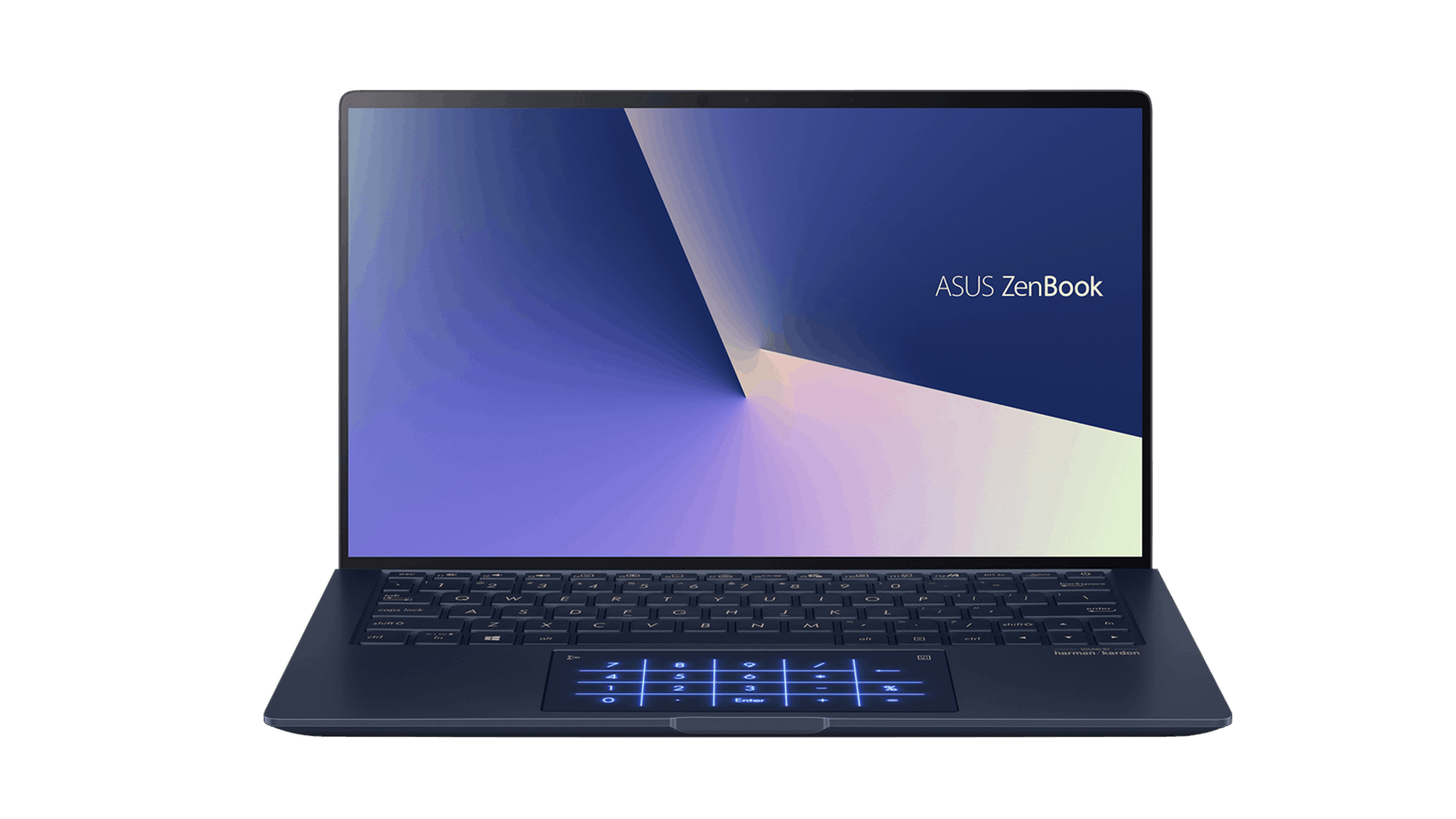 Overview
The Asus ZenBook Pro Duo 15 OLED is a unique laptop with dual screens, providing extra workspace for music production. Its powerful hardware and innovative design make it a standout choice.
Key Features
- Processor: Intel Core i9-12900H
- RAM: Up to 32GB
- Storage: Up to 2TB SSD
- Display: 15.6-inch 4K OLED main display, 14-inch 4K ScreenPad Plus
- Connectivity: Thunderbolt 4, USB-C, USB-A, HDMI
Why It's Great for Ableton Live
The dual-screen design offers additional workspace, allowing you to keep your timeline and plugins organized. The powerful processor and ample RAM ensure smooth performance, even with complex projects.
Ideal For
- Music producers
- DJs
- Multimedia creators
7. Lenovo ThinkPad X1 Extreme Gen 5 Overview
The Lenovo ThinkPad X1 Extreme Gen 5 is a robust laptop designed for professionals. Its powerful hardware and durable build make it a reliable choice for music production.
Key Features
- Processor: Intel Core i9-12900H
- RAM: Up to 64GB
- Storage: Up to 4TB SSD
- Display: 16-inch 4K UHD display
- Connectivity: Thunderbolt 4, USB-C, USB-A, HDMI, SD card reader
Why It's Great for Ableton Live
The ThinkPad X1 Extreme Gen 5 offers exceptional performance and durability, making it ideal for both studio work and live performances. The high-resolution display and ample connectivity options enhance usability.
Ideal For
- Professional music producers
- DJs
- Audio engineers
8. Acer ConceptD 7 Ezel
Overview
The Acer ConceptD 7 Ezel is a versatile laptop designed for creative professionals. Its unique hinge design and powerful hardware make it a great choice for music production.
Key Features
- Processor: Intel Core i9-12900H
- RAM: Up to 32GB
- Storage: Up to 2TB SSD
- Display: 15.6-inch 4K UHD touch display
- Connectivity: Thunderbolt 4, USB-C, USB-A, HDMI, SD card reader
Why It's Great for Ableton Live
The ConceptD 7 Ezel's unique hinge design allows for multiple modes of use, making it versatile for studio work and live performances. The powerful processor and ample RAM ensure smooth operation, while the high-resolution touch display enhances usability.
Ideal For
- Music producers
- DJs
- Creative professionals
9. Gigabyte Aero 15 OLED
Overview
The Gigabyte Aero 15 OLED is a high-performance laptop designed for creative professionals. Its powerful hardware and stunning display make it a top choice for music production.
Key Features
- Processor: Intel Core i9-12900H
- RAM: Up to 32GB
- Storage: Up to 2TB SSD
- Display: 15.6-inch 4K OLED display
- Connectivity: Thunderbolt 4, USB-C, USB-A, HDMI, SD card reader
Why It's Great for Ableton Live
The Gigabyte Aero 15 OLED is equipped with a powerful Intel Core i9 processor and up to 32GB of RAM, ensuring smooth performance even with complex projects. The 4K OLED display provides stunning visuals with deep blacks and vibrant colors, making it ideal for detailed editing and mixing.
Ideal For
- Professional music producers
- DJs
- Audio engineers
10. MSI Creator Z16
Overview
The MSI Creator Z16 is a high-performance laptop designed for creative professionals. Its powerful hardware, stunning display, and elegant design make it a great choice for music production.
Key Features
- Processor: Intel Core i9-11900H
- RAM: Up to 64GB
- Storage: Up to 2TB SSD
- Display: 16-inch QHD+ display with 120Hz refresh rate
- Connectivity: Thunderbolt 4, USB-C, USB-A, HDMI, SD card reader
Why It's Great for Ableton Live
The MSI Creator Z16 offers exceptional performance with its Intel Core i9 processor and up to 64GB of RAM. The high-refresh-rate QHD+ display provides smooth visuals and excellent color accuracy, making it ideal for detailed work in Ableton Live.
Ideal For
- Professional music producers
- DJs
- Creative professionals
You May also Like: General Laptop Guides and Comparisons
- Best Chinese Laptop Brands
- Heat Sink for Laptops
- Desktop vs Laptop CPUs
- Dell Latitude vs Precision
- Refurbished Laptops: Pros & Tips
- 1TB Laptops for Storage
- Gaming Laptops Guide
- Quiet Gaming Laptops
- Laptops for Microsoft Office
- Portable Dual-Screen Monitors
Additional Considerations When Choosing a Laptop for Ableton Live
1. Cooling System
Music production can be demanding on your laptop's hardware, leading to heat buildup. A good cooling system is essential to maintain performance and prevent thermal throttling.
2. Audio Interfaces and MIDI Controllers
Ensure your laptop has enough ports and connectivity options to accommodate your audio interfaces, MIDI controllers, and other peripherals. Thunderbolt 4 and USB-C ports offer high-speed data transfer and versatility.
3. Software Compatibility
While most modern laptops can run Ableton Live, it's important to check for compatibility with other software and plugins you use. Ensure that your chosen laptop meets the system requirements for all your production tools.
4. Operating System
Both Windows and macOS are popular choices for music production. Consider your preferred operating system and the software ecosystem you are most comfortable with.
5. Future-Proofing
Investing in a high-performance laptop with ample RAM and storage ensures that your device remains capable of handling future updates and more demanding projects.
Essential Peripherals for Your Ableton Live Setup
While a powerful laptop is the foundation of your music production setup, certain peripherals can significantly enhance your workflow and creativity:
- Audio Interface: An essential tool that allows you to connect microphones, instruments, and studio monitors to your laptop with high-fidelity audio quality.
- Studio Monitors: Provide accurate sound reproduction, crucial for mixing and mastering your tracks.
- MIDI Keyboard: A physical keyboard controller that allows you to play and record virtual instruments with a natural feel.
- Headphones: Essential for monitoring your audio in isolation, especially in environments where using studio monitors is not ideal.
- External Hard Drive: Provides additional storage space for your growing library of samples, projects, and other media files.
Tips for Optimizing Ableton Live Performance
- Keep your laptop updated: Regularly update your operating system and Ableton Live software to ensure optimal performance and stability.
- Close unnecessary applications: When working on music production, close any unnecessary applications to free up system resources for Ableton Live.
- Adjust buffer size: The buffer size determines the latency (delay) between your actions and the audio output. Experiment with different buffer sizes to find the sweet spot between low latency and smooth performance.
- Use high-quality audio drivers: Ensure you're using the latest and most stable audio drivers for your audio interface and other audio devices.
- Manage your plugins wisely: Plugins can be resource-intensive. Use them judiciously and consider "freezing" or "rendering" tracks with heavy plugin processing to reduce CPU load.
- Optimize your power settings: When running demanding tasks, set your laptop's power settings to "High Performance" to prioritize processing power.
Choosing the right laptop for Ableton Live is a crucial decision for any aspiring or established music producer. By understanding your specific needs, budget, and the key factors outlined in this guide, you can confidently invest in a machine that will empower your creativity for years to come.
Remember to prioritize a powerful processor, ample RAM, a fast SSD, and a comfortable keyboard. Consider your portability needs and don't hesitate to invest in essential peripherals that can elevate your workflow.
With the right tools at your disposal, the only limit is your imagination. Now go forth and create music that moves the world!
Future Trends in Laptops for Music Production
1. AI and Machine Learning
AI and machine learning are becoming increasingly integrated into music production software, offering features like automated mixing and mastering. Future laptops will likely leverage AI capabilities to enhance performance and user experience.
2. 5G Connectivity
With the rollout of 5G networks, more laptops are expected to come with built-in 5G connectivity, allowing for faster internet speeds and better connectivity on the go. This will be particularly beneficial for cloud-based music production and collaboration.
3. Foldable and Dual-Screen Designs
Innovative designs like foldable screens and dual-screen laptops are becoming more prevalent. These designs offer increased versatility and screen real estate without compromising portability.
4. Eco-Friendly Materials
Sustainability is becoming a key focus for manufacturers. Future laptops are likely to incorporate more eco-friendly materials and energy-efficient components, reducing their environmental impact.
5. Enhanced Audio Capabilities
Future laptops may feature enhanced audio capabilities, such as high-quality built-in DACs (Digital-to-Analog Converters) and improved audio processing, providing musicians with better sound quality and more options for music production.
Conclusion
Choosing the right laptop for Ableton Live is crucial for a seamless music production experience. The top 10 laptops listed in this article cater to a wide range of needs and preferences, ensuring that there’s a perfect option for every type of music producer.
By considering additional features like cooling systems, connectivity, software compatibility, and future-proofing, you can further narrow down your choices to find the ideal music production powerhouse. Remember to optimize your laptop for Ableton Live and stay informed about emerging trends to make the most of your investment.
Whether you’re a professional music producer, a DJ, or a creative professional, the right laptop can significantly enhance your music production experience. Invest in a laptop that meets your specific needs, and enjoy the freedom and flexibility to create and perform music from anywhere in the world.
You May also Like: Laptops for Specific Needs
- Laptops for Ableton Live
- Travel-Friendly Laptops
- Homeschool Laptops
- Laptops for Cryptocurrency
- Car Tuning Laptops
- Cybersecurity Laptops
- Podcasting Laptops
- Fusion 360 Laptops
- Laptops with Best Speakers
- College Student Laptops
FAQs
What is the best laptop to run Ableton Live?
The best laptop to run Ableton Live depends on several factors, including processing power, RAM, and storage. One of the top choices is the Apple MacBook Pro (16-inch, 2023). This model comes with Apple's M2 Pro or M2 Max chip, offering exceptional performance for demanding tasks. It supports up to 64GB of unified memory, which is crucial for handling large projects and multiple plugins simultaneously. The Retina display provides excellent visual clarity, beneficial for detailed audio editing.
Another strong contender is the Dell XPS 15 (2023). It features up to an Intel Core i9 processor and up to 64GB of RAM, making it highly capable of running Ableton Live smoothly. The NVIDIA GeForce RTX 3050 Ti graphics card can also assist with certain audio processing tasks. Its 4K OLED display offers stunning visuals, which can enhance your production experience.
For those who prefer a Windows-based system, the Razer Blade 15 Studio Edition is an excellent option. It comes with an Intel Core i7 or i9 processor, up to 32GB of RAM, and an NVIDIA Quadro RTX 5000 GPU. Its high build quality and excellent thermal management are crucial for running intensive applications like Ableton Live.
In summary, the Apple MacBook Pro (16-inch, 2023) is often considered the best due to its powerful performance and seamless integration within the Apple ecosystem. However, the Dell XPS 15 and Razer Blade 15 Studio Edition are also top choices, each offering unique features that cater to different aspects of music production.
What laptop do most producers use?
Most music producers tend to favor laptops that offer a balance of performance, reliability, and portability. The Apple MacBook Pro is arguably the most popular choice among producers. Its popularity is due to several factors:
- Performance: The latest models with Apple's M1 Pro and M1 Max chips provide exceptional processing power and efficiency, ideal for handling complex music projects.
- Software Compatibility: macOS is known for its stability and compatibility with a wide range of music production software, including industry-standard DAWs like Logic Pro X and Ableton Live.
- Build Quality: The MacBook Pro's robust aluminum chassis and high-resolution Retina display offer excellent color accuracy and clarity.
Another popular choice is the Dell XPS 15 and XPS 17. These models are favored for their high performance, featuring Intel Core i7 or i9 processors and up to 64GB of RAM. The 4K OLED displays provide stunning visuals, useful for detailed audio editing and mixing.
The Razer Blade 15 is also a favorite among some producers. Known for its sleek design and powerful specs, it features Intel Core i7 or i9 processors and NVIDIA GeForce RTX graphics, making it capable of handling resource-intensive music production software.
In summary, while the Apple MacBook Pro is a top choice for many music producers, models like the Dell XPS 15 and Razer Blade 15 are also popular. The best laptop for a producer ultimately depends on their specific needs, preferences, and budget.
Is 512GB enough for music production?
Whether 512GB of storage is sufficient for music production depends on several factors, including the size of your projects, the number of sample libraries you use, and your overall workflow.
1. Project File Sizes: Music production projects can vary significantly in size. Simple projects with a few tracks and minimal plugins may only take up a few hundred megabytes. However, larger projects with numerous tracks, high-resolution audio files, and multiple plugins can easily exceed several gigabytes. If you frequently work on complex projects, 512GB might start to feel restrictive over time.
2. Sample Libraries: One of the biggest storage consumers in music production is sample libraries. High-quality sample libraries, especially those that include orchestral instruments, drums, and other detailed sounds, can be quite large. Some libraries can take up tens or even hundreds of gigabytes. If you use multiple large libraries, 512GB may not be enough.
3. Additional Storage Solutions: If 512GB is your primary storage, consider investing in external hard drives or SSDs. External storage can be used to store sample libraries, project backups, and other large files, freeing up space on your main drive. Cloud storage solutions can also be useful for backing up projects and sharing files with collaborators.
In conclusion, while 512GB can be sufficient for music production, it may require careful management of your files and additional storage solutions. For those who work with large projects and extensive sample libraries, opting for a laptop with more storage or using external drives is advisable.
What does Ableton work best on?
Ableton Live works best on laptops that offer a combination of high performance, ample RAM, and sufficient storage. One of the top choices for running Ableton Live is the Apple MacBook Pro (16-inch, 2023). Equipped with Apple's M2 Pro or M2 Max chip, this laptop provides exceptional processing power and efficiency, crucial for handling the demands of Ableton Live. The 16-core Neural Engine enhances tasks involving machine learning, beneficial for certain plugins and audio processing tasks. With up to 64GB of unified memory, it ensures smooth multitasking and handling of large projects.
For Windows users, the Dell XPS 15 (2023) is an excellent option. It features up to an Intel Core i9 processor and up to 64GB of RAM, making it highly capable of running Ableton Live smoothly. The NVIDIA GeForce RTX 3050 Ti graphics card can assist with certain audio processing tasks, and its 4K OLED display offers stunning visuals.
Another strong contender is the Razer Blade 15 Studio Edition. This laptop comes with an Intel Core i7 or i9 processor, up to 32GB of RAM, and an NVIDIA Quadro RTX 5000 GPU. Its high build quality and excellent thermal management are crucial for running intensive applications like Ableton Live.
In summary, Ableton Live works best on laptops that offer powerful CPUs, ample RAM, and sufficient storage. The Apple MacBook Pro (16-inch, 2023) stands out due to its powerful performance and seamless integration within the Apple ecosystem. However, the Dell XPS 15 and Razer Blade 15 Studio Edition are also top choices, each offering unique features that cater to different aspects of music production.
You May also Like: Specialty Laptops and Accessories

